
SoloLock
-
Compatibility After Effects Please check exact version compatibility under the "COMPATIBILITY" tab below
 Adding to cart...
 Locks or unlocks all non-selected layers or masks (based on current selection) with one click.
Select one or several layers, click "Lock" button and it locks all other layers. “Unlock” button unlocks all layers, even if none layers are selected. If you have selected one or several masks - the same buttons will lock/unlock all other masks instead of layers. You can even select masks in different layers if you want. To unlock masks - at least one mask must be selected, or you will unlock layers otherwise.
Installation and usage
Copy downloaded file to Adobe After Effects "Scripts" folder to access script from "File -> Scripts" menu or copy it to "ScriptUI Panels" folder (inside "Scripts" folder) to access script from bottom of "Window" menu.
If you run script from "File -> Scripts" menu, it will show up as floating window, which you can place anywhere on the screen. If you open in from "Window" menu - you will have dockable panel, which can be docked anywhere in your workspace.
| After Effects | CC 2015, CC 2014, CC, CS6, CS5.5, CS5, CS4 |
|---|
1 (Current version) - Mar 3, 2014
- 03/2014 - Initial release - Mar 2014
-

- Compatibility After Effects
Save Actions
Add to CartSave and recall actions in After Effects. A practical and easy tool for storing layers with the ability to save the properties of layers in general or selectively with live preview.
-

- Compatibility After Effects
Add Parented Null to Selected Layers
Creates a parented null for each of the selected layers. The new null can have a custom name defined in the User Variables section and also has the option of including the name of the layer that is parented to it.Add to Cart$4.99 -
- Compatibility After Effects
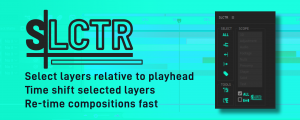
SLCTR
Easily re-time comps by selecting layers based on the play-head position. Choosing the selection scope as all layers or specific layer types with the ability to restrict your selection to the Workspace. Then shift selected layers together.Add to Cart -

- Compatibility After Effects
Pointers
Snap any position property to any layer. No matter if it is 3D, 2D or parented. Pointers does all the complicated math for you.Add to Cart -
- Compatibility After Effects
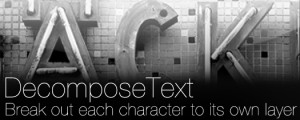
DecomposeText
Breaks up text by character, word or line into separate layers.Add to Cart -

- Compatibility After Effects
Mobo Super Suite
Add to CartThe ultimate software suite for motion designers and creative professionals. Mobo Super Suite brings together the best tools from Motion Boutique to offer you a limitless creative experience. Get Newton 4 + Connect Layers PRO + Pastiche 2 + Plotter + Mobo_Utils + AutoStereogram + LayerGenerators at an amazing price!
Regular Price: $538.05
Special Price: $399.99