-
After Effects
Pastiche2
Turn any shape, text, or footage into a precise, beautifully distributed collage of native After Effects layers in a single click. Create mind-blowing morphing animations with infinite possibilities.
Pastiche is discounted 50% for students and faculty. More info here.
PASTICHE 2
An After Effects plug-in to produce creative layer collages.
Tired of manually placing hundreds of layers to build a complex artwork?
Let Pastiche do the heavy lifting.
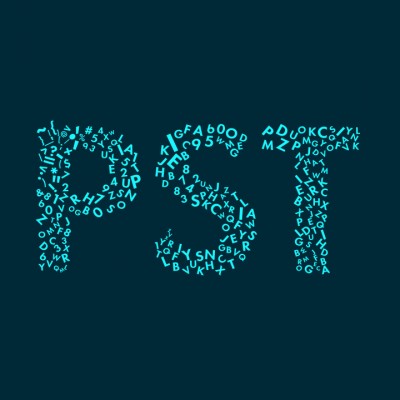
Turn any shape, text, or footage into a precise, beautifully distributed collage of native After Effects layers in a single click. Keep absolute creative freedom over every element.
Say goodbye to "robot tasks."
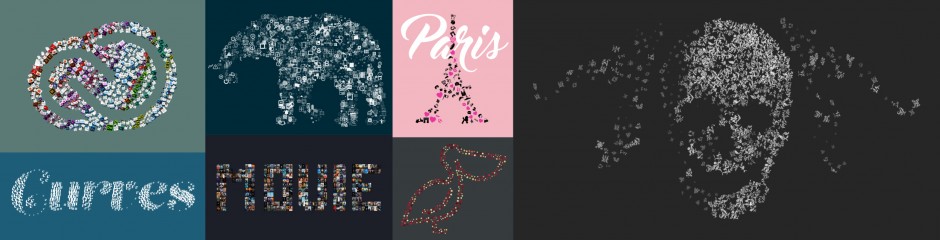
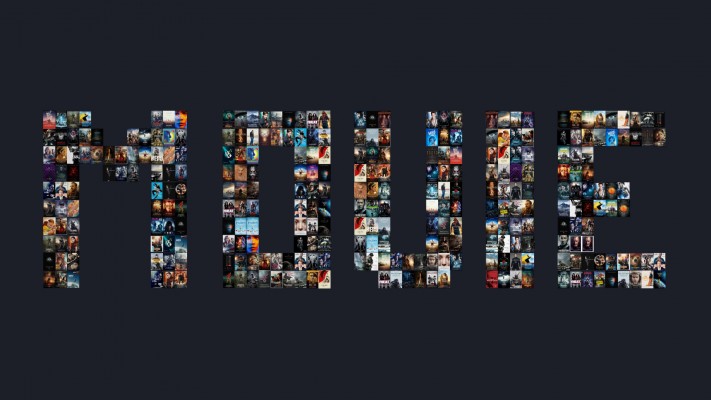
Scaling, rotating, and aligning dozens of partner logos, social media icons, or movie posters by hand is a frustrating waste of your creative time.
Pastiche automates this tedious setup in a fraction of a second, arranging your elements in beautiful, precise organic distributions or clean grids.
The best part? Every single layer remains a native, independent After Effects layer. You keep absolute control. Need to manually nudge an icon that overlaps, or tweak the opacity of a specific layer? Go ahead. Nothing is locked inside a baked, pre-rendered effect.
"Wow, Pastiche at @aescripts looks amazing. Great demo video! From @motionboutique, the geniuses behind Newton."
"Pastiche at @aescripts is absolute magic. Seriously good work by @motionboutique. These guys are trend setters."
"This will be the biggest showreel thing since Trapcode. It makes intricate configurations purely automated."
What's new in Pastiche 2
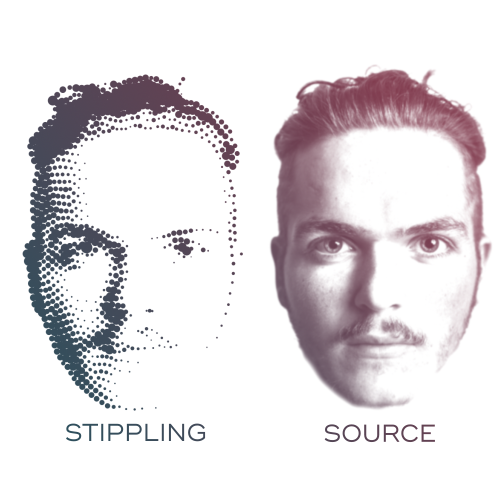
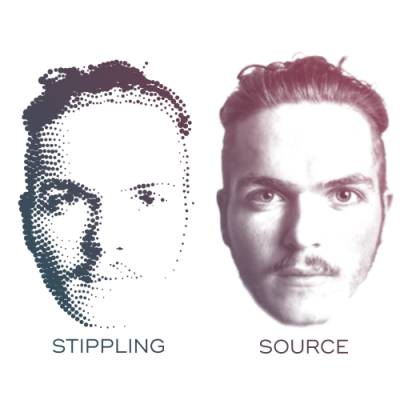
Stippling New!
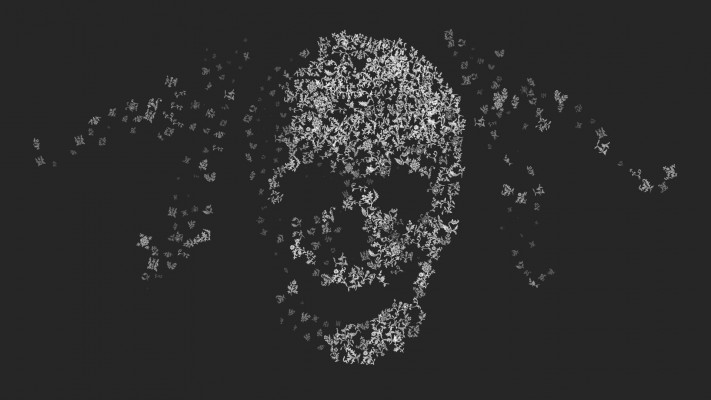
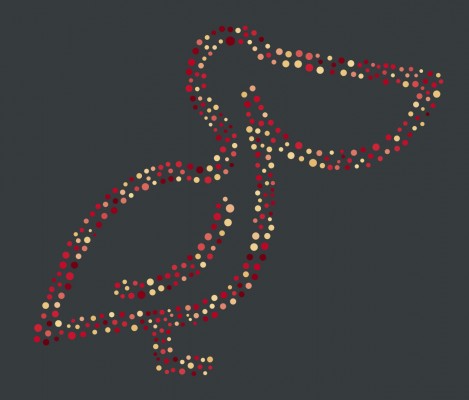
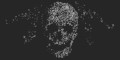
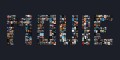
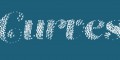
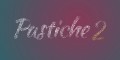
Want to recreate a detailed portrait or abstract shape using a mosaic of tiny elements? The Stippling engine adjusts the scale and placement of your layers based on the luminance and alpha of your source, giving you an incredibly detailed, textured finish.
Color Mapping New!
Stop coloring your shapes one by one. Pastiche can sample colors directly from your source image and apply them to the fill (Fill) or outline (Stroke) of your layers on the fly.
Seamless Loops New!
Create looping social media content (GIFs, Instagram/TikTok loops) effortlessly. Transition your layers from state A to state B, and tell Pastiche to gracefully return to the first frame configuration to close the loop perfectly.
Elastic / Step Interpolations New!
Add instant physical behavior to your movements. Apply a satisfying, springy bounce (Elastic) to your transitions for extra punch, or restrict your layers to move only on horizontal and vertical axes (Step) for a retro pixel-art or tech grid look.
Download the fully functional free trial and see for yourself.
Full features. Collage limited to 25 layers.
How Pastiche Operates
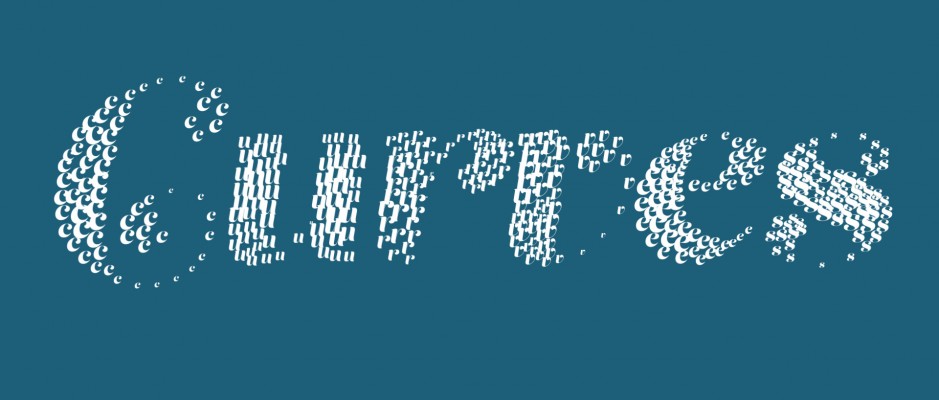
Pastiche needs only two elements inside your active composition to procedurally map your artwork layout: a Source Stencil (any 2D layer with an alpha channel like text, vector shape, or footage) to define the target shape, and any bunch of 2D Layers (images, solids, vectors, typography, or pre-comps) to be distributed across it.
Animated Layer Elements
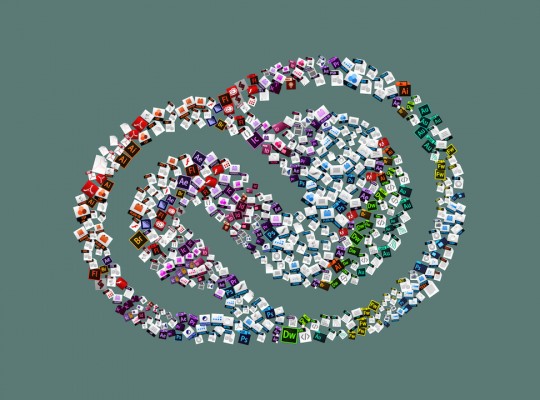
Use any 2D layer type. Pastiche fully supports animated pre-compositions, allowing you to populate your stencils with looping animations, movies, or complex vector assets.
Infinite Configuration Options
Choose among hundreds of customization options. Instantly randomize scale ranges, rotation limits, offsets, and spacing thresholds to find the perfect look for your project.
Main Features
Source-Driven Transforms
Harness your source stencil's alpha channel or luminance values to automatically drive scale, custom rotation, and individual opacities.
Animate Every Parameter
Every single slider, dropdown, and toggle inside the Pastiche panel is keyframeable. Create evolving animations by morphing parameters on the fly.
Lightning Fast Native C++ Plugin
Pastiche is compiled in native C++ (not a slow ExtendScript script), allowing it to process and manipulate hundreds of layers almost instantly.
Standard AE Keyframes
Pastiche writes keyframes directly into After Effects. Tweak them by hand or share your composition with clients: your rendering works perfectly even without Pastiche installed.
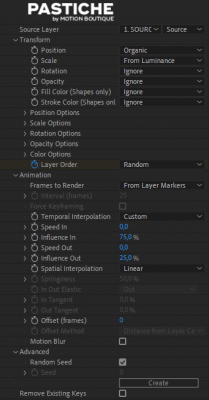
Intuitive Panel Controls
Designed entirely inside Adobe After Effects.
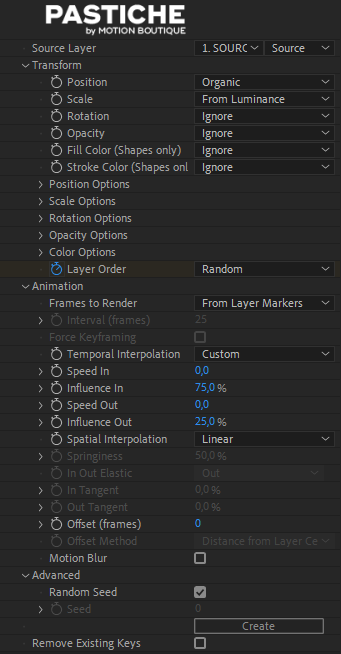
A clean, standard After Effects panel to instantly configure layouts, adjust sliders, and toggle overlap parameters without timeline clutter.
Select any active layer inside your composition (text, vectors, or footage) to define the target silhouette of your collage.
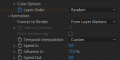
Define how Pastiche maps your individual layers to the stencil. Dynamically control scale boundaries, custom rotation limits, and precise opacity values.
Determine how and when After Effects keyframes are generated. Drive animations automatically using custom timeline markers or regular frame-by-frame rendering.
Infuse distinct personality into your transitions. Choose advanced spatial interpolation curves (like Elastic or Step) and set organic timing delays.
Complex transitions.
Created in a few clicks.
Because static is boring. We make things move.
Creating a static collage is cool for print, but animation is where the magic happens. The real superpower of Pastiche lies in its ability to orchestrate hundreds of layers to create mind-blowing morphings and seamless transitions.
-
Marker-Based Animation or Every X frames: Choose how to render and drive keyframes across your timeline. Set keyframe generation strictly from custom source markers or trigger regular frame calculation steps—the choice is yours.
-
Offsets: Give your elements a slight delay (left to right, top to bottom, Distance from Image Center, Random...) so they don’t all move at the exact same time. This immediately adds a high-end, organic feel to your motion.
-
Spatial Interpolation: Define trajectories during displacement with different styles: Linear, Inner / Outer Half Circle, ZigZag, custom and more!
CREATE COMPLEX VECTOR & PHOTOGRAPHY COLLAGES IN SECONDS.
Work Smarter, Together
Pastiche plays incredibly well with other essential tools inside the Motion Boutique ecosystem:
Using Newton?
Create the ultimate physics combo. Use Pastiche to distribute your layers perfectly into an artwork shape, and then let Newton’s gravity and collision engine make them explode or fall realistically.
900 layers to duplicate?
Clone your layers hundreds of times in a single second using the Multiplicate tool, available in our Mobo_Utils tool set.
Pastiche 2 is part of the amazing
Mobo Super Suite.
Master Pastiche 2
Explore our library of video tutorials.
From quick essential guidelines to advanced workflows and creative techniques.
Video Tutorials
Trial Version: The free trial is limited to a maximum of 25 layers per collage. Secure the commercial license for unlimited layer capacities.
COMPATIBILITY
Compatible with Adobe After Effects 2021 up to 2026. Native support for Apple Silicon (M1/M2/M3 and above) & Windows systems.
Upgrade Notice
If you purchased Pastiche 1 after Dec 13, 2020, you're eligible for a free upgrade.
Otherwise, the upgrade path to Pastiche 2 costs just $45.00.
Log in to the original purchase account to receive the upgrade price automatically at checkout.
If you need assistance, please open a support ticket.
Download the fully functional free trial and see for yourself.
Full features. Collage limited to 25 layers.
coucou
Discussions
Want to talk about it?
Head over to r/aescripts to chat with fellow users about this product.
Need Support?
Please open a support ticket to be connected directly with the author of this product
Version History
2.1.15 -
Jan 3, 2023
2.1.13 -
Jun 21, 2022
2.1.12 -
May 2, 2022
2.1.11 -
Jan 31, 2022
- updated licensing framework
- added support for Apple M1 architecture (Silicon)
2.1.10 -
Dec 10, 2021
- fixed a bug with 32bpc projects
2.1.9 -
Nov 18, 2021
- fixed resolution bug (Pastiche doesn't require a full resolution comp to give correct results)
- fixed a bug with the Use Previous Value option (introduced in the previous version)
- fixed a bug with negative comp start timecode
- fixed a bug in the temporal ease function (some keyframes were not eased)
2.1.1 -
Nov 13, 2021
- Fixed a bug in "Use Previous Value" introduced in the previous version
2.1 -
Nov 3, 2021
2.0 -
Jan 13, 2021
Compatibility
After Effects
2026, 2025, 2024, 2023, 2022, 2021
EULA
This software ("the Software Product") and accompanying documentation is licensed and not sold. This Software Product is protected by copyright laws and treaties, as well as laws and treaties related to other forms of intellectual property. The author owns intellectual property rights in the Software Product. The Licensee's ("you" or "your") license to download, use, copy, or change the Software Product is subject to these rights and to all the terms and conditions of this End User License Agreement ("Agreement").
Acceptance
YOU ACCEPT AND AGREE TO BE BOUND BY THE TERMS OF THIS AGREEMENT BY SELECTING THE "ACCEPT" OPTION AND DOWNLOADING THE SOFTWARE PRODUCT OR BY INSTALLING, USING, OR COPYING THE SOFTWARE PRODUCT. YOU MUST AGREE TO ALL OF THE TERMS OF THIS AGREEMENT BEFORE YOU WILL BE ALLOWED TO DOWNLOAD THE SOFTWARE PRODUCT. IF YOU DO NOT AGREE TO ALL OF THE TERMS OF THIS AGREEMENT, YOU MUST SELECT "DECLINE" AND YOU MUST NOT INSTALL, USE, OR COPY THE SOFTWARE PRODUCT.
License Grant
This Agreement entitles you to install and use one copy of the Software Product. In addition, you may make one archival copy of the Software Product. The archival copy must be on a storage medium other than a hard drive, and may only be used for the reinstallation of the Software Product. This Agreement does not permit the installation or use of multiple copies of the Software Product, or the installation of the Software Product on more than one computer at any given time, on a system that allows shared used of applications, on a multi-user network, or on any configuration or system of computers that allows multiple users. Multiple copy use or installation is only allowed if you obtain an appropriate licensing agreement for each user and each copy of the Software Product.
Restrictions on Transfer
Without first obtaining the express written consent of the author, you may not assign your rights and obligations under this Agreement, or redistribute, encumber, sell, rent, lease, sublicense, or otherwise transfer your rights to the Software Product.
Restrictions on Use
You may not use, copy, or install the Software Product on any system with more than one computer, or permit the use, copying, or installation of the Software Product by more than one user or on more than one computer. If you hold multiple, validly licensed copies, you may not use, copy, or install the Software Product on any system with more than the number of computers permitted by license, or permit the use, copying, or installation by more users, or on more computers than the number permitted by license.
You may not decompile, "reverse-engineer", disassemble, or otherwise attempt to derive the source code for the Software Product.
Restrictions on Alteration
You may not modify the Software Product or create any derivative work of the Software Product or its accompanying documentation. Derivative works include but are not limited to translations. You may not alter any files or libraries in any portion of the Software Product.
Restrictions on Copying
You may not copy any part of the Software Product except to the extent that licensed use inherently demands the creation of a temporary copy stored in computer memory and not permanently affixed on storage medium. You may make one archival copy which must be stored on a medium other than a computer hard drive.
Disclaimer of Warranties and Limitation of Liability
UNLESS OTHERWISE EXPLICITLY AGREED TO IN WRITING BY THE AUTHOR, THE AUTHOR MAKES NO OTHER WARRANTIES, EXPRESS OR IMPLIED, IN FACT OR IN LAW, INCLUDING, BUT NOT LIMITED TO, ANY IMPLIED WARRANTIES OF MERCHANTABILITY OR FITNESS FOR A PARTICULAR PURPOSE OTHER THAN AS SET FORTH IN THIS AGREEMENT OR IN THE LIMITED WARRANTY DOCUMENTS PROVIDED WITH THE SOFTWARE PRODUCT.
The author makes no warranty that the Software Product will meet your requirements or operate under your specific conditions of use. The author makes no warranty that operation of the Software Product will be secure, error free, or free from interruption. YOU MUST DETERMINE WHETHER THE SOFTWARE PRODUCT SUFFICIENTLY MEETS YOUR REQUIREMENTS FOR SECURITY AND UNINTERRUPTABILITY. YOU BEAR SOLE RESPONSIBILITY AND ALL LIABILITY FOR ANY LOSS INCURRED DUE TO FAILURE OF THE SOFTWARE PRODUCT TO MEET YOUR REQUIREMENTS. THE AUTHOR WILL NOT, UNDER ANY CIRCUMSTANCES, BE RESPONSIBLE OR LIABLE FOR THE LOSS OF DATA ON ANY COMPUTER OR INFORMATION STORAGE DEVICE.
UNDER NO CIRCUMSTANCES SHALL THE AUTHOR, ITS DIRECTORS, OFFICERS, EMPLOYEES OR AGENTS BE LIABLE TO YOU OR ANY OTHER PARTY FOR INDIRECT, CONSEQUENTIAL, SPECIAL, INCIDENTAL, PUNITIVE, OR EXEMPLARY DAMAGES OF ANY KIND INCLUDING LOST REVENUES OR PROFITS OR LOSS OF BUSINESS) RESULTING FROM THIS AGREEMENT, OR FROM THE FURNISHING, PERFORMANCE, INSTALLATION, OR USE OF THE SOFTWARE PRODUCT, WHETHER DUE TO A BREACH OF CONTRACT, BREACH OF WARRANTY, OR THE NEGLIGENCE OF THE AUTHOR OR ANY OTHER PARTY, EVEN IF THE AUTHOR IS ADVISED BEFOREHAND OF THE POSSIBILITY OF SUCH DAMAGES. TO THE EXTENT THAT THE APPLICABLE JURISDICTION LIMITS THE AUTHOR'S ABILITY TO DISCLAIM ANY IMPLIED WARRANTIES, THIS DISCLAIMER SHALL BE EFFECTIVE TO THE MAXIMUM EXTENT PERMITTED.
Limitation of Remedies and Damages
Any claim must be made within the applicable warranty period. All warranties cover only defects arising under normal use and do not include malfunctions or failure resulting from misuse, abuse, neglect, alteration, problems with electrical power, acts of nature, unusual temperatures or humidity, improper installation, or damage determined by the author to have been caused by you. All limited warranties on the Software Product are granted only to you and are non-transferable. You agree to indemnify and hold the author harmless from all claims, judgments, liabilities, expenses, or costs arising from your breach of this Agreement and/or acts or omissions.
Governing Law, Jurisdiction and Costs
This Agreement is governed by the laws of New York, without regard to New York's conflict or choice of law provisions.
Severability
If any provision of this Agreement shall be held to be invalid or unenforceable, the remainder of this Agreement shall remain in full force and effect. To the extent any express or implied restrictions are not permitted by applicable laws, these express or implied restrictions shall remain in force and effect to the maximum extent permitted by such applicable laws.