
StageTool
-
Compatibility After Effects Please check exact version compatibility under the "COMPATIBILITY" tab below
 Adding to cart...
 Stagetool lets you create pixel mappings for your VJ performances very easily within After Effects. Just simply enter the properties of the LED slice and hit create! Position the LED slices to match your stage, and export the composition to Resolume Arena 5, 6 and Arena (7).
Features:
• Create multiple output compositions.
• LED tile feedback: checkerboard, outlines, cross indicator & more!
• Easily add your logo to the slices.
• Live position indicators.
• Change the color, scale, rotation of each slice with the input parameters.
• Remove tiles from you slice with 'negatives'.
• Easily screenshot your mask, input and output compositions.
• Export XML to Resolume Arena 5 & 6, (inclusive rectangle masks).
Workflow:
• First of all create your input composition and output composition(s). (an ID text layer will be created that is linked to the resolution of your composition). After that, refresh the targets and select which output you want to send your slice to.
• Specify the properties of the slice you want to create, and hit the create button! (You can reposition your slices later, the position text layers will be updated automatically).
• After you are finished with creating and positioning your slices, you can simply export your compositions, mask and XML for Resolume in the export tab.
Trial Limitations:
• Limited to 3 slices.
• A limited slice surface of 25,600 pixels (160x160).
• No virtual slices.
• No negative tiles.
• No export.
| After Effects | 2022, 2021, 2020, CC 2019, CC 2018, CC 2017, CC 2015.3, CC 2015, CC 2014 |
|---|
1.5 (Current version) - Jan 24, 2020
- Updated looks.
- Improved textbox scaling.
1.4 - Oct 23, 2019
1.4 - Aug 30, 2019
1.3 - Mar 18, 2019
1.2 - Jul 10, 2018
- Fixed logo drop down menu null pointer.
- Fixed refresh targets on demo version.
- Bundled refresh targets and refresh logos in 'Refresh UI'.
1.1 - Jun 9, 2018
- Fixed a bug that caused refresh targets not to work after closing down the script.
- Improved logo workflow.
1.0 - May 10, 2018
-
- Compatibility Premiere
Automated Video Editing for Premiere Pro
Add to CartAutomated Video Editing automates the whole video editing process synced to music in Premiere Pro.
-
- Compatibility After Effects
Automated Video Editing for After Effects
Add to CartAutomated Video Editing automates the whole video editing process synced to music in After Effects.
-
- Compatibility After Effects
Screen Mapper
Add to Cart. Screen Mapper is a new tool for After Effects that allows you too quickly set up multi-screen display templates for animating and exporting.
-
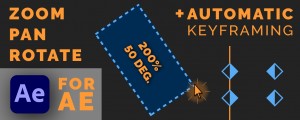
- Compatibility After Effects
Drag Zoom Pro for Adobe After Effects
Add to CartEasily zoom into your footage by intuitively drawing a box around the portion of the frame. Also supports automatic keyframing.
-
- Compatibility Photoshop
Glow & Glare Photoshop Extension
Add to CartAdd Glow & Glare effects in Photoshop in a non-destructive way.
-
- Compatibility After Effects
Type Morph
Add to CartType Morph lets motion graphics designers create and animate Kinetic Typography involving morphing axis with a few clicks