
Create3DShapes
-
Compatibility After Effects Please check exact version compatibility under the "COMPATIBILITY" tab below
 Adding to cart...
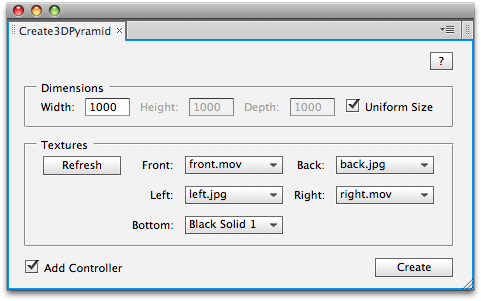
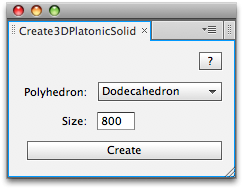
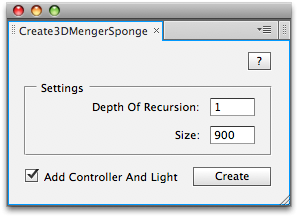
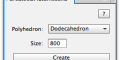
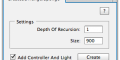
 Create3DShapes is a package of 8 separate tools
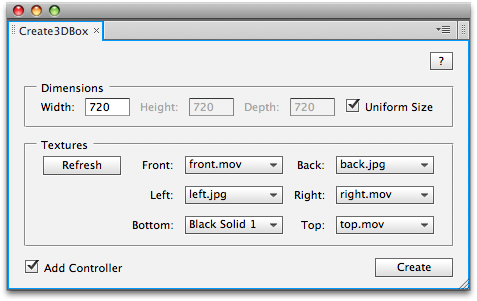
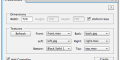
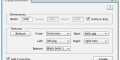
Note that the same layer can be used for multiple sides. An option allows to parent each side layer to a Null 3D positioned at the center of the shape.
*Create3DMengerSponge_Shapes - variation of Create3DMengerSponge, uses extruded shape layers instead of precomped cubes.
| After Effects | 2024, 2023, 2022, 2021, 2020, CC 2019, CC 2018, CC 2017, CC 2015.3, CC 2015, CC 2014, CC, CS6 |
|---|
3.8 (Current version) - Feb 26, 2023
- Fixed a bug with 3D renderer (MengerSponge_Shapes)
- Fixed a bug in supported layer types function (Create3DPyramid)
3.7 - Jul 14, 2015
- 3.6 - Create3DBox v3.1 Fixed minor bug with layers order in layers stack, CC compatibility - Mar 2014
- 3.5 - New script Create3DMengerSponge_Shapes, added CS6 Compatibility - Dec 2012
- 3.3 - Data entry bug and foreign language compatibility with CS5.5 - Nov 2011
- Create3DPlatonicSolid v1.0 - Initial release (Aug 2010)
- Create3DBox v2.6 - Handles text justification and CS5 compatibility (Aug 2010)
- Create3DCylinder v2.6 - Code cleanup and CS5 compatibility (Aug 2010)
- Create3DFallingDominoes v1.6 - Code cleanup and CS5 compatibility (Aug 2010)
- Create3DMengerSponge v2.6 - Code cleanup and CS5 compatibility (Aug 2010)
- Create3DPyramid v2.1 - Handles text justification and CS5 compatibility (Aug 2010)
- Create3DSphere v3.2 - Code cleanup and CS5 compatibility (Aug 2010)
- Create3DSphere v3.1 - Resources folder is in parenthesis to speed up loading (Feb 2010)
- Create3DSphere v3.0 (Feb 2010)
-
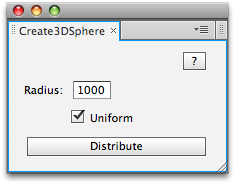
- Allows to distribute layers on sphere or ellipsoid (e.g. rugby ball, with controllable x,y,z-radius)
- Gain in speed using precomputed arrangements
- Can create giant sphere with up to 1000 layers, in couple of seconds
- Create3DSphere v2.5 - Initial version on aescripts.com (Jun 2009)
- Create3DBox v2.5 - Initial version on aescripts.com (Jun 2009)
- Create3DCylinder v2.5 - Initial version on aescripts.com (Jun 2009)
- Create3DFallingDominoes v1.5 - Initial version on aescripts.com (Jun 2009)
- Create3DMengerSponge v2.5 - Initial version on aescripts.com (Jun 2009)
- Create3DPyramid v2.0 - Initial version on aescripts.com (Jun 2009)
-

- Compatibility After Effects
TextBox 2
Add to CartTextBox is a native plugin that creates a perfectly sized, customisable shape behind your text that updates automatically and is applied directly to the text layer so no need for parenting, mattes or expressions.
-

- Compatibility After Effects
Element 3D V2
Add to CartAdvanced 3D Object & Particle Render Engine. High Performance After Effects Plug-in for creating Motion Design & Visual FX!
-
- Compatibility After Effects
Mix Color Layers
Add to CartColor mix layers, and apply transfer modes on a specific layer without affecting other layers.
-

- Compatibility After Effects
skinAnchor
Style Up! Pimp your workspace while effortlessly adjusting your Anchor Points across your timeline, ensuring your animations are spot-on with minimal fuss.Add to Cart -

- Compatibility After Effects
- Compatibility Premiere
Blace - AI Face Detection & Blurring
Add to CartArtificial Intelligence-based plugin for face detection and blurring.
Please check full compatibility details below.
-
- Compatibility After Effects
BAO Layer Sculptor
Add to CartPrecise layer warping and sculpting plugin for After Effects. Draw a mask exactly where you need it and warp it with perfect precision.
-
- Compatibility After Effects
AudioAmpToVideoSpeed
Allows you to speed up or slow down a video according to an Audio Amplitude layer.Add to Cart$19.99 -

-

- Compatibility After Effects
AutoOrientCamera
Creates a new camera and sets point of interest, position and orientation keyframes so that the camera successively faces each comp layer.Add to Cart$9.99 -

- Compatibility After Effects
MasksToLayers
Places the masks of the selected layer on individual layers.Add to Cart$14.99 -
- Compatibility After Effects
TranslateExpressions
Translates expression control names according to the language of the running version.Add to Cart$9.99 -

- Compatibility After Effects
Randomizer
Assigns random values within a certain range to the transform properties of the selected layers.Add to Cart$19.99