
pt_ShiftLayers
-
Compatibility After Effects Please check exact version compatibility under the "COMPATIBILITY" tab below
 Adding to cart...
 "Super simple, this script should really be shipped with After Effects"
- Angela Roche, Design By Day.
- Hyperfine Media
Quickly shift or stagger selected layers in time.
Shift Selected Layers:
- Shifts all selected layers in time by the same amount. You can shift by a fixed amount of time, or have the first in-point/last-out point of the selected layers jump to the current time marker.
Stagger Selected Layers:
- Staggers selected layers in time, offsetting each layer by a fixed amount of frames or seconds. Layers can be staggered starting from the current time marker, or the offset can be added to each layer's current time. Layers are sequenced in the order that you select them, so be aware of this when you're shift-selecting groups of layers.
| After Effects | 2024, 2023, 2022, 2021, 2020, CC 2019, CC 2018, CC 2017, CC 2015.3, CC 2015, CC 2014, CC, CS6, CS5.5, CS5, CS4, CS3 |
|---|
2.4 (Current version) - Apr 23, 2017
Fix for help window not closing on Windows
2.31 - Feb 2, 2016
2.3 - Dec 7, 2015
- 2.2 Added CS5 compatibility - May 2010
- 2.1 Initial release on aescripts.com - Aug 2009
-

- Compatibility After Effects
Super 3D
Add to Cart25% Off until Apr 20. Enhance your 3D capabilities in After Effects with Super 3D.
-

-

- Compatibility After Effects
Pointers
Snap any position property to any layer. No matter if it is 3D, 2D or parented. Pointers does all the complicated math for you.Add to Cart -

-

- Compatibility After Effects
- Compatibility Premiere
- Compatibility Audition
BeatEdit Bundle 2
Add to CartBuy BeatEdit for After Effects, Audition and Premiere Pro and save $150!
-

- Compatibility After Effects
Layer Sitter
Add to CartLayer Sitter makes managing parented layers easy. Quickly parent selected layers using a filterable list, by creating new customized nulls, or using Quick Parents.
$8.00
-
- Compatibility After Effects
pt_EffectSearch 3
Add to CartSearch for effects used in your AE project. Find missing effects or where effects have been used, turn them on/off, delete them, or link them together to create cloned effect instances.
$39.99 -

- Compatibility After Effects
pt_ContactSheet
Create contact sheets or storyboards out of selected frames from a precomp or footage layer.Add to Cart$9.99 -

- Compatibility After Effects
pt_OpenSesame Server
Add to CartOpenSesame Server offers server automation for custom template versioning and rendering video on demand.
$499.99 -

- Compatibility After Effects
pt_FrameRestorer 2
Add to CartFrameRestorer uses the power of motion interpolation to fix a range of footage issues, from capture and conversion problems to visual effects clean-up work.
$49.99 -
- Compatibility After Effects
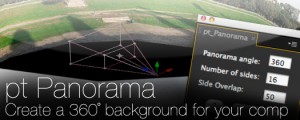
pt_Panorama
Converts a panoramic image into a 3D cylinder suitable for use as a background in a 3D compositionAdd to Cart$19.99 -

- Compatibility After Effects
pt_TextEdit 2
Add to CartSearch for and edit text layers throughout your After Effects project, create your own style presets and apply them to multiple layers at the click of a button.
$39.99