
ft-Lens Distortion Bundle
-
Compatibility After Effects Please check exact version compatibility under the "COMPATIBILITY" tab below
-
Compatibility Premiere Please check exact version compatibility under the "COMPATIBILITY" tab below
 Adding to cart...
ft-Lens Distortion Pro
Allows for quick and easy lens distortion correction or effects including chromatic aberration.
When working on tracking or composition CG elements with shot footage, you usually have to deal with lens distortion. At first you would undistort your footage in your matchmove or compositing package, then track it, render your CG and make sure to apply the same distortion to your CG so it will look and match perfectly! While this method works, it makes you go back and forth with your different applications to undistort, distort again and so on! ft-LensDistortion lets you manage all those distortion steps in one place: After Effects. You will be able to un-distort your live footage, and distort your CG renders without going back to Syntheyes (or any other app you are using for lens distortion)! On top of that, you will be able to apply finishing effects like chromatic aberration to your final composition.
New: All new much faster subsampling function
ft-Vignetting Pro
You get these controls:
- Shape - Circle, Elipse, Square, Rectangle.
- Size - The size of the vignette.
- Feather - The amount of feather.
- Feather Mode - linear, smooth, ultra smooth.
- Position - Adjust the center to reposition the vignette.
- Color - Tint the vignette.
- Blending Mode - Add, Multiply,...
- Noise - Add noise.
- Noise Color - Tint the noise
- Noise Time - Animate the noise.
- Opacity - Adjust the transparency.
| After Effects | 2024, 2023, 2022, 2021, 2020, CC 2019, CC 2018, CC 2017, CC 2015.3, CC 2015, CC 2014, CC, CS6, CS5.5, CS5, CS4 |
|---|---|
| Premiere | 2023, 2022, 2021, 2020, CC 2019, CC 2018, CC 2017, CC 2015.3, CC 2015, CC 2014, CC, CS6, CS5.5, CS5, CS4 |
1.0 (Current version) - Jul 7, 2023
(replaced Adobe's buggy subsampling function which caused extreme slowdowns)
-
- Compatibility After Effects
- Compatibility Premiere
- Compatibility Final Cut Pro
- Compatibility Nuke
Spectra
Add to CartSpectral light leak & bokeh footage. Buy all 3 for $25. Or get them FREE when you buy Spectra Collection One. You must add them to the shopping cart at the same time as Spectra Collection One. Discount automatically applied in shopping cart.
From: $10.00
-
- Compatibility Davinci Resolve
Fast Bokeh Pro for OpenFX
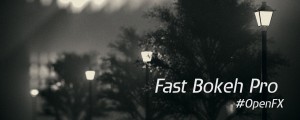
Add to CartFast Bokeh Pro OpenFX is a plug-in for Fusion/Resolve and other OpenFX hosts that creates a smooth Depth of Field bokeh blur using a Depth Map. It's very fast, handles edges properly and easy to use.
-
- Compatibility Premiere
Looper Pro
Free TrialAdd to CartLoop animations in Premiere Pro! With looping types you love: • cycle • pingpong • offset
-

- Compatibility Final Cut Pro
Chromatic Aberration for FCPX
Add to CartThe Chromatic Aberration plugin adds an adjustable amount of color shifting to your footage that is associated with cheaper lenses.
-
- Compatibility Premiere
Fixel Contrastica 2 PR
Add to CartFixel Contrastica 2 PR is a plugin that features a novel algorithm to enhance and boost local & global contrast in images.
Control & create the perfect contrast between your pixels.
Contrastica enables you to control the contrast all over the tonal range (Shadows & Highlights), reveal hidden details and create an overwhelming total look.
Details, Clarity and Global Contrast done right!Special Fixel Contrastica 2 Bundle (Photoshop + After Effects + Premiere Pro) price.
-
- Compatibility After Effects
Quick Chromatic Aberration 3
Add to CartAdd RGB shift & distortion to emulate chromatic aberration from real lenses. And it's Free!
-
- Compatibility After Effects
- Compatibility Premiere
ft-Color and Channel Bundle
Add to CartA suite of tools to manipulate colors and channels for several tasks: ft-Brightness Check, ft-Clamp, ft-Color Gray and ft-CombineRGA
$49.99 -
- Compatibility After Effects
- Compatibility Premiere
ft-Filmic Contrast Bundle
Add to CartBundle of 3 plugins to ease the Filmic Color Grading process: ft-Filmic Contrast Pro, ft-Technicolor and ft-Auto White Balance.
$49.99 -
- Compatibility After Effects
ft-UVPass Bundle
Add to CartWith this bundle you will be able to re-texture your 3D objects and create 3D masks directly in After Effects by using AOVs such as UV pass (or ST map) and Position Map (or PPass).
$49.99