
Prism 2
-
Compatibility After Effects Please check exact version compatibility under the "COMPATIBILITY" tab below
 Adding to cart...
 Colour Each
Assigns each layer/item the same label colour. Click the button again to cycle the colour.
Alternate function (hold alt): Assigns each layer/item a different label colour. When you've run out of labels, it repeats them!
 Colour by Hierarchy
Assign the same colour to all layers in the same parent chain.
Project Items: Colours items based on nested / precomp depth.
 Colour by Type
Assign the same colour to all layers/items of the same type.
 Colour by Name
Assign the same label to all layers/items that share a prefix.
Choose from "Left" & "Right", "L"/"R", or a custom delimiter.
 Colour Masks
Assigns each mask the same label colour. Click the button again to cycle the colour.
Alternate function (hold alt): Assigns each mask a different label colour. When you've run out of labels, it repeats them!
 Options
Set up your Active Labels, Banked Labels and many other Prism options.
New to Prism 2.0!
- Adds 'Colour Masks' button
- Adds ability to colour project items
- Adds colour swatches beside every label name
- Adds 'skip locked layer/mask' toggle
- Adds 'skip unmatched layer/mask' toggle
- Adds a few 'colour by delimiter' native behaviors for character rigs
- Adds option to cycle start label colour
- Adds shift+click when reordering label banks to move to top/bottom
- Adds shift+click when resetting labels to set active labels to ALL labels
- Fixes bug with non-English AE installs not loading custom label colours
- Other minor bug fixes
- Stability improvements
Prism is a collaboration between Andrew Embury and Zack Lovatt.
Headless Version
Standard users should only be concerned with installing the file main to their ScriptUI folder, which will give you a dockable toolbar. However, if you use something like kbar or Quick Menu, you may want to be able to use our buttons directly without the real estate that yet another panel provides.
To this end, we've included a separate file for each button that you can run directly via your script launcher.
To open the options, hold 'ctrl' or 'cmd' when launching the script.
Get Prism with Labels and save 20%
Discount will be automatically added in the shopping cart.
| After Effects | 2023, 2022, 2021, 2020, CC 2019, CC 2018, CC 2017, CC 2015.3, CC 2015, CC 2014, CC, CS6 |
|---|
2.1.1 (Current version) - Oct 20, 2021
• Fixed error when running Prism with AE Beta
2.1.0 - Oct 14, 2021
• Improved UI functionality
• Fixed Project Items not being coloured if in a subfolder
2.0.3 - Jul 19, 2021
2.0.2 - Oct 21, 2019
2.0.1 - Dec 14, 2017
- Adds shift+click when moving to bank to move ALL to bank
- Adds shift+click when resetting labels to swap ACTIVE with BANK
- Adds alt+click when clicking 'move up' or 'move down' to reverse the label order
- Fixes images being saved in wrong directory on MacOS
- Fixes 'delimiter' text field changing size
- Fixes 'delimiter' being editable when its radio button is not selected
- Fixes round nubbins in options panel on MacOS
- Fixes error with headless 'colour by name' button
2.0.0 - May 21, 2017
Adds ability to colour project items
Adds colour swatches beside every label name
Adds 'skip locked layer/mask' toggle
Adds 'skip unmatched layer/mask' toggle
Adds a few 'colour by name' native behaviors for character rigs
Adds option to cycle start label colour
Adds shift+click when reordering label banks to move to top/bottom
Adds shift+click when resetting labels to set active labels to ALL
labels
Fixes bug with non-English AE not loading custom label colours
Other minor bug fixes
Stability improvements
-
-

- Compatibility After Effects
Relativity
Arrange layers horizontally and vertically in rows, columns, grids, and circles, based on their relationship to other layers and the composition.Add to Cart -
- Compatibility After Effects
EditMonkey
Add to CartThe most powerful and versatile Monkey we've ever made. Save hours or even days of work by batch animating and sequencing dozens of text, video or graphics instantly. The After Effects Killer Ape!
-
- Compatibility After Effects
Free Compose
Add to CartLayer groups like Photoshop without breaking expressions, parenting, or cropping. Much like a pre-compose you can open in the same layer stack.
-
- Compatibility After Effects
Layer Displayer
Add to CartDisplays only the layers that you need here and now.
-
- Compatibility After Effects
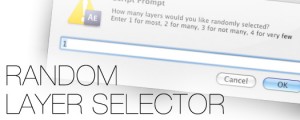
Random Layer Selector
Randomly selects layers. There's 4 options for how many layers are selected randomly: You can randomly select most of the layers, many of the layers, not many and finally you can have it randomly select very few of the layers.Add to Cart$4.99