
QueueMaster
-
Compatibility After Effects Please check exact version compatibility under the "COMPATIBILITY" tab below
 Adding to cart...
 QueueMaster is a render queue automation script designed to significantly reduce the time needed for setting up renders. It achieves this by associating label colors with any render settings you’ve defined. You can define templates, file paths, versioning, and more! It’s particularly handy for teams of After Effects users who want to ensure everyone is producing renders the same way. QueueMaster uses relative file paths, which makes it possible to move between projects without the need to define the output directory each time you render. QueueMaster looks where your After Effects project is saved and bases all output directories from that location.
New Features in QueueMaster v1.1
- Automate up to 32 Output Modules per render queue item!
- Choose from over 50 variables such as date, time, comp resolution, and etc to aid creation of file paths / file names.
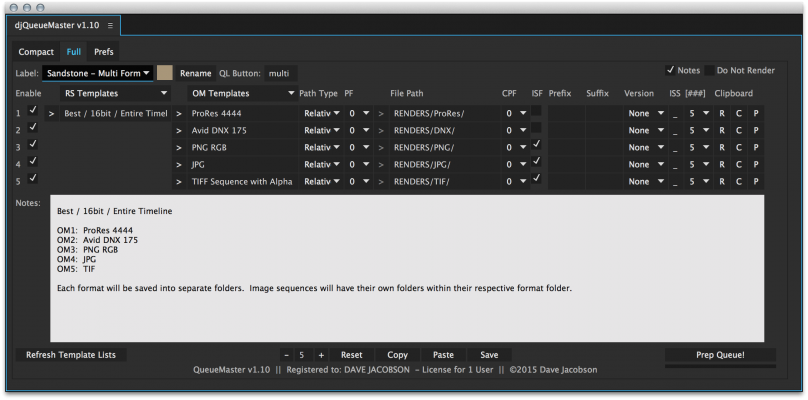
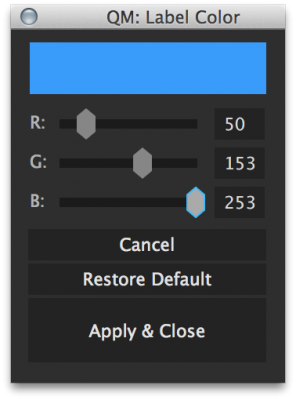
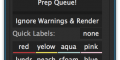
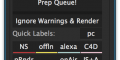
- The QueueMaster interface now displays the color for each Quick Label. The colors can be customized in the Full tab.
- It's now possible to add notes for each label. These notes can be viewed while mousing over the Quick Labels and holding the shift key.
- In addition to the current copy/paste features, you can now individually copy and paste output module settings.
- When using the "Prep Queue" command, you can hold the shift key to begin rendering immediately after the settings have been applied.
- New versioning method allows you to archive older renders without causing version numbers to reset.
- Added integration with RenderHogs. QueueMaster can enable all layers/effects tagged as hogs on before rendering. All substitutes will be disabled.
- Take a tour of the new features!
Features
QueueMaster can automate the following parameters:
- Render Settings Templates
- Output Module Templates (up to 32 per render queue item)
- File paths
- Absolute file paths
- Relative file paths (based on the location of the AEP file)
- Subfolders can be generated based on your bin folder hierarchy
- Any specified file paths that do not exist will be created
- File names
- File names are based on comp names
- Prefixes
- Suffixes
- Image Sequences
- Creation of image sequence folders
- Define what character is used to separate the frame number as opposed to the default underscore
- Define how many digits should be used in the frame number
- Versioning
- When enabled, QueueMaster detects if existing versions of your render exist and sets the appropriate version number
- Versioning can be used for both self-contained formats like Quicktime as well as image sequences.
- Specify how many digits are in the version number
- Do Not Render - When applied, QueueMaster will un-queue any comps with the associated label color to prevent rendering incomplete work.
File Path Variables (show me!)
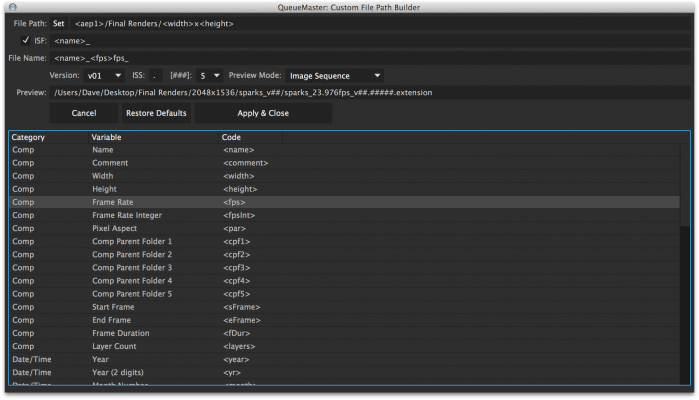
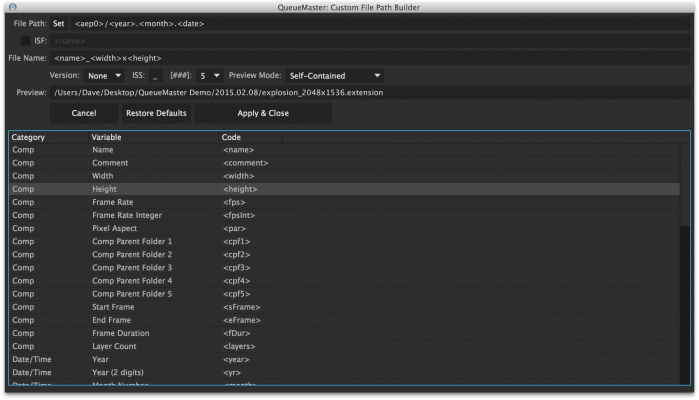
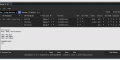
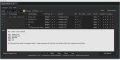
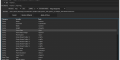
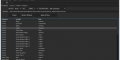
QueueMaster includes a "Custom File Path Builder" that allows you to choose from over 50 variables to create highly customized file paths/names. As you type / add variables, a realtime filepath preview is displayed, allowing you to see the result without actually rendering any files. Here's a few ways this feature can be utilized:
- Render comps into a folders with the current time and/or date.
- Sort comps into folders based on their resolution, frame rate, format, numbers of layers, number of layers, duration and etc.
- Add comments from project panel to comp's file name
Quick Labels
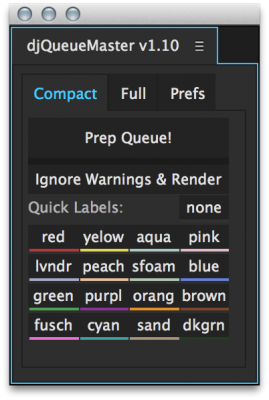
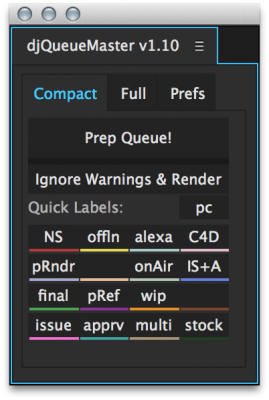
The Quick Labels interface lets you assign render presets to your comps without the need to remember the color associated with each preset. Simply highlight the comp(s) in your bin and click on the Quick Label to be applied. You can customize the text and color for each button.
Label Notes (show me!)
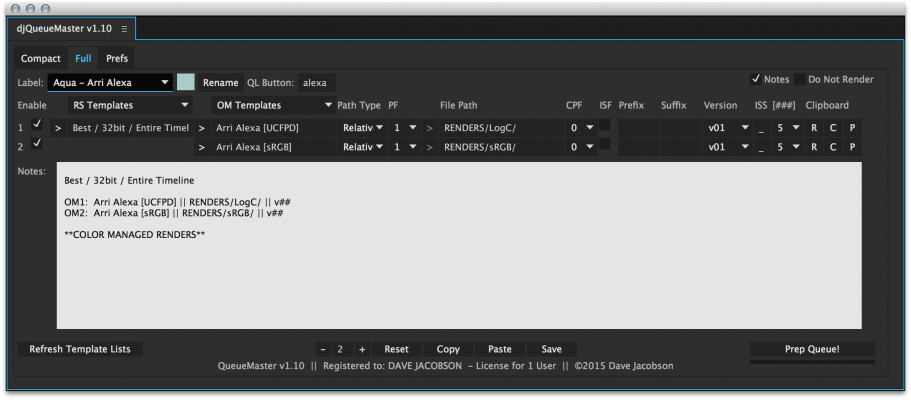
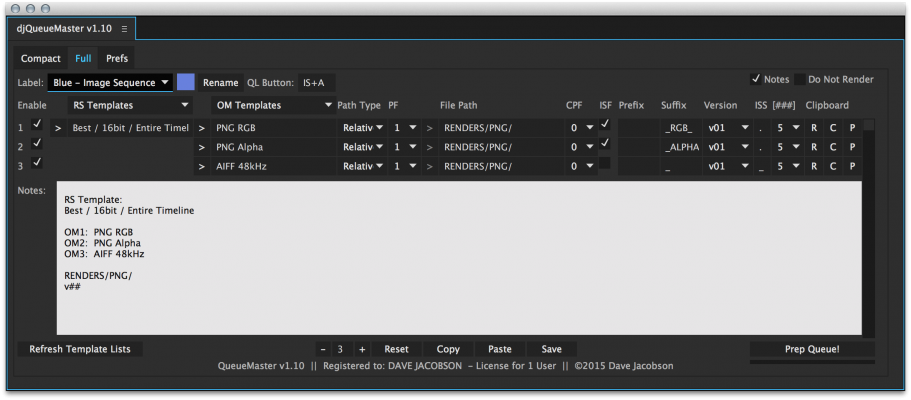
QueueMaster allows you to add notes to any labels. These notes can be viewed by holding the shift key when mousing over the Quick Labels. This makes it easy to recall any important information associated with the way your renders will be produced for a particular label.
RenderHogs Integration
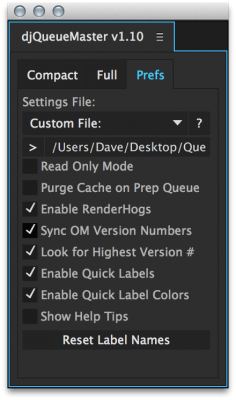
If you use the RenderHogs script, QueueMaster can automatically enable all hogs and disable all substitutes while prepping the queue. RenderHogs aims to make heavy comps more responsive by disabling any unecessary layers/effects until render time.
Interchangeable Settings Files
- QueueMaster generates a settings file that can be backed up, stored with your project files, emailed to other users, shared over a network, and etc.
- You could potentially create a different settings file for each client, or each type of project.
- Changing the settings file is a simple task that is done in the Prefs tab.
- Store the settings file on your network so multiple After Effects users can ensure they're producing renders in a consistent way.
- QueueMaster has a Read Only mode that prevents unintentional modification of the settings file.
Ways to utilize QueueMaster automation
- Use QueueMaster to define render presets for every phase of your project such as picture references, work-in-progress, client approval renders, final renders and etc. Each phase can be saved to a different directory in an effort to keep your files organized.
- Generate Proxies / Pre-renders
- Automatically include an audio file when image sequences are rendered
- Save RGB and alpha passes separately for each render
- QueueMaster can help with color managed projects. Working with Alexa Log-C footage is one of the best examples of this. QueueMaster can be configured to output both Log-C and sRGB files for a single render, meaning you have your final file with the LUT applied as well as a second file that can be used for viewing reference. See this video for more!
- QueueMaster is great for teams of After Effects users who want to ensure everyone is producing renders the same way.
- Keep renders organized by time, date, resolution, and etc.
Tips
- Please try QueueMaster with a sample project before attempting to use it for your work.
- Once you’ve setup all your presets, use the Compact tab to reduce the footprint of QueueMaster in your interface.
- When you mouse over most buttons/controls, a help tip will appear giving you detailed information about that command. The help tips can be disabled in the Prefs tab once you've become familiar with QueueMaster and no longer want to see these popups.
- Don’t forget to customize your Quick Label buttons! These buttons allow you to quickly apply output settings to your comps without the need to remember the color associated with each preset.
- If you share your QueueMaster settings file with other users, make sure they have the same render templates and output module templates as you. It’s possible to export/import these by going to the Edit > Templates menu in After Effects.
- It’s best to install QueueMaster to the Script UI folder so it can be docked into the After Effects interface. Once the script is installed, launch it from the Window menu.
- Make sure “Allow Scripts to Write Files and Access Network” is enabled in the General section of the After Effects preferences.
- It’s always a good idea to backup your settings file once you’re finished with setting up QueueMaster.
- Color labels must be applied in the bin using either the QueueMaster Quick Label buttons or by right clicking on the comp(s). Changing the color labels inside the render queue will have no effect which output settings are assigned.
Trial Version
Before purchasing QueueMaster, please download the trial to ensure it suits your needs.
Known Issues
- When using the "Ignore Warnings & Render" command, the render will fail if the comp contains missing footage.
- Occasionally the Quick Label colors dissapear inbetween loading projects.
- In After Effects CC, double clicking on the variables list doesn't add the selection to the file path / name as expected. You can simply type the variable instead.
Support & Feedback
If you come across a bug, please open a support request with the following details:
• Operating System Version
• After Effects Version
• Any error messages seen (feel free to attach screen grabs)
• Any context or relevant details regarding what led up to the problem
• The names of any other scripts you were using when the bug occurred
Please don't hesitate to open a support request if you'd like to submit feedback, ask questions, or request additional features for QueueMaster.
| After Effects | CC 2019, CC 2018, CC 2017, CC 2015.3, CC 2015, CC 2014, CC, CS6 |
|---|
1.13 (Current version) - Mar 2, 2020
1.12 - Apr 2, 2019
1.10 - Mar 13, 2015
- QueueMaster now offers file path creation using variables. Choose from over 50 variables such as date, time, comp resolution, and etc to aid creation of file paths / file names.
- New versioning method allows you to archive older renders without causing version numbers to reset
- The QueueMaster interface now displays the color for each Quick Label. The colors can be customized in the Full tab.
- It's now possible to add notes for each label. These notes can be viewed while mousing over the Quick Labels and holding the shift key
- In addition to the current copy/paste features, you can now individually copy and paste output module settings
- Added additional functionallity to Prep Queue and Ignore Warnings & Render buttons through the use of modifier keys. See help tips when mousing over for more info.
- Added integration with RenderHogs. QueueMaster can enable all layers/effects tagged as hogs on before rendering. All substitutes will be disabled.
- Updated/corrected help tips
- GUI improvements
- Various performance enhancements
- After Effects CS6 and CS5.5 are no longer supported
1.00 - Sep 7, 2014
-

- Compatibility After Effects
- Compatibility Media Encoder
MoDeck.io After Effects Template Automation
Add to CartMake your After Effects templates editable online through an easy to use, drag and drop editor. Also connect mogrt properties to spreadsheet data to generate many videos at once.
Now possible to trigger renders with Zapier automations, just search for MoDeck on Zapier! Zapier automations and API usage is possible with an Enterprise subscription.
Download the FREE version by clicking on the green TRY button above.
MoDeck is also available as an annual recurring subscription or an upfront subscription
-

- Compatibility After Effects
Templater Bot Subscription Recurring
Templater Bot extends Templater Rig by offering full server automation, allowing you to build applications that version, render, and distribute custom video on demand. Yearly Recurring as well as 1, 3, 6, or 12 month licenses are also available.Add to Cart$450.00 As low as: $270.00 -
- Compatibility After Effects
Templater Pro Subscription Upfront
Add to CartTemplater Pro extends Templater Rig by offering desktop automation, allowing you to render or replicate batches of versioned compositions using your data source. A recurring monthly or annual subscription plan is available as well.
-
- Compatibility After Effects
Set Render Queue Time Span
Set start and end times for render queue itemsAdd to Cart -
- Compatibility After Effects
COB_SSD-Sequence Section Destroyer
Allows you to quickly and easily delete a section of a image file sequence in the finder for those times when you need to re-render only a section.Add to Cart -

- Compatibility After Effects
SF Caddy
Add to CartNow lip-sync using markers. SF-Caddy is a quick assets replacement tool for After Effects. Super handy for character animation and lip-sync.
$27.00 As low as: $17.50
-

- Compatibility After Effects
RenderHogs
Add to CartDisable unnecessary layers and effects until render time. Includes tools for maintaining responsiveness in heavy comps.
$14.99