Tool Launcher

Run scripts, menu commands and apply expressions, from a searchable list or custom toolbars. Open script interfaces from anywhere in pre-docked panels.

Learn about license types
  $39.99
  • Free Trial
Description

Do you have lots of scripts that you only use once in a while cluttering up your menus or workspace? Tool Launcher lets you launch scripts whenever you need it without having to deal with floating windows that get in the way. You free up your workspaces and window menu, but can still have the scripts docked and quickly available. The best of both worlds!

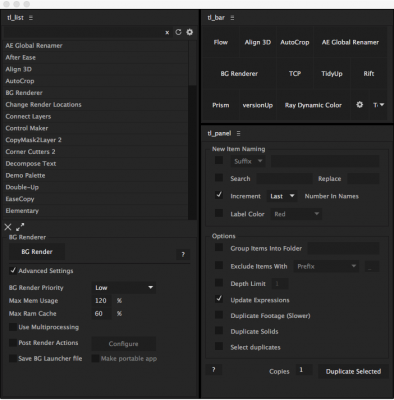
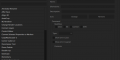
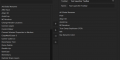
Tool Launcher comes with tl_panel, which when opened looks like an empty panel, but paired with either tl_list or tl_bar, this panel can show any script UI panel with a click of a button.

tl_list also comes with a trick of it own, as most scriptUIs can be shown in this panel as well. So now you have two panels that can be customized to show whatever you like, whenever you like.
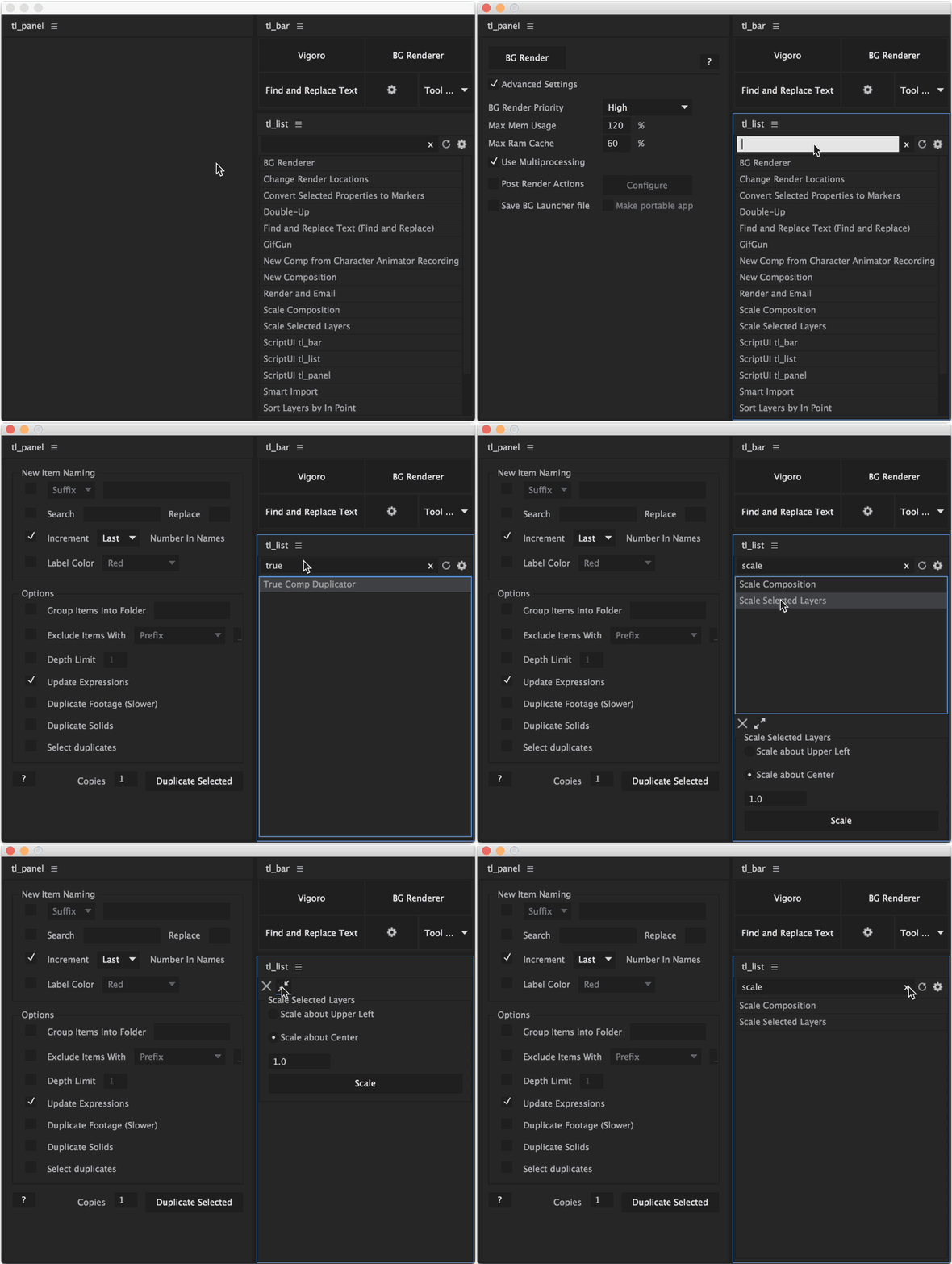
Launch scripts into pre-docked panels


Features

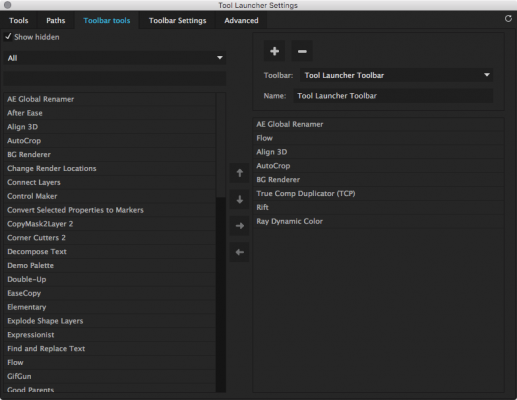
  • Load folders with scripts and place them in a searchable list or in dedicated toolbars.
  • Show interfaces for scripts, that normally has to be in the ScriptUI folder/Window menu, in pre-docked panels.
  • Multiple panels:
    • tl_panel: Show script interfaces,
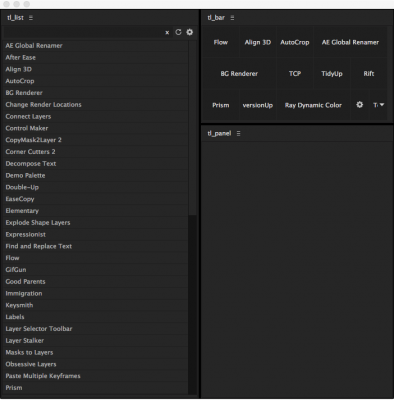
    • tl_list: Searchable list of all tools,
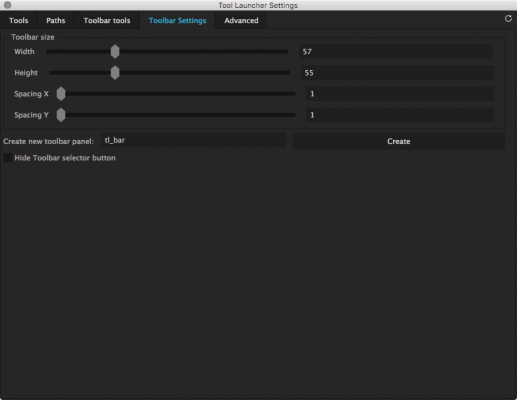
    • tl_bar: Customizable toolbar panels. Can be duplicated to have multiple toolbars.
  • Create shareable config files with tools already configured, with modifier keys, icons, and toolbars.
  • Set icons for toolbar buttons.
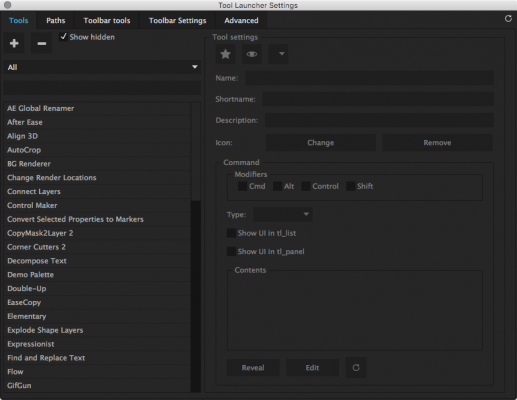
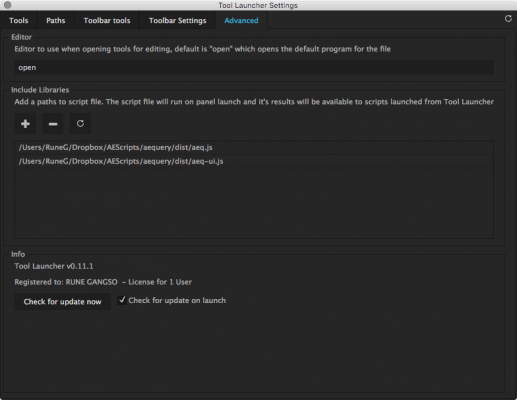
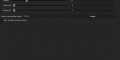
  • One central settings window to customize all options, tools, and toolbars.
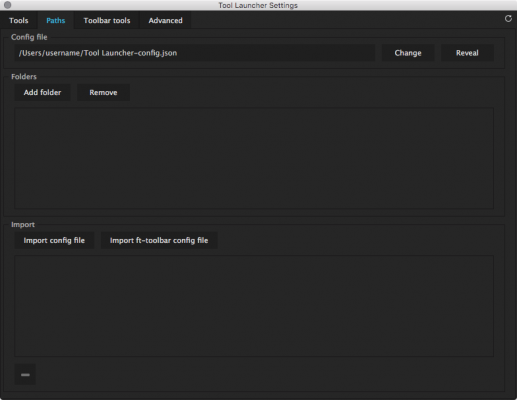
  • Store the config file in any location.
  • Copy the config file between computers and all your settings, icons and toolbars, will be included.
  • Import ft-toolbar config files.

Types of commands

  • Script: A script file to run.
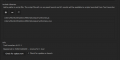
  • JavaScript: Write javascript directly inside Tool Launcher.
  • Expression: An expression that can be applied to all selected properties.
  • Menu Command: Any command from After Effects menus.
  • OS: Any command that can be run from your terminal
  • Effect: Add an effect to all selected layers
  • Animation Preset: Apply animation preset files to selected layers

Launch scripts into pre-docked panels
Discussions

Want to talk about it?

Head over to r/aescripts to chat with fellow users about this product.

Need Support?

Please open a support ticket to be connected directly with the author of this product

Version History

1.4.3 -

Aug 12, 2020

- Fix wrong version number in 1.4.2

1.4.2 -

Apr 25, 2020

- Fix MacOS Catalina compatibility

1.4.1 -

Dec 9, 2017

- Fix issue with config buttons in paths tab

- Resize script interface immediately when loading it in tl_panel

1.4.0 -

May 16, 2017

- Adds ability to apply Animation preset files to selected layers with command type "Animation Preset"

- Adds "Show only icon" button in Toolbar settings. This hides the button outline on buttons with icons in the toolbar.

- Creates an "Undo" to undo applying effect or expression to multiple layers or properties.

- Shows list of Icons that could not be written correctly, instead of showing nothing.

1.3.0 -

May 1, 2017

- Adds 'effect' tool type. Applies an effect to all selected layers

1.2.0 -

Apr 30, 2017

- Faster startup time when multiple panels are open

- Fixed issue where sometimes toolbars would not update or show up in lists correctly

- Added 'Reveal config in finder/explorer' button when config location is not changed

- Added 'Add to toolbar' dropdown in tl_list right click menu

- Holding down any modifier key (shift, alt, control, command) when clicking 'Edit' in tl_list right click menu will open the script files in a text editor instead of opening the settings window

- Set the path for the running script, so relative paths will resolve correctly

1.1.1 -

Feb 28, 2017

- Fixes CS6 issue where After Effects would say it had crashed when quitting AE

- Fixes tool icon not being saved in some cases

- Fixes issue where sometimes the script was unable to launch

- Changes link to where updates can be downloaded from

1.1 -

Dec 11, 2016

- CS6 support!

- Can now use Enter key to run tools in tl_list

- Can now use left and right arrow keys to add and remove tools from toolbar in toolbar tools settings.

- Uses "Show UI in tl_panel" by default for scripts, will have to be manually turned off for scripts without UIs

- Fixes removing tools not working in some cases

1.0 -

Nov 27, 2016

Initial Release

Compatibility

After Effects

2021, 2020, CC 2019, CC 2018, CC 2017, CC 2015.3, CC 2015, CC 2014

EULA

END USER LICENSE AGREEMENT

This software ("the Software Product") and accompanying documentation is licensed and not sold. This Software Product is protected by copyright laws and treaties, as well as laws and treaties related to other forms of intellectual property. The author owns intellectual property rights in the Software Product. The Licensee's ("you" or "your") license to download, use, copy, or change the Software Product is subject to these rights and to all the terms and conditions of this End User License Agreement ("Agreement").

Acceptance
YOU ACCEPT AND AGREE TO BE BOUND BY THE TERMS OF THIS AGREEMENT BY SELECTING THE "ACCEPT" OPTION AND DOWNLOADING THE SOFTWARE PRODUCT OR BY INSTALLING, USING, OR COPYING THE SOFTWARE PRODUCT. YOU MUST AGREE TO ALL OF THE TERMS OF THIS AGREEMENT BEFORE YOU WILL BE ALLOWED TO DOWNLOAD THE SOFTWARE PRODUCT. IF YOU DO NOT AGREE TO ALL OF THE TERMS OF THIS AGREEMENT, YOU MUST SELECT "DECLINE" AND YOU MUST NOT INSTALL, USE, OR COPY THE SOFTWARE PRODUCT.

License Grant
This Agreement entitles you to install and use one copy of the Software Product. In addition, you may make one archival copy of the Software Product. The archival copy must be on a storage medium other than a hard drive, and may only be used for the reinstallation of the Software Product. This Agreement does not permit the installation or use of multiple copies of the Software Product, or the installation of the Software Product on more than one computer at any given time, on a system that allows shared used of applications, on a multi-user network, or on any configuration or system of computers that allows multiple users. Multiple copy use or installation is only allowed if you obtain an appropriate licensing agreement for each user and each copy of the Software Product.

Restrictions on Transfer
Without first obtaining the express written consent of the author, you may not assign your rights and obligations under this Agreement, or redistribute, encumber, sell, rent, lease, sublicense, or otherwise transfer your rights to the Software Product.

Restrictions on Use
You may not use, copy, or install the Software Product on any system with more than one computer, or permit the use, copying, or installation of the Software Product by more than one user or on more than one computer. If you hold multiple, validly licensed copies, you may not use, copy, or install the Software Product on any system with more than the number of computers permitted by license, or permit the use, copying, or installation by more users, or on more computers than the number permitted by license.

You may not decompile, "reverse-engineer", disassemble, or otherwise attempt to derive the source code for the Software Product.

Restrictions on Alteration
You may not modify the Software Product or create any derivative work of the Software Product or its accompanying documentation. Derivative works include but are not limited to translations. You may not alter any files or libraries in any portion of the Software Product.

Restrictions on Copying
You may not copy any part of the Software Product except to the extent that licensed use inherently demands the creation of a temporary copy stored in computer memory and not permanently affixed on storage medium. You may make one archival copy which must be stored on a medium other than a computer hard drive.

Disclaimer of Warranties and Limitation of Liability
UNLESS OTHERWISE EXPLICITLY AGREED TO IN WRITING BY THE AUTHOR, THE AUTHOR MAKES NO OTHER WARRANTIES, EXPRESS OR IMPLIED, IN FACT OR IN LAW, INCLUDING, BUT NOT LIMITED TO, ANY IMPLIED WARRANTIES OF MERCHANTABILITY OR FITNESS FOR A PARTICULAR PURPOSE OTHER THAN AS SET FORTH IN THIS AGREEMENT OR IN THE LIMITED WARRANTY DOCUMENTS PROVIDED WITH THE SOFTWARE PRODUCT.

The author makes no warranty that the Software Product will meet your requirements or operate under your specific conditions of use. The author makes no warranty that operation of the Software Product will be secure, error free, or free from interruption. YOU MUST DETERMINE WHETHER THE SOFTWARE PRODUCT SUFFICIENTLY MEETS YOUR REQUIREMENTS FOR SECURITY AND UNINTERRUPTABILITY. YOU BEAR SOLE RESPONSIBILITY AND ALL LIABILITY FOR ANY LOSS INCURRED DUE TO FAILURE OF THE SOFTWARE PRODUCT TO MEET YOUR REQUIREMENTS. THE AUTHOR WILL NOT, UNDER ANY CIRCUMSTANCES, BE RESPONSIBLE OR LIABLE FOR THE LOSS OF DATA ON ANY COMPUTER OR INFORMATION STORAGE DEVICE.

UNDER NO CIRCUMSTANCES SHALL THE AUTHOR, ITS DIRECTORS, OFFICERS, EMPLOYEES OR AGENTS BE LIABLE TO YOU OR ANY OTHER PARTY FOR INDIRECT, CONSEQUENTIAL, SPECIAL, INCIDENTAL, PUNITIVE, OR EXEMPLARY DAMAGES OF ANY KIND INCLUDING LOST REVENUES OR PROFITS OR LOSS OF BUSINESS) RESULTING FROM THIS AGREEMENT, OR FROM THE FURNISHING, PERFORMANCE, INSTALLATION, OR USE OF THE SOFTWARE PRODUCT, WHETHER DUE TO A BREACH OF CONTRACT, BREACH OF WARRANTY, OR THE NEGLIGENCE OF THE AUTHOR OR ANY OTHER PARTY, EVEN IF THE AUTHOR IS ADVISED BEFOREHAND OF THE POSSIBILITY OF SUCH DAMAGES. TO THE EXTENT THAT THE APPLICABLE JURISDICTION LIMITS THE AUTHOR'S ABILITY TO DISCLAIM ANY IMPLIED WARRANTIES, THIS DISCLAIMER SHALL BE EFFECTIVE TO THE MAXIMUM EXTENT PERMITTED.

Limitation of Remedies and Damages
Any claim must be made within the applicable warranty period. All warranties cover only defects arising under normal use and do not include malfunctions or failure resulting from misuse, abuse, neglect, alteration, problems with electrical power, acts of nature, unusual temperatures or humidity, improper installation, or damage determined by the author to have been caused by you. All limited warranties on the Software Product are granted only to you and are non-transferable. You agree to indemnify and hold the author harmless from all claims, judgments, liabilities, expenses, or costs arising from your breach of this Agreement and/or acts or omissions.

Governing Law, Jurisdiction and Costs
This Agreement is governed by the laws of New York, without regard to New York's conflict or choice of law provisions.

Severability
If any provision of this Agreement shall be held to be invalid or unenforceable, the remainder of this Agreement shall remain in full force and effect. To the extent any express or implied restrictions are not permitted by applicable laws, these express or implied restrictions shall remain in force and effect to the maximum extent permitted by such applicable laws.

Updated: Oct 21, 2025 1:35 AM