
CreateProxies
-
Compatibility After Effects Please check exact version compatibility under the "COMPATIBILITY" tab below
 Adding to cart...
 Creates a proxy for each selected project item (footage or comp). It is similar to the built-in "Create Proxy" feature except that you can create a proxy for several items in a single operation.
| After Effects | 2024, 2023, 2022, 2021, 2020, CC 2019, CC 2018, CC 2017, CC 2015.3, CC 2015, CC 2014, CC, CS6 |
|---|
3.4 (Current version) - Jan 13, 2017
. fixed UI bug (Render Settings and Output Module dropdown lists were not correctly populated)
. CC 2017 compatibility
3.3 - Apr 9, 2016
- 3.2 - Code cleaning, CC compatibility - Mar 2014
- 3.0 - Added CS6 Compatibility - Dec 2012
- 2.2 - Fixed foreign language compatibility with CS5.5 - Nov 2011
- 2.1 - Code cleanup and CS5 compatibility (Aug 2010)
- 2.0 - Initial release on aescripts.com (Aug 2009)
-

Sequence Ninja
Add to CartStandalone, all-in-one tool for working with image sequences. Batch encode, find missing frames, rename and publish.
Please note this is a Windows-only desktop app.
-
- Compatibility After Effects
Keyframe Manager
Add to CartA beautiful user interface to manage your keyframes quickly and easily. View, Edit, Rearrange, Search & Replace, Copy & Paste and more!
-

- Compatibility After Effects
- Compatibility Cinema 4d
CINEWARE proxy
Streamline your live 3D pipeline between Cinema 4D and After Effects CC. Quickly toggle between the live pipeline and rendered proxy files.Add to Cart -

- Compatibility After Effects
Batch Search-n-Replace Paths
Batch process folders of After Effects project and search and replace file paths. This can come in handy if you are moving a project to a different folder structure like a new server. You can also use it to batch replace files in many projects at once.Add to Cart -
-
- Compatibility After Effects
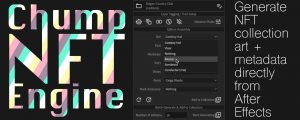
Chump NFT Engine
Add to CartA tool for assembling and generating NFT collection artwork with metadata, directly from After Effects.
-

- Compatibility After Effects
SplitImage
Allows you to split the selected project item into rectangular pieces.Add to Cart$19.99 -

- Compatibility After Effects
Remove Unnecessary Mask Keyframes
Add to CartAllows you to remove 'unnecessary' keyframes generated by the built-in mask tracker. It will look at the mask's tracker-generated every-frame keyframes and remove those frames that fall under a threshold of being similar to their predecessor.
$19.99 -

- Compatibility After Effects
TrackerViz
Provides a tool box for visualizing positional data. Indispensable if you do any kind of serious tracking in After EffectsAdd to Cart$29.99 -

- Compatibility After Effects
DistributeLayers
Allows you to distribute the selected layers in 3D space.Add to Cart$19.99 -

- Compatibility After Effects
BatchProcessor
Batch process the selected project items. For instance, it can be used to resize and apply the same preset to a collection of movies or comps.Add to Cart$19.99 -

- Compatibility After Effects
CenterMasks
Allows you to reposition the selected masks around the center of their containing layer.Add to Cart$9.99