
TrackerViz
-
Compatibility After Effects Please check exact version compatibility under the "COMPATIBILITY" tab below
 Adding to cart...
 Provides a tool box for visualizing positional data. Initially it was designed for manipulating tracking data, like averaging multiple trackers to get a better one, or visualizing trackers as little solids for better control. Now the script offers many more features. They are detailed in the user interface (via tool tips or help buttons). You can work with path, and (for instance) can create a new tracker from path vertices, and reversely you can create a new path based on an analyzed track. What works with trackers also works with layers, by considering layers position instead of trackers attach points.
**Please note: This tutorial uses an earlier version of TrackerViz, however, the principles are still the same.
Data can come from layers position data, from tracking data or from path data.
Details on each function are given below. Note that some tool tips also provide information.
Average Position:
Creates a new solid layer at the center of the selected layers (or track points).
Position & Rotation:
Creates a new solid layer at the first selected layer (or track point) position, and rotates it towards the second selected layer (or track point).
Position & Scale:
Creates a new solid layer at the first selected layer (or track point) position, and scales it so that its size matches the distance between the two selected layers (or track points).
Position & Rotation & Scale:
Creates a new solid layer at the first selected layer (or track point) position, rotates it towards the second selected layer (or track point) and scales it so that its size matches the distance between the two selected layers (or track points).
Track Combine:
Creates a new layer that combines the selected layer (or track point) position with the position of its parent layer.
Corner Pin:
Creates a new comp-sized solid with the Corner Pin effect applied to it. The four corners are linked to the position of the four selected layers (or track points) (in the following order: UpperLeft-UpperRight-LowerLeft-LowerRight).
CC Power Pin:
Same as above except that the CC Power Pin effect is used instead of the Corner Pin effect.
Shape To Tracker:
Associates each vertex of the selected mask path with a new track point.
Shape To Layers:
Creates a new solid at each vertex of the selected mask path (the mask path can be animated).
Track Points To Shape:
Transforms the selected track points into an animated mask path.
Layers To Shape:
Creates a new mask path for which the vertices are linked to the position of the selected layers.
| After Effects | 2024, 2023, 2022, 2021, 2020, CC 2019, CC 2018, CC 2017, CC 2015.3, CC 2015, CC 2014, CC, CS6 |
|---|
4.2 (Current version) - Jan 12, 2017
. CC 2017 compatibility
4.1 - Jul 14, 2015
- 4.0 Added CS6 Compatibility - Dec 2012
- 3.2 Fixed foreign language compatibility with CS5.5 - Nov 2011
-

- Compatibility After Effects
SoloLock
Lock or unlock all non-selected layers or masks with one click.Add to Cart -
- Compatibility After Effects
BAO Layer Sculptor
Add to CartPrecise layer warping and sculpting plugin for After Effects. Draw a mask exactly where you need it and warp it with perfect precision.
-
- Compatibility After Effects
Masks to Cropped Layers II
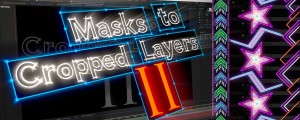
Add to CartMasks to Cropped Layers II is a utility that helps to animate vector graphics, as well as improving the performance of vfx compositing. It works on layers that have multiple masks, for example when artwork is pasted from Illustrator, or when areas are tracked in Mocha. Each mask is copied to a new solid (for animation) or used to create a pre-comp. Each new layer is cropped to the size of the mask, providing flexibility for animation while dramatically improving performance.
-
- Compatibility After Effects
Layer Force
Add to CartPremiere Auto Paste New Feature in v1.1.Instantly generate modern transitions and slideshows based on 19 styles. Sync animations with audio and text voiceovers. Run it fully automatic or setup as you like.
-
- Compatibility After Effects
Mix Color Layers
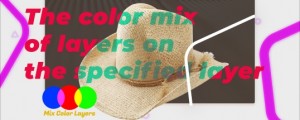
Add to CartColor mix layers, and apply transfer modes on a specific layer without affecting other layers.
-

- Compatibility After Effects
Moglyph FX 3
Add to CartGenerate and animate glyph clones procedurally, just like in Cinema 4D's Mograph module. You won't believe what you gonna create within one text layer! New "Moglyph-PixelMatrix" font + new shortcuts to change default Formula and Delay Effector animation, and the Random Seed stays now truly identical for Multiple layers that have a Random Effectors in Wiggle mode
-

- Compatibility After Effects
CreateProxies
Creates a proxy for each selected project item (footage or comp)Add to Cart$19.99 -
- Compatibility After Effects
Remove Unnecessary Mask Keyframes
Add to CartAllows you to remove 'unnecessary' keyframes generated by the built-in mask tracker. It will look at the mask's tracker-generated every-frame keyframes and remove those frames that fall under a threshold of being similar to their predecessor.
$19.99 -
- Compatibility After Effects
AudioAmpToVideoSpeed
Allows you to speed up or slow down a video according to an Audio Amplitude layer.Add to Cart$19.99 -
- Compatibility After Effects
AutoOrientCamera
Creates a new camera and sets point of interest, position and orientation keyframes so that the camera successively faces each comp layer.Add to Cart$9.99 -
- Compatibility After Effects
DistributeLayers
Allows you to distribute the selected layers in 3D space.Add to Cart$19.99 -
- Compatibility After Effects
Create3DShapes
Creates a 3D box, a 3D sphere, a 3D cylinder, a 3D pyramid, a 3D menger sponge, a 3D Platonic Solid and even 3D falling dominoes with user-defined layers.Add to Cart$29.99