
Layer Force
-
Compatibility After Effects Please check exact version compatibility under the "COMPATIBILITY" tab below
 Adding to cart...
 LAYER FORCE
Instantly generate modern transitions and slideshows based on 19 styles. Sync animations with audio and text voiceovers. Run it fully automatic or setup as you like.
KEY FEATURES
DISCOUNT
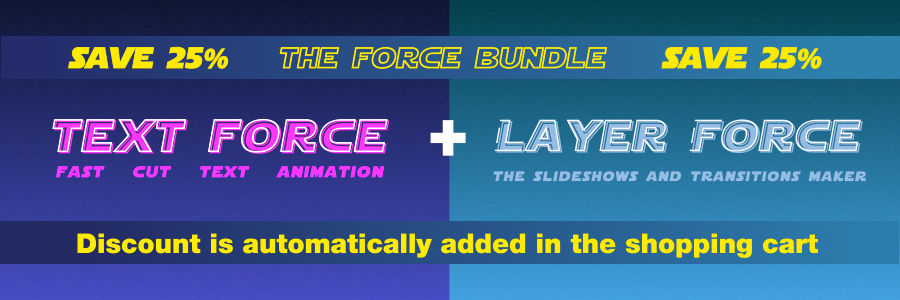
New Layer Force 1.1 + Text Force 1.9 Premiere auto Paste and Speech Mode workflow
TRAILER
OVERLAP TRANSITIONS
4 overlap transisions styles. To be used with Force Comp Fill disabled.
Simple cut
cross fade
Simple cut, but previous layers are still visible
Simple cross fade, but previous layers are still visible
DYNAMIC TRANSITIONS
15 dynamic transitions styles. To be used with Force Comp Fill enabled.
Current layer fade out, next layer fade in
Simple cross fade
Current layer slide out, next layer slide in
Current layer slide out diagonally, next layer slide in diagonally
Current layer stay still, next layer slide in
Current layer stay still, next layer overlaps with a short bounce
Rotation transition around comp center
Upside down transition around comp center
Rotation transition around comp sides
Zoom transition. Scale 30% of layers sizes
Zoom transition. Scale 100% of layers sizes
Layers sides are distorted with a fish-eye effect
hyper-space effect transition
Random motion and scale transition with chromatic aberration
Current layer slide out, next layer slide in. Both are stretched horizontally or vertically
INSTANT RESULTS
Set cuts duration in fps and animate
AUDIO SYNC
Select and Load an audio track. Edit peaks markers treshold as needed. Select layers and animate
COPY PASTE FROM PREMIERE
Copy Premiere timeline content. Paste into an AE empty comp. Select all and click on Premiere button. Layers are setup right. Select layers to animate. Animate
OVERRIDE TRANSITIONS
From the Override window set the transition and the direction for each layer. Animate
| After Effects | 2024, 2023, 2022, 2021, 2020, CC 2019, CC 2018, CC 2017, CC 2015.3, CC 2015, CC 2014, CC |
|---|
1.1.7 (Current version) - Dec 6, 2023
1.1.6 - Dec 5, 2023
- fixed: sometimes animation doesn't start at current time.
- fixed: layers selection is extended to all layers when animating.
- fixed: wrong layers order and in - out in Duration mode.
- fixed: disabled layers when pasting from Premiere Pro.
- handled: audio Unload error when working on a new project or audio layer has been deleted.
1.1.0 - Jul 11, 2023
- fixed: script not working wihen position dimensions are separated.
- fixed: Premiere Pro Adjust Tool wrong text layers order.
- fixed: Premiere Pro Adjust Tool pasted video layers bad cuts with some framerates.
1.0.3 - Jun 5, 2023
1.0.2 - Jun 2, 2023
- Changed: Premiere Pro adjust tool select compatible layers only.
1.0 - Mar 20, 2023
-
- Compatibility After Effects
Array
Array makes things much easier for you when you need to duplicate layers a lot of times or change the basic properties of selected layers.Add to Cart -
- Compatibility After Effects
textsyncr
Automatic speech-to-markers engine, automatically creates layer markers from audio transcription - drive subtitles, the Monkey tools and more.Add to Cart -
- Compatibility After Effects
MonkeyWipes
Add to CartA wild procedural transition system with virtually endless possibilities. Built for easy experimentation. Great for logos, text or motion graphics.
-
- Compatibility After Effects
Layer Selector Toolbar
A compact toolbar to quickly select layers by property.Add to Cart -

- Compatibility After Effects
Trim to Layer
Add to CartTrims the selected layer to the layer above, below or fit between the two
$4.99 -
- Compatibility After Effects
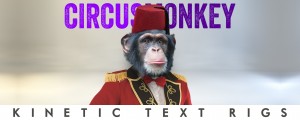
CircusMonkey
Add to CartCreate kinetic type with the greatest of ease. A new way of working with text in 3D space unleashes amazing possibilities
-

- Compatibility After Effects
Mask Transformer
Add to CartEnable masks transformations, with real values input, and motion paths.
$34.99 -

- Compatibility After Effects
Motioneer Lite
Add to CartIt's a motion engine. Copy animations (and also save with the full version), then attach or apply them to layers retaining comp / layer ratios.
$29.99 -
- Compatibility After Effects
Text Force
Add to CartSpeech Mode New Feature in v1.9. Instantly generate fast-cut text animations based on 12 parametric styles. Sync animations with audio and voiceovers tracks. Run it fully automatic or setup as you like.
$89.99 -
- Compatibility After Effects
Textor
Add to CartCreate stunning text animations in seconds with sliders! Then save and apply them on any text layer!
$39.99 -
- Compatibility After Effects
Vector Paint Studio
Add to CartCreate paint strokes groups to manage, edit and animate strokes all at once. Apply tracking data to the strokes to design cool paint effects
$49.99 -

- Compatibility After Effects
ReTrack 2
It's a motion-tracking engine and editor. Use together all types of AE tracked data and re-track difficult shots precisely with selections. Rebuild partial tracked data. Adjust bad tracking by working above tracked keyframes.Add to Cart$59.99