
TextReverser
-
Compatibility After Effects Please check exact version compatibility under the "COMPATIBILITY" tab below
-
Compatibility Photoshop Please check exact version compatibility under the "COMPATIBILITY" tab below
 Adding to cart...
 THIS PRODUCT HAS BEEN DISCONTINUED. Please use Reverse Text instead.
Reverses the direction of selected text layers. This is a common task required when entering or copying and pasting RightToLeft (RTL) languages.
Also works in Adobe Photoshop (Watch demo video for install instructions). To run it in Photoshop install the script in the Scripts folder which is located inside the Presets folder in the Photoshop app folder.
For Arabic text please use the ArabicText script
Since After Effects is built to work with text that flows from left to right, certain directional animation presets like "Typewriter" don't work with RTL languages.
Please use AM Typewrite Text for this effect
| After Effects | 2024, 2023, 2022, 2021, 2020, CC 2019, CC 2018, CC 2017, CC 2015.3, CC 2015 |
|---|---|
| Photoshop | CS6, CS5, CS4 |
1.52 (Current version) - Jul 9, 2012
- 1.5 - Added Photoshop support
- 1.0 - Initial Release
-
- Compatibility After Effects
PATTOON 2 Texture & Displace
Add to CartPATTOON 2 Cyber SALE in November 2023 SAVE BIG Check out the new features. We put in some work so you can create even more stunning visuals more easily. See for yourself what the new and improved features can do.
- Glitch
- Displace Engine (improved)
- Flicker (improved)
- Turbulence (reworked)
- Displace Pixelshape(new)
- Displace Emission (new)
- Dissolve (new)
- Distortion (new)
Mix & match to create even more versatile effects. We can't wait to see what you can do with it.
Texture mapping in Adobe After Effects is finally made easy with PATTOON. Get direct layer access to your textures from Creative Cloud Libraries, Photoshop and more plus a bunch of extra features, textures and presets for all your designing needs.
50% upgrade discount price available. More information below
-
- Compatibility After Effects
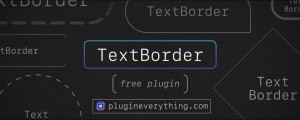
TextBorder
TextBorder creates a perfectly sized and customisable border around your text that updates automatically.Add to Cart -

- Compatibility After Effects
Box It!
Add to CartCreate dynamic, self-resizing text boxes with powerful alignment & sizing options.
-

- Compatibility After Effects
Akuto - Animated Typeface
Add to CartAkuto is a captivating humanist typeface that merges playfulness with geometric precision. With a delightful dance of frame-by-frame motion, Akuto will bring a dynamic touch to your design projects. Order 4 or more Animography Typefaces and save an additional 25%
-

- Compatibility After Effects
TextBox 2
Add to CartTextBox is a native plugin that creates a perfectly sized, customisable shape behind your text that updates automatically and is applied directly to the text layer so no need for parenting, mattes or expressions.
-

- Compatibility After Effects
TypeMonkey Arabic Text Modifier
This "Text Mod" allows you to use Arabic text in TypeMonkey, pt_ImportSubtitles, pt_OpenSesame and pt_OpenSesame Server. Please note that you need to own one of those products in order to use this add on.Add to Cart$19.99 As low as: $15.99
-

- Compatibility After Effects
3D Layer Distributor
Distributes layers in 3D space within set ranges (you can set the ranges by editing the user variables at the top the script).Add to Cart$9.99 -

- Compatibility After Effects
Reveal in Finder
Add to CartAllows revealing in finder from any context including the comp timeline. Can also be easily assigned a keyboard shortcut or a button in KBar.
$4.99 -
- Compatibility After Effects
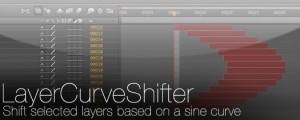
LayerCurveShifter
Shift selected layers based on a sine curveAdd to Cart$4.99 -

- Compatibility After Effects
Arrange Project Items Into Folders
Arranges project items into folders based on a matching prefix.Add to Cart$4.99 -

- Compatibility After Effects
Zorro-The Layer Tagger
Zorro lets you group layers in after effects by adding tags to layers. Similar to the way you would tag photos in Flickr, you can tag layers in your comps and then select or isolate those layers in groups by using the tags.Add to Cart$29.99 -

- Compatibility After Effects
Render Frame at Markers
Add to CartWill send to the render queue any frames that are marked by layer markers that are within the comp work area. This would be equivalent to going to a point in time in your comp and selecting "Save Frame As->File"
$14.99