
Zorro-The Layer Tagger
-
Compatibility After Effects Please check exact version compatibility under the "COMPATIBILITY" tab below
 Adding to cart...
 Zorro lets you group layers in after effects by adding tags to layers. Similar to the way you would tag photos in Flickr, you can tag layers in your comps and then select or isolate those layers in groups by using the tags.
New for CS5 and above: Layer color label support!
Please watch the video tutorial to familiarize yourself with Zorro.
| After Effects | 2023, 2022, 2021, 2020, CC 2019, CC 2018, CC 2017, CC 2015.3, CC 2015, CC 2014, CC, CS6 |
|---|
1.6 (Current version) - Jun 26, 2013
- 1.51 Fixed CS5 UI darkness issue 04/2012
- 1.5 Added label color option for CS5 and fixed UI issues for CS5 07/2010
- 1.23 Fixed minor cosmetic comma bug in marker 04/2010
- 1.22 Fixed tag dropdown bug 01/2009
- 1.21 Fixed Advanced Search arrow on Windows 10/2008
- 1.2 tag prefix change 10/2008
- 1.0 initial release - 09/2008
-

- Compatibility After Effects
rd: Kinda Sorta
Displays a palette with controls for sorting layers based on specific criteria.Add to Cart#devforacause
This script is part of the rd: scripts collection. Please consider making a donation to a charity important to you. Thanks.$0.00 -
- Compatibility After Effects
Free Compose
Add to CartLayer groups like Photoshop without breaking expressions, parenting, or cropping. Much like a pre-compose you can open in the same layer stack.
-

-

- Compatibility After Effects
Move Anchor Point 4
Add to CartInstantly and precisely move anchor points anywhere without moving the layer
-

- Compatibility After Effects
Relativity
Arrange layers horizontally and vertically in rows, columns, grids, and circles, based on their relationship to other layers and the composition.Add to Cart -
- Compatibility After Effects
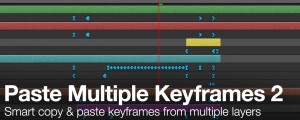
Paste Multiple Keyframes 2
Add to CartSmart copy and paste keyframes from multiple layers at the same time. Now with loop support.
-

- Compatibility After Effects
3D Text Creator
Generates text layers and distributes them in 3D space.Add to Cart$9.99 -

- Compatibility After Effects
Duplicate Frame Remover 3
Add to CartRemoves duplicate frames in footage. New retiming feature and 50% faster processing.
$39.99 -
- Compatibility After Effects
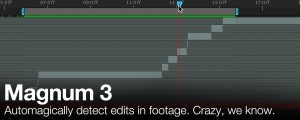
Magnum 3
Add to CartAutomagically detects edits in footage. Now with an all new detection engine that is easier to use and gives better results. What's not to love?
$39.99 -

- Compatibility After Effects
Immigration
Add to CartA smart import and batch replace tool that greatly improves the workflow of importing and replacing files especially file sequences and highly nested hierarchies.
$44.99 -

- Compatibility After Effects
Create Trimmed Adjustment Layer
Creates a new adjustment or null layer and trim it to the range of the selected layers.Add to Cart$4.99 -
- Compatibility After Effects
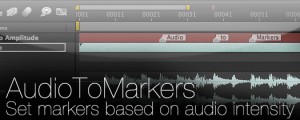
AudioToMarkers
Add to CartAdds markers, splits a layer or adds a new text layer with incrementing numbers based on audio intensity.
$14.99