
JPEG glitch
-
Compatibility After Effects Please check exact version compatibility under the "COMPATIBILITY" tab below
 Adding to cart...
 JPEG glitch

Zaebects
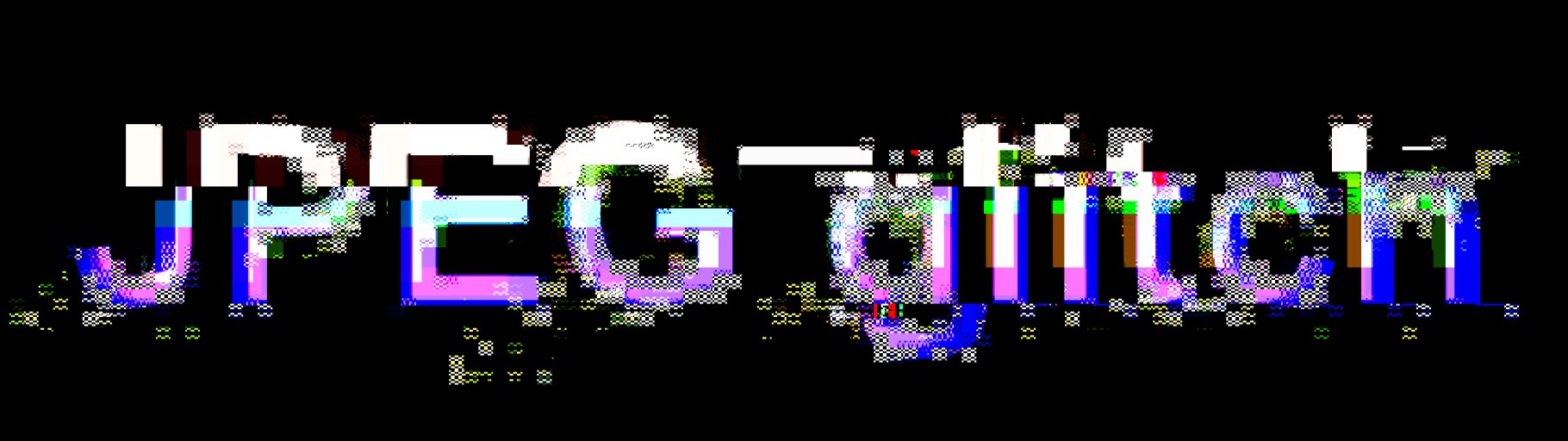
JPEG glitch plugin uses JPEG compression algorithm to create effects. You can add some “errors” in each step of the algorithm or change values manually. This manipulation creates special glitch aesthetics, which is possible only with JPEG compression algorithm. We broke JPEG for you in a very controlled way and we give you a control panel.
Technically, the plugin receives each frame as a separate picture, converts it to a JPEG, and returns it in the same picture format. In the conversion stage, all magic happens, where all “errors” and glitches are added. We made it so that all “errors” and broken bytes are left at the conversion stage, so the plugin returns only “healthy” pictures, so you don’t have to worry that your rendered file will not work.
Key Features:
- Ability to glitch all levels of JPEG compression algorithm
- Works fast, you don’t have to wait for the render
- Crash protection. Your rendered files will work as usual
- JPEG glitch aesthetic is available for everyone now, without programming knowledge
- Many combinations of parameters, and very cool results
Parameters:
-
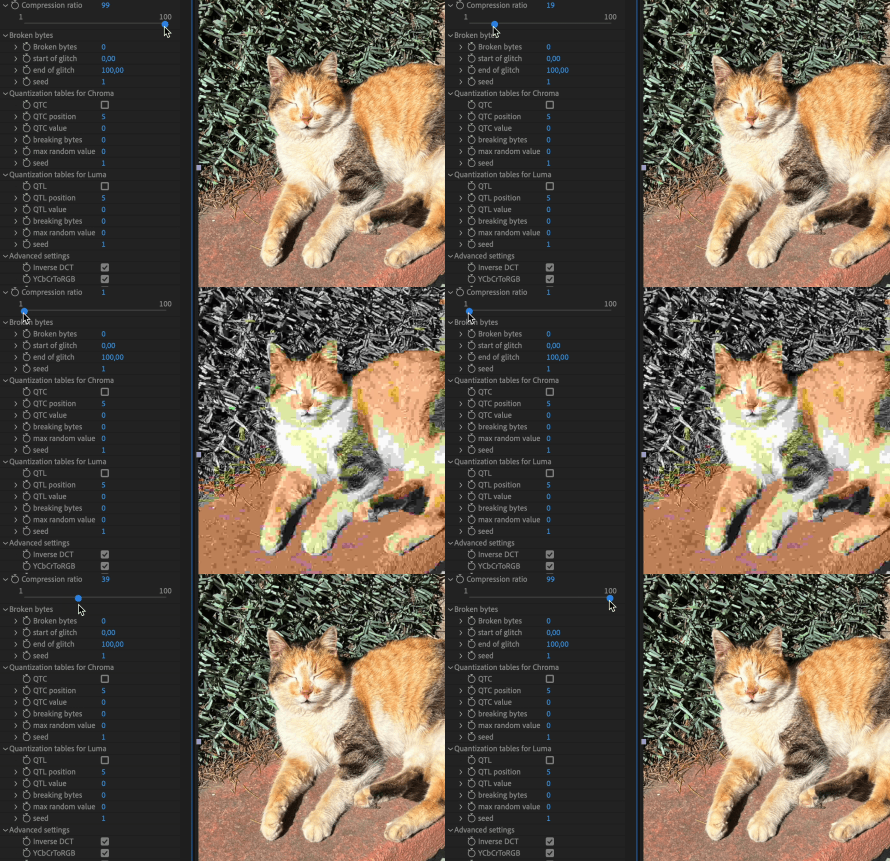
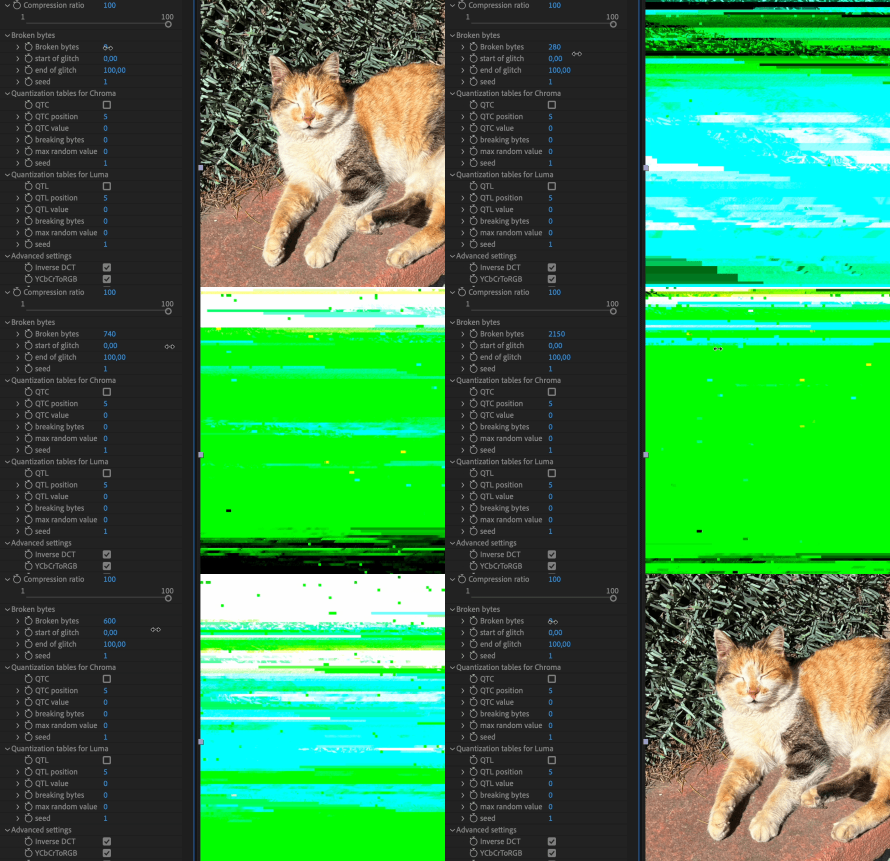
Compression and broken bytesYou can change the compression ratio to change the amount of information an image contains. This will affect how other parameters work, as more complex glitches require more bytes of information.“Broken bytes” speaks for itself, this parameter determines how many bytes of information have been changed in the image. Important! “Broken bytes” so far gives different results on MacOS and Windows, so be careful when using the same project on different platforms.
-
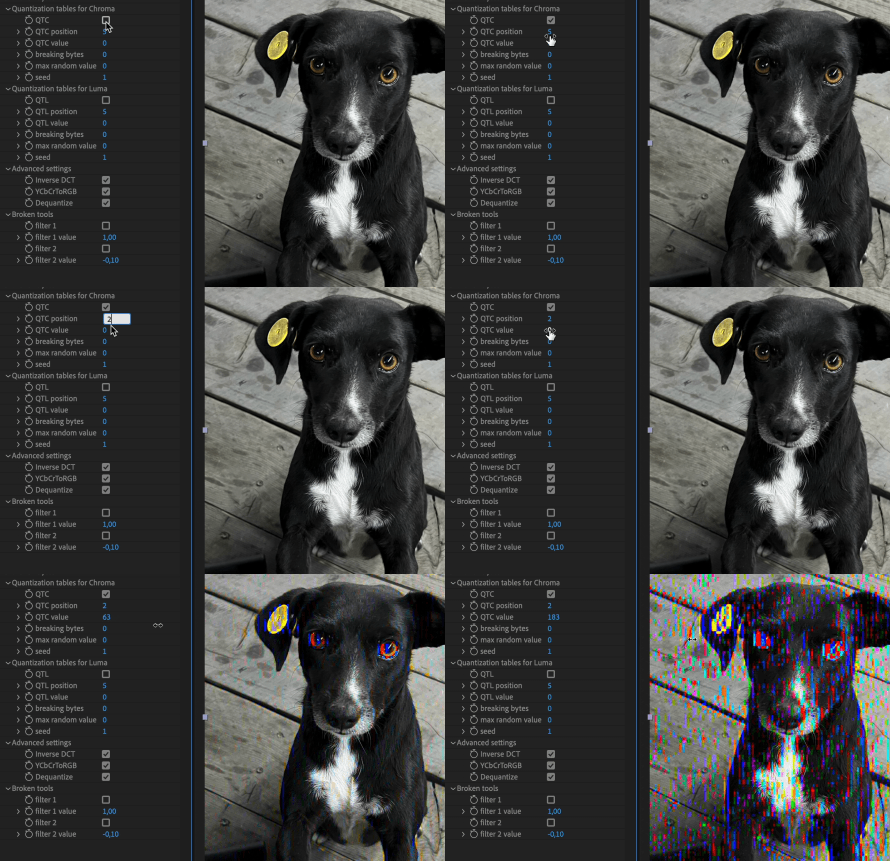
Quantization tablesThe quantization table used has a great influence on the quality of JPEG compression. It also influences the degree of compression achieved. The section with quantization tables consists of two parts: in the first one you can change 1 of 64 values (QTC position) to any other (QTC value). In the second part, you can choose how many values out of 64 (breaking bytes) will be replaced by a random number in the range up to the selected (max random value). Checkbox turn ON/OFF only first part.
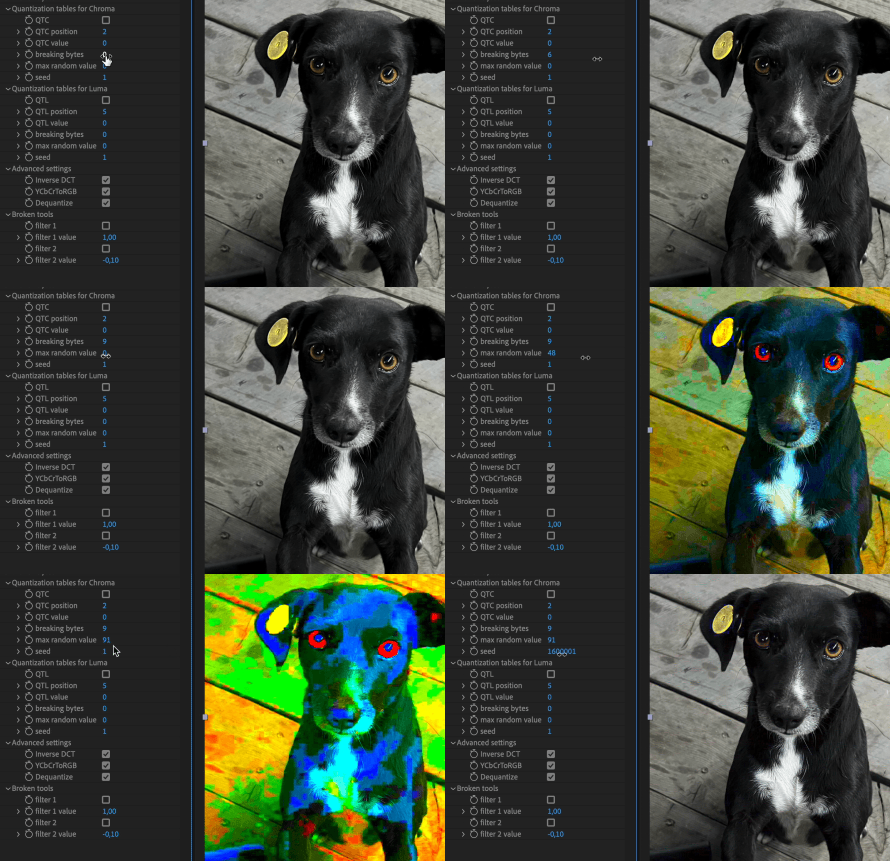
-
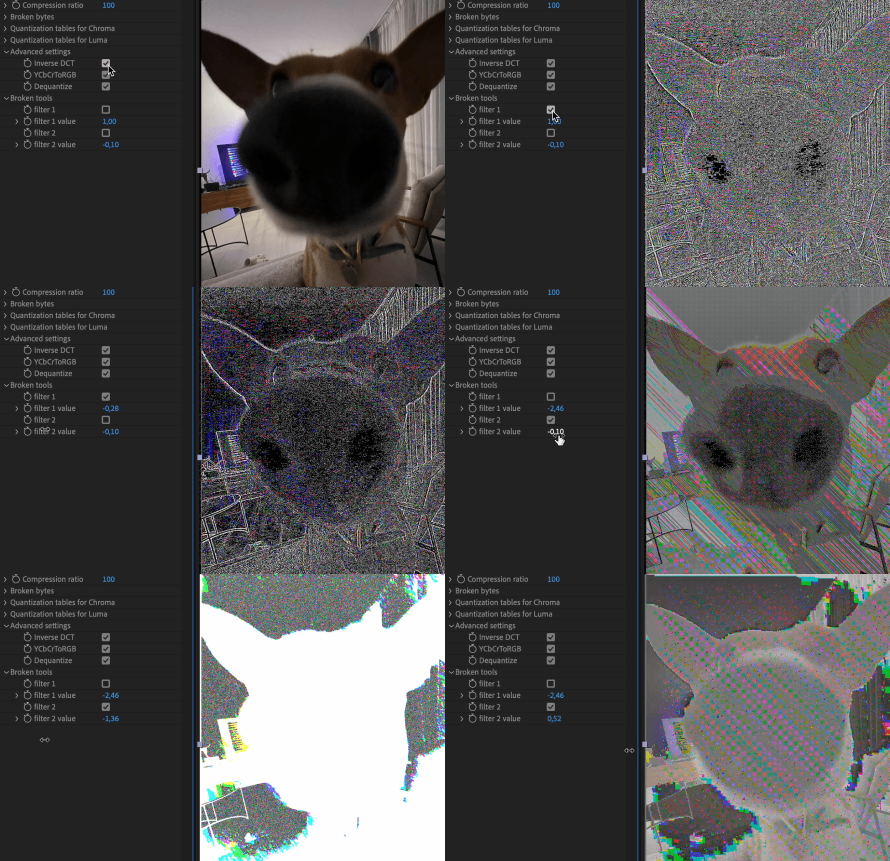
Other parametersAdvanced settings and Broken tools are intuitive, so try tweaking them individually and then combining them with other settings. The result will pleasantly surprise you!
| After Effects | 2024, 2023, 2022, 2021, 2020, CC 2019, CC 2018, CC 2017, CC 2015.3, CC 2015, CC 2014 |
|---|
1.0.4 (Current version) - Feb 16, 2023
Fixed bug with Start and End parameters
1.0.3 - Nov 21, 2022
1. Fixed a bug when a user had to activate plugin after each restart of After Effects
2. Fixed bug when JPEG glitch was doubled in the menu on macOS
3. Fixed an issue with an unexpected crash.
2. Fixed bug when JPEG glitch was doubled in the menu on macOS
3. Fixed an issue with an unexpected crash.
1.02 - Nov 18, 2022
Fixed a bug with an error message related to the incorrect display of versions
1.01 - Nov 17, 2022
Fixed error in 16 and 32 bit modes.
1.0 - Nov 11, 2022
Initial release
-

- Compatibility After Effects
Utility Buddy
This is a useful tool that helps you find and update your fonts, expressions and effects inside your project.Add to Cart -
- Compatibility After Effects
Cartoon Moblur
Add to CartAdds a stylish motion trail to your graphics just like regular motion blur, but more cartoony.
-

- Compatibility After Effects
Credits Roller
Add to CartCreate credit rolls and pages in 3 clicks in After effects! Use starter templates formatted in CSV, TSV or JSON. Has full RTL Support!
-

-
- Compatibility Photoshop
Waveloq Photoshop Plugin
Infinite possibilities for creating Circuit Bent and other CRT distorted glitch effects in PhotoshopAdd to Cart -

- Compatibility After Effects
Duplicate with Connections
Make a copy of a layer and link all its properties to the original using expressions.Add to Cart
-

- Compatibility After Effects
- Compatibility Premiere
Signal
Add to CartNow works in Premiere Pro! Authentic emulation of analog glitches for old-school TV vibes.
$39.99 -
- Compatibility After Effects
Physarum
Add to CartNative plugin that simulates organic growth. Infinite possibilities!
$49.99 -
- Compatibility After Effects
Zaebects Bundle
Add to CartSave 23% on Zaebects analog distortion plugins: Signal , Physarum and Modulation!
$99.99 -

- Compatibility After Effects
Lorenz System
Add to CartConverts Lorenz system to paths in After Effects
$9.99 -

- Compatibility After Effects
Slitscan
Add to CartSimple native plugin to create a slit-scan effect in After Effects.
$19.99 -
- Compatibility After Effects
Modulation
Add to CartEasy way to create a modulation effect in your video without any coding skills!
$39.99