
Paint Link
-
Compatibility After Effects Please check exact version compatibility under the "COMPATIBILITY" tab below
-
Compatibility Photoshop Please check exact version compatibility under the "COMPATIBILITY" tab below
 Adding to cart...
Users Love Paint Link!
We spent almost a year developing and testing it to make sure you love it!
Been using it for a project I'm currently working on and I really like it so far.
— Tristan J. Jung (@TJJDesign_) September 9, 2022
Considering it's version 1.0, it's already well developed/ has very few bugs and performance issues. https://t.co/Kev1dibLrP
Check up @ChrisVranos' last plugin #paintlink.
— El Cucuy (@3l_Cucuy) August 31, 2022
Tried it and had to get it right away. Absolutely fell in love with this one. Workflow between AE and PS has never been easier.#lockdown #paintlink #aescripts pic.twitter.com/qPdIMgZckQ
Getting Started with Paint Link
Learn how to use Photoshop’s award-winning suite of brushes to draw directly on the frames of your project, then watch as Paint Link automatically syncs your changes to After Effects, enabling real-time preview without the need to render.
One-Click Workflow
With a single click, Paint Link forms a dynamic link between your project and a new PSD—eliminating the need to save, render, or manually manage files.
An Onion Skin For Any Workflow
The highly customizable Onion Skin is designed to complement any project or workflow. Learn more about how Paint Link can adapt to the way you work.
Perfect For Collaboration
Paint Link makes it easy to share project files with your collaborators. Perfect for team-based workflows.
Automatic File Management
Paint Link automatically syncs your files to individual keyframes within your After Effects timeline, eliminating the need for file management while maintaining full control over your work.
Real-time Workflow
Paint Link updates After Effects in real-time as you are painting in Photoshop. This video was recorded in real-time to demonstrate the workflow.
Setup Instructions
In order for Paint Link to function, there are a few Photoshop settings you'll need to adjust.Don't worry, once these changes are made you'll never need to touch them again.
Disable Color Warnings
- Go to Photoshop > Edit > Preferences > Color Settings
- Under Profile Mismatches, disable "Ask When Opening"and "Ask When Pasting"
- Under Missing Profiles, disable "Ask When Opening"
Enable After Effects To Photoshop Connection
- Go to Photoshop > Edit > Preferences > Plugins (Windows)
Photoshop > Settings > Plugins (Mac) - Turn on "Enable Remote Connections"
- Set "Password" to "aescripts"
And now you're ready to paint!
| After Effects | 2024, 2023, 2022 |
|---|---|
| Photoshop | 2024, 2023, 2022 |
1.0.8 (Current version) - Jan 2, 2024
-Added a VFX mode checkbox.
1.0.7 - Dec 1, 2023
-plugin now detects some incomplete or incorrect installations, and tells the user how to fix it.
-Fixed a few situations where a PSD might not be updated in Ae, for example, the user closing Ae and Photoshop when Paint Link is not selected.
-Fixed a crash related to the plugin server connection
1.0.6 - Aug 14, 2023
1.0.5 - Jul 29, 2023
1.0.4 - Jun 9, 2023
1.0.3 - Jun 8, 2023
1.0.2 - Jun 1, 2023
- To reduce lag on older computers, we've fully prevented Paint Link from processing or updating when After Effects is not selected as the operating system's active window.
1.0.1 - Nov 28, 2022
-Added a check to ensure "Allow Scripts to write files and Access Network" is enabled.
1.0.0 - Aug 22, 2022
-
- Compatibility After Effects
KBar3
Add to CartBuild fun, sleek, customizable, shareable toolbars with a slick and easy UI. For Adobe After Effects CC 2019 and above.
-
- Compatibility Photoshop
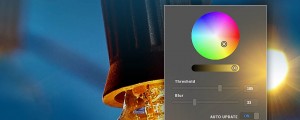
Glow & Glare Photoshop Extension
Add to CartAdd Glow & Glare effects in Photoshop in a non-destructive way.
-
- Compatibility After Effects
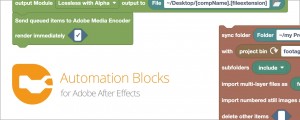
Automation Blocks for After Effects
Add to CartAutomation Blocks is an infinite collection of premade, one-click tools for any task. With Automation Blocks, you can fully customize all the tools, and even create your own!
-

-

- Compatibility After Effects
Cartoon Moblur
Add to CartAdds a stylish motion trail to your graphics just like regular motion blur, but more cartoony.
-
- Compatibility After Effects
- Compatibility Cinema 4d
Paint & Stick 2
Add to CartPaint directly in comp with your custom and Photoshop brushes plus onion skinning (great for cel animation). "Stick" your paint on 3D renders. You gotta see it to believe it!
Please note Paint & Stick is not compatible with Apple Silicon machines