
Automation Blocks for After Effects
-
Compatibility After Effects Please check exact version compatibility under the "COMPATIBILITY" tab below
 Adding to cart...
Automation Blocks: Unleash Your Efficiency
What Can Automation Do For Me?
With Automation Blocks you can
- Save time by automating repetitive tasks in your workflow
- Reduce human error in tasks that are prone to mistakes
- Handle more projects at once by streamlining time-consuming tasks
- Create project set-up scripts, so you can focus on the creative aspects
Large Library of One-Click Tools
Automation Blocks is an infinite collection of premade, one-click tools for any task. With Automation Blocks, you can fully customize all the tools, and even create your own!
There are too many tools to list them all, but here are some highlights:

Bundle Deal - Automation Blocks for Pr and Ae
Buy Automation Blocks for both Premiere Pro and After Effects for an unbeatable price.
Community Library
We collect all Automation Blocks scripts that are shared in the community in a public folder, which you can access via Dropbox, Google Drive or GitHub.
Here are some examples for tools you find in Automation Blocks and its Community Library:
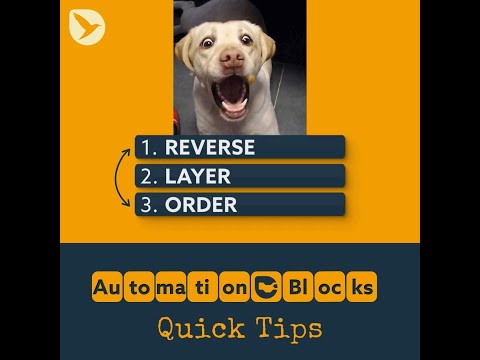


A fast machine means you wait less.
But with automated workflows, your machine waits less for you.
Write Your Own Tools
Instead of programming code, the tools are based on blocks – creating tools feels more like playing with Lego bricks than doing actual programming. It's when you start to customize the example tools to do what you need, or even write your own tools from scratch, that the magic really begins!
Change Anything in the Ae Project
Import footage, change comps and layers, render – you can do anything with Automation Blocks.
Create Custom User Interfaces
Create custom dialogs with text and number inputs, checkboxes, dropdown lists, and file pickers.
Manage Your Files
You can manage everything – not just in your Ae project, but also on your hard drive! Create folder structures for your project, clean up, or backup files.
Work with Spreadsheets
Read and write spreadsheet and text files – Automation Blocks makes working with files effortless.
Work with Keyframes
Working with keyframes is as easy as copy & paste. And with smart keyframe adjustment, newly inserted keyframes adjust to existing ones!
Support for Keyboard Shortcuts, Kbar and Quick Menu
Execute any Automation Blocks tool with a keyboard shortcut, or launch it with tools like Kbar or Quick Menu.
Comprehensive Documentation
Learn everything about Automation Blocks with our in-depth documentation - including many tutorials:
Hire an Expert
You seek for tailored automation solutions but lack the time or expertise to create them yourself? We have a network of skilled freelancers proficient in Automation Blocks who will craft tailored automations for you swiftly and efficiently.
User Reactions
Automation Blocks is pretty dang addictive. I stepped away for a while, but I really enjoyed playing with it so far. Seems a like super game changer for the uncivilized script creator like myself
— Dwayne Terrell (@dwayneterrell) July 15, 2022
I don't use many addons but the few tend to be very focused utilities. However, this looks stunning. And open beta right now. Take a what was a kids intro to programming and make a function builder in AE. From @mamoworld https://t.co/UBQNH0TOoH https://t.co/qmWlRNuVC0
— Mark Coleran (@Coleran) June 3, 2022
Rolling up my sleeves with the new #automationblocksae.
— Donn O’Lochlainn (@donn_lochlainn) June 2, 2022
At first glance, 2 of my fav tools are Precompose & Crop as well as Box Around Selected Layers.
Thanks @mamoworld for adding me to the beta testing ground!!#motiondesign #motionGraphics pic.twitter.com/6mwoBoPdGD
Children using Scratch will now be able to use After Effects much more easily. In addition, thanks to this, AFX has moved on.
— Gökhan Aydın (@soraouji) February 3, 2022
Artık Scratch kullanan çocuklar çok daha rahat After Effects kullanabilecekler. Ayrıca bu sayede AFX çağ atlamış. https://t.co/aRVeR0eP3p
This tool seems to put an end to the frustration that is working with Javascript in order to automate tasks in After Effects, and also looks so beginner-friendly: you just need to learn the logic instead of all the ugly JS syntax. https://t.co/ljs8gpRHjI
— Eveline Falcão (@evefalcao) June 3, 2022
Thank you @mamoworld for creating the request script with #AutomationBlocksAe :) https://t.co/KLrQaYrXit
— onderk. (@motioneasy) April 21, 2022
When you hear @mamoworld slipped an #AutomationBlocks tutorial into YouTube that you didn’t see in his Twitter feed. Check out how easy it is to edit blocks too: https://t.co/rsFQFRDYB8 pic.twitter.com/qF0JcBytzE
— AE Tips Tricks Tuts (@aetips) October 14, 2022
Man i love Automation Blocks, amazing work!
— Lars Hellhammer (@HellLars) July 28, 2022
Every day, #AutomationBlocksAe gets stronger and larger. I believe I'll delete a lot of my scripts and simply utilize Automation Block going forward. I appreciate all of your work. Thank you @mamoworld
— onderk. (@motioneasy) July 26, 2022
| After Effects | 2023, 2022, 2021, 2020, CC 2019, CC 2018, CC 2017, CC 2015.3, CC 2015 |
|---|
1.1.000 (Current version) - Apr 4, 2024
- new block to execute jsx code from within Automation Blocks
- bugfixes
1.0.015 - Jan 12, 2024
1.0.013 - Dec 21, 2023
1.0.012 - Dec 8, 2023
- bug fixes
1.0.008 - Nov 17, 2023
- fixed broken help links
1.0.003 - Jun 16, 2023
- hidden files in user library are now ignored
1.0.001 - Aug 2, 2022
1.0.000 - Aug 2, 2022
1.0 - Jul 31, 2022
-

- Compatibility After Effects
AEInfoGraphics 2
Add to CartCreate beautifully animated infographic charts from a connected spreadsheet or directly entered data with real-time previews.
-

- Compatibility After Effects
Automation Toolkit Pro
Add to CartAutomation Toolkit lets you create your own custom buttons with their own custom functionality! Basically, a "Whatever You Want!" button maker!
$59.99 -

- Compatibility After Effects
ColorSwap
Add to CartNow supports keyframed colors. Easily search and replace colors within your comp, your selection or your entire project.
$24.99 -

- Compatibility After Effects
Automation Toolkit Free
Add to CartAutomation Toolkit lets you create your own custom buttons with their own custom functionality! Basically, a "Whatever You Want!" button maker!
$0.00 -

- Compatibility After Effects
Super 3D
Add to CartEnhance your 3D capabilities in After Effects with Super 3D.
-

- Compatibility After Effects
LoopMaster
Add to CartMake seamless loops! Loop keyframes, items, wiggle, spin and orbit. Perfect for GIF's, NFT's, Lottie Animations and Social media posts.
-

- Compatibility After Effects
Glitch Bundle for Squash & Stretch Pro
Add to CartThis bundle includes 18 behaviors with 69 variants and more than 50 sound effects to create glitch effects with Squash & Stretch Pro.
$0.00 -

- Compatibility After Effects
MaskTracker+
Move layers, make corner pins, stabilize clips and create stabilized precomps with the AE mask tracker.Add to Cart$49.99 -

- Compatibility After Effects
Expression Timeline 2
The ExpressionTimeline allows you to apply several expressions to a property, so that each expression is ony active for a certain period of time. Instead of an abrupt change between expressions, you can smoothly transition from one expression to the next. What's more, you can specify time intervals in which no expression is active, so that the keyframed motion is considered.Add to Cart$29.99 As low as: $23.99 -

- Compatibility Davinci Resolve
BeatEdit for DaVinci Resolve
Add to CartEdit to the beat like a pro. Create seamless edits to make your music track longer, shorter or shuffle it around.
$49.99 -

- Compatibility After Effects
- Compatibility Cinema 4d
CINEWARE proxy
Streamline your live 3D pipeline between Cinema 4D and After Effects CC. Quickly toggle between the live pipeline and rendered proxy files.Add to Cart$39.99 -
- Compatibility After Effects
- Compatibility Premiere
Automation Blocks Bundle
Buy Automation Blocks for both Premiere Pro and After Effects and save 20%!Add to Cart$99.99