
AutoFill v2
-
Compatibility After Effects Please check exact version compatibility under the "COMPATIBILITY" tab below
 Adding to cart...
 - Supports AE's Multi-Frame Rendering (MFR) for efficient distributed rendering across multiple cores/threads
- New caching system; smooth previews without resimulating
- Rock solid stability
- GPU Accelerated & Apple Silicon Native


| After Effects | 2024, 2023, 2022, 2021 |
|---|
2.0.1 (Current version) - Nov 9, 2023
- Fix compatibility issue with Intel HD GPU's
2.0.0 - Aug 7, 2023
- New AE compute cache for rock solid stability; preview on the fly (resimulate button removed)
- Added Style Builder; inbuilt multitrack compositing solution
- 30 all new internal presets
- Revamped the 50 original AE project file presets
- RGBA Gradients with Intuitive Gradient Editor
- Inbuilt Quality Settings: Supersampling, Adaptive Resolution & Smart Anti-Aliasing
- 3 Additional Speed Map Modes; Auto speedmap renamed to "Slower Near Borders"
- AutoFill Bridges to connect disconnected elements
- CPU & GPU pipelines for render farms and CPU fallback
-

- Compatibility After Effects
Automatic Whiteboard
Add to CartAutomatic Whiteboard converts After Effects text layers and masks into write-on animations, automatically! Just type in some text, or draw some masks, and then click a button. Instant whiteboard-style animation, with or without a hand to draw it on.
-
- Compatibility After Effects
Ps Text Converter for After Effects
Make Photoshop text layers editable in After Effects, with correct scale and correctly transferred animation and masks.Add to Cart -
- Compatibility After Effects
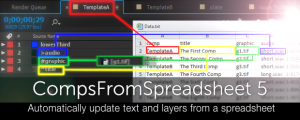
CompsFromSpreadsheet 5
Create versions of your After Effects comps using a spreadsheetAdd to Cart -
- Compatibility After Effects
Font Collect
Add to CartAutomatically collects project fonts. Just like how After Effects collects footage!
$18.99 -
- Compatibility After Effects
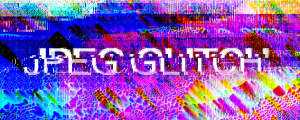
JPEG glitch
We broke the JPEG algorithm to make realistic glitches in After Effects.Add to Cart$39.90 -

- Compatibility After Effects
FX Gradient
Add to CartThe most user-friendly way to create advanced gradient ramps in After Effects! Easily create and edit linear, radial, angular and reflected ramps with the click of a button, and colorize them with one of the 30 trendy and useful color presets. Even add some special FX options like tiling, grain and turbulence !
-

- Compatibility After Effects
Extrude
Bring live text layers, shapes & masks to life in a single click with Extrude. Features 2D Directional, Vanishing, or Full 3D extrusions modes.Add to Cart$50.00 -

- Compatibility After Effects
Digit Fiddler
Add to CartDigit Fiddler is your complete solution for counting anything in After Effects using a single slider.
$24.95 -
- Compatibility After Effects
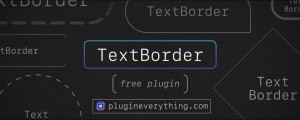
TextBorder
TextBorder creates a perfectly sized and customisable border around your text that updates automatically.Add to Cart$0.00 -

- Compatibility After Effects
Repeater
Add to CartRepeater is the free missing tool to repeat any layer in AE
$0.00 -

- Compatibility After Effects
Discotext
Add to CartDiscotext is a trim paths plugin for live text layers, allowing you to trim, offset, stagger and clone your text layers with controls that feel familiar to every After Effects user.
$39.95 -

- Compatibility After Effects
TextBox 2
Add to CartTextBox is a native plugin that creates a perfectly sized, customisable shape behind your text that updates automatically and is applied directly to the text layer so no need for parenting, mattes or expressions.
$29.95