
BBTools Shadow 2
-
Compatibility Photoshop Please check exact version compatibility under the "COMPATIBILITY" tab below
 Adding to cart...
 Plugin for Adobe Photoshop that adds lifelike shadows to objects in a standing position.
- Compatible layer kinds: text, smart objects, and regular layers.
- Opt for an angle (manually set or utilize the "Sun position" choice), adjust scale, blur (for shadow dispersion), opacity, and color settings.
- Almost real-time automatic updates.
- Native UXP extension.
Panel UI Controls
- Angle: Shadow angle (1 - 359 degrees)
- Scale: Shadow length (1 - 100), a relative value based on the object's size and varying with shadow angle.
- Blur: Shadow dispersion in pixels (1 - 100)
- Opacity: Shadow opacity (1 - 100)
- Color: Shadow color
- Sun Position: Determines shadow angle based on the object's relative position from a user-defined point created using Photoshop's Pen tool.
- Auto-update: Automatically adjusts the shadow whenever any of the above parameters are changed.
Upgrade Notice
If you purchased Shadow Photoshop Extension after Dec 1, 2023 you can upgrade for $6. Simply login to the same account and the upgrade price will be automatically displayed. If you need assistance please open a support ticket and we will be happy to assist
| Photoshop | 2024, 2023 |
|---|
2.1.5 (Current version) - Jun 6, 2024
2.1.4 - Jun 6, 2024
2.1.3 - Mar 11, 2024
2.1.2 - Mar 11, 2024
2.1.1 - Mar 11, 2024
2.1.0 - Mar 7, 2024
- Complete rewrite to native UXP plugin
- Minor bugfixes.
-

- Compatibility Photoshop
mobKnife Photoshop Plugin
Add to CartmobKnife Plugin gives you infinite possibilities for creating distorted images and typography based on interactive rotation, scale, and displacement effects.
-
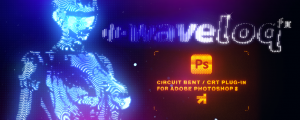
- Compatibility Photoshop
Waveloq Photoshop Plugin
Infinite possibilities for creating Circuit Bent and other CRT distorted glitch effects in PhotoshopAdd to Cart -
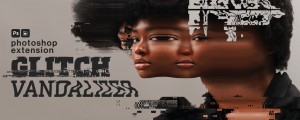
- Compatibility Photoshop
Glitch Vandalizer Photoshop Plugin
Add to CartGlitch Vandalizer Plugin gives you infinite possibilities for creating awesome compressed glitches, digital distortion and data mosh effects for your shots.
-
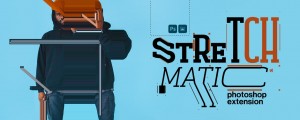
- Compatibility Photoshop
StretchMatic Photoshop Extension
Add to CartStretchMatic Plugin gives you infinite possibilities of creating distorted motion collages based on slit-scan and pixel stretch effects in Photoshop
-

-
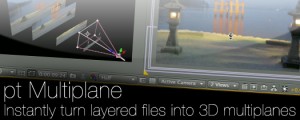
- Compatibility After Effects
pt_Multiplane
Add to CartInstantly turn layered Photoshop or Illustrator files into 3D multiplanes. It adds expressions that let you freely move layers on the z axis without changing the look of the shot from the original camera position, making it easy to experiment with depth in your scene.
-
- Compatibility Photoshop
RainFX Photoshop Extension
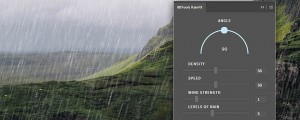
Add to CartPhotoshop extension for creating rain effects. Variate angle, density, speed, wind strength, levels of rain to get the desired look.
$15.00 -

- Compatibility Photoshop
Scatter Stuff Photoshop Extension
Add to CartScatter layers across entire document, selection, or use "Masking" feature. Randomize angle, scale, hue, saturation and lightness of each individual layer.
$15.00 -

- Compatibility Photoshop
PostProduction Master for Photoshop
Add to CartPostProduction Master is the essential Arch Viz post-production extension for Photoshop.
$20.00 -
- Compatibility Photoshop
Glow & Glare Photoshop Extension
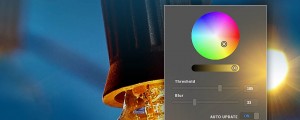
Add to CartAdd Glow & Glare effects in Photoshop in a non-destructive way.
$15.00 -

- Compatibility Photoshop
BBTools Tiler 4
Add to Cart25% Off until July 12. Plugin for Adobe Photoshop that makes tiles and seamless textures.
$19.00