
MochaImport+ for NUKE
-
Compatibility Nuke Please check exact version compatibility under the "COMPATIBILITY" tab below
 Adding to cart...
 THIS PRODUCT HAS BEEN DISCONTINUED
The easy mocha & NUKE workflow
Simplifies the workflow between mocha and NUKE. Easily import tracking data into Tracker, Transform, RotoPaint, GridWarp and more.
Features
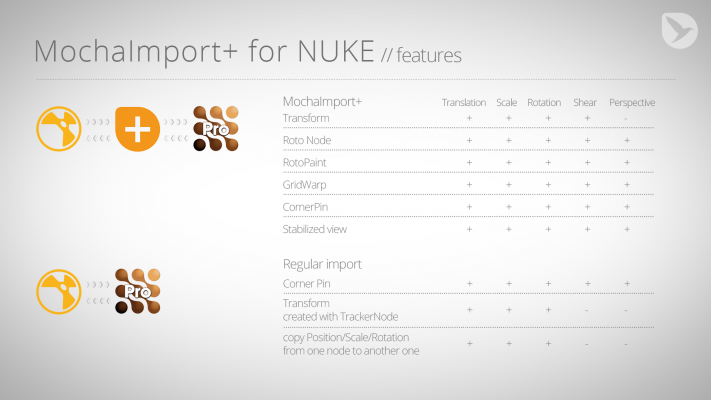
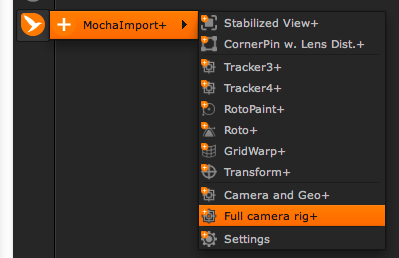
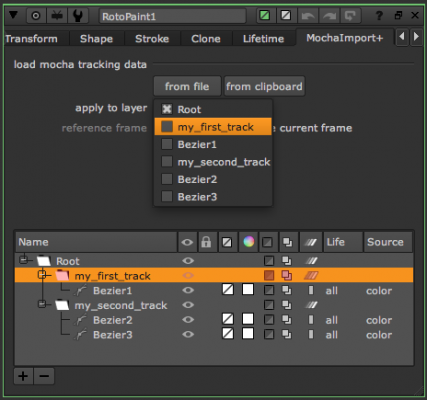
- easily import mocha tracking data into various NUKE node types (Tracker, Roto, RotoPaint, GridWarp, SplineWarp, Transform)
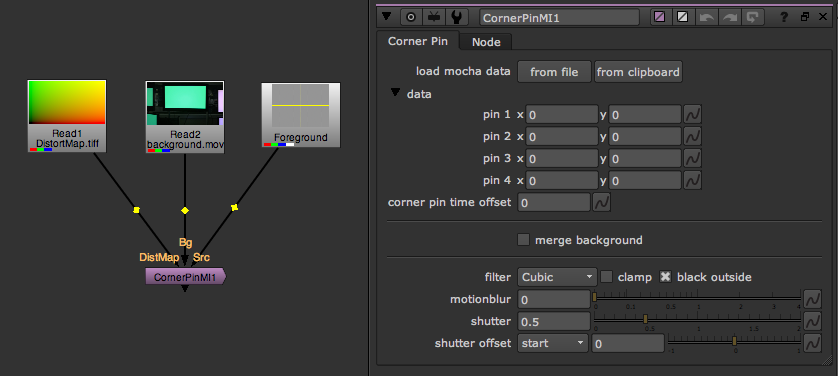
- new CornerPin node with built-in support for mocha lens data
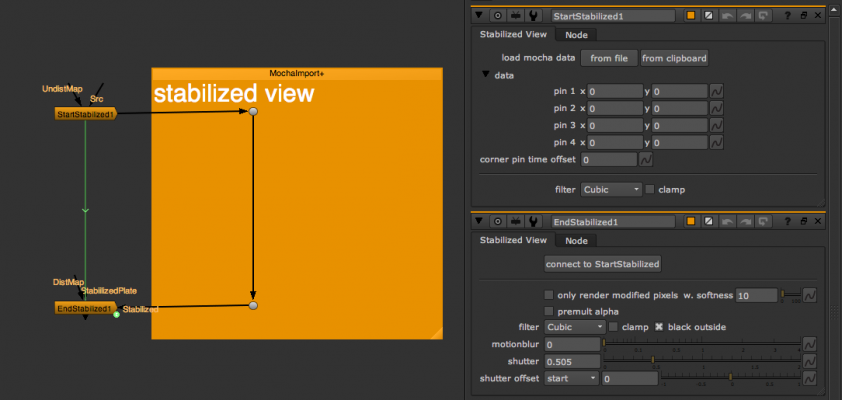
- the popular stabilized precomp workflow from MochaImport+ for After Effects is also available in MochaImport+ for NUKE
- one click support for mocha camera solver
- more than just position/scale/rotation: MochaImport+ also brings shear and perspective data from mocha tracks into NUKE
- NUKE scripts still work on machines where MochaImport+ is not installed. The tool is only required if you want to load or replace the tracking data.
New in Version 1.1
Version 1.1 adds some cool new features like compatibility with machines where MochaImport+ is not installed, a new SplineWarp+ node, a scripting API and the free bonus plugin Relative File Path. Find out more at mamoworld.com.
Compatibility
MochaImport+ for NUKE requires mocha Pro (any version that is able to export NUKE corner pin data) and NUKE 7,8,9,10 or 11.
Other voices
Some may say, “Well, I can do that in Nuke already with tools already available, why buy another tool?” The answer is: to make it a simpler workflow. Yes, you can act all smart and build node trees to do much of this. But outside of feeling smart, where does that put you? It puts you behind the compositor who used the Mochaimport+ tool to streamline the process. Instead of spending time building a node tree, that artist is already doing the art.
At $123, I’d say the investment is worth exponentially more than the time investment in building the Nuke nodes every time you need them.Animation Magazine in their November 2014 Tech Reviews
MochaImport+ for NUKE is a great collaboration tool; making it super easy to have a seamless workflow between Mocha and Nuke. Whether you are bringing into Nuke your planar tracking, stabilized, shape data, or lens distortion maps and adjusting with MochaImport+ for NUKE, can be summarized in 3 words: easy, artist friendly, and pretty rad!
With MochaImport+, speed and simplicity are grand, no more need to spend time translating tracking info into different nodes. A change in the tracking in mocha Pro, it only takes seconds to update in NUKE. All the time spend getting the best track in mocha Pro is translated EXACTLY to NUKE with MochaImport+.
We're always looking to improve our workflow. MochaImport+ for NUKE will save you time.Andy Needham, freelance motion designer, editor and compositor
Free bonus plugin
MochaImport+ includes the free bonus plugin Relative File Path that allows you to move your NUKE project from one location to another without breaking your footage links. Relative File Path is fully functional, with no time limitation - even if you just install the trial version of MochaImport+.
Crossgrade Offer
Customers who own MochaImport+ for Ae get a 20% discount towards the purchase of MochaImport+ for NUKE. Simply log in to the same account that you purchase MI+ with.
| Nuke/NukeX | 12.1, 12.0, 11.3, 11.2, 11.1, 11.0, 10.0, 9.0, 8.0, 7.0 |
|---|
1.104 (Current version) - Aug 2, 2017
1.103 - Jul 26, 2017
1.102 - Mar 18, 2015
1.101 - Mar 13, 2015
1.1 - Sep 2, 2014
- new SplineWarp+ node
- free extra tool Relative File Path
- API to use MochaImport in your Python scripts
- support of NUKE corner pin nodes as input
- bug fixes
1.0 - Apr 1, 2014
-

- Compatibility Maya
- Compatibility Nuke
smartMessage for Nuke and Maya
Add to CartsmartMessage is an instant messenger for Nuke and Maya. Connect to locals and digital artists from all over the world. You can share text, node setups, cameras, animated geometry, urls, images, files, etc. Speed up your communication methods and enhance the collaboration among artists.
-

- Compatibility After Effects
NumberLink
Add to CartCreate a number counting animation in 1 click! Links numbers to slider values and re-writes text instantly!
-
- Compatibility After Effects
REACH: AEssential Kit
Add to Cart
Ready to take your motion design workflow to uncharted territories? Reach is an all-encompassing, adaptable, and ever-evolving toolset.
It infuses the After Effects toolkit with a medley of uniquely innovative utilities. From elementary to intricate, Reach takes the expected and elevates it into the realm of the extraordinary. Simplify the complex, streamline the cumbersome, and catalyze your creativity with Reach - the quintessential companion for every After Effects adventurer
Elevate your art. Reach for the stars. -

-
- Compatibility After Effects
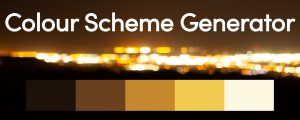
Colour Scheme Generator
Add to CartCreates an adjustable palette filled with matching colours of your image
-
- Compatibility Nuke
smartShelves for Nuke
smartShelves lets you manage your custom shelves including nodes and gizmos in NUKE in a simple, fast and intuitive way. You can always add new nodes and gizmos, edit and delete items whenever you like - And everything is done visually without any scripting being required.Add to Cart
-

- Compatibility After Effects
MochaImport+ V6
Add to CartMochaImport simplifies your workflow between mocha and After Effects. Create stabilized precomps, move masks, effect points and layers, and distort them in perspective.
$49.99 -

- Compatibility After Effects
Tracker2Mask
Move masks with trackpoints. Importantly, you don't need one trackpoint for each maskpoint.Add to Cart$9.99 -
- Compatibility Davinci Resolve
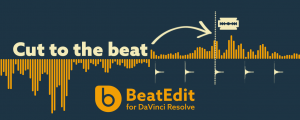
BeatEdit for DaVinci Resolve
Add to CartEdit to the beat like a pro. Create seamless edits to make your music track longer, shorter or shuffle it around.
$49.99 -

- Compatibility After Effects
MaskTracker+
Move layers, make corner pins, stabilize clips and create stabilized precomps with the AE mask tracker.Add to Cart$49.99 -

- Compatibility After Effects
iExpressions 3
Add to CartCreate complex expression-driven templates, character rigs, shape animations and more without writing any code!
$99.99 -

- Compatibility After Effects
Orient World
After camera tracking set the ground plane of your scene and orient everything accordingly.Add to Cart$19.99