
Toy Bricks
-
Compatibility After Effects Please check exact version compatibility under the "COMPATIBILITY" tab below
 Adding to cart...
 THIS PRODUCT HAS BEEN DISCONTINUED AND IS NO LONGER AVAILABLE.
New in version 1.10
Added new collision shapes: cone, tetrahedron, path convex and Wavefront .obj format.
And new feature to generate collision shapes from Shape/Text Layer.
Toy Bricks simulates physical motion and collision of rigid bodies and constraints in 3D space.
It can export (bake) the physical simulation as After Effects keyframes.
To get started you choose one of the three main modes: create, set, bake.
For the rest of the plugin functions, please reference the user manual. Download Toy Bricks User Manual
Create
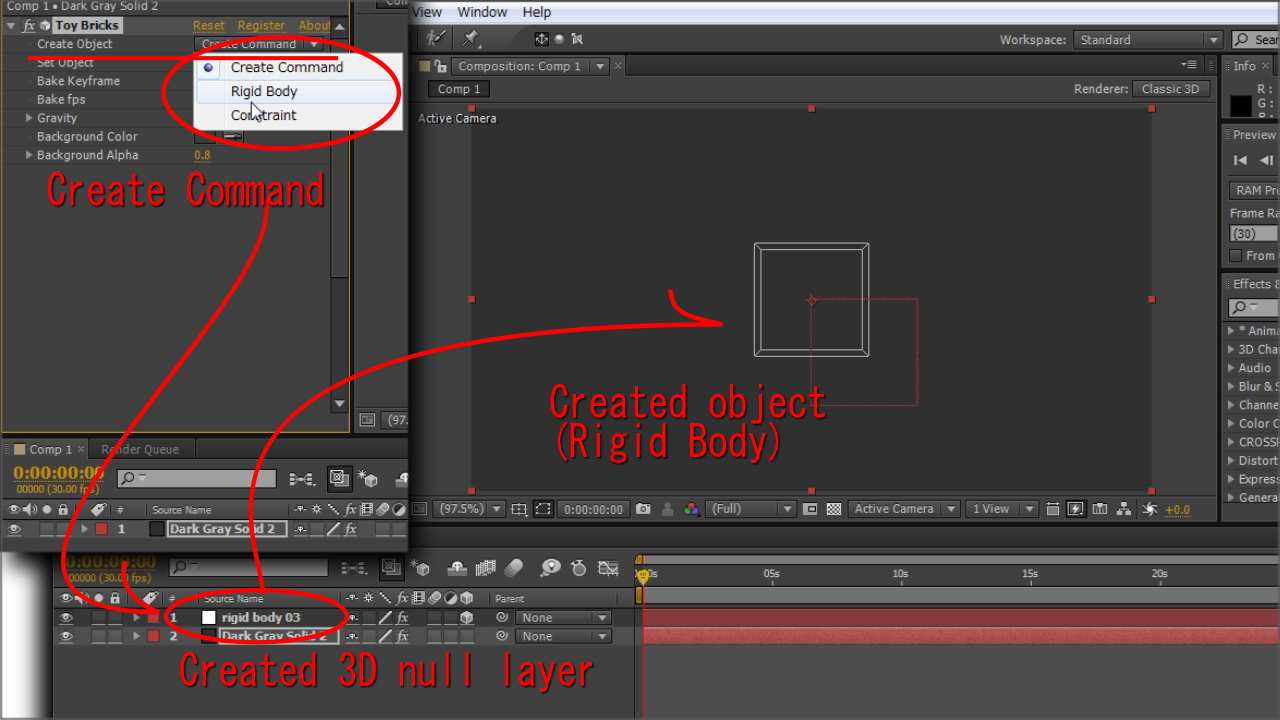
Creates rigid bodies or constraints as 3D null layers. You set their initial position, rotation, and parameters.
Set
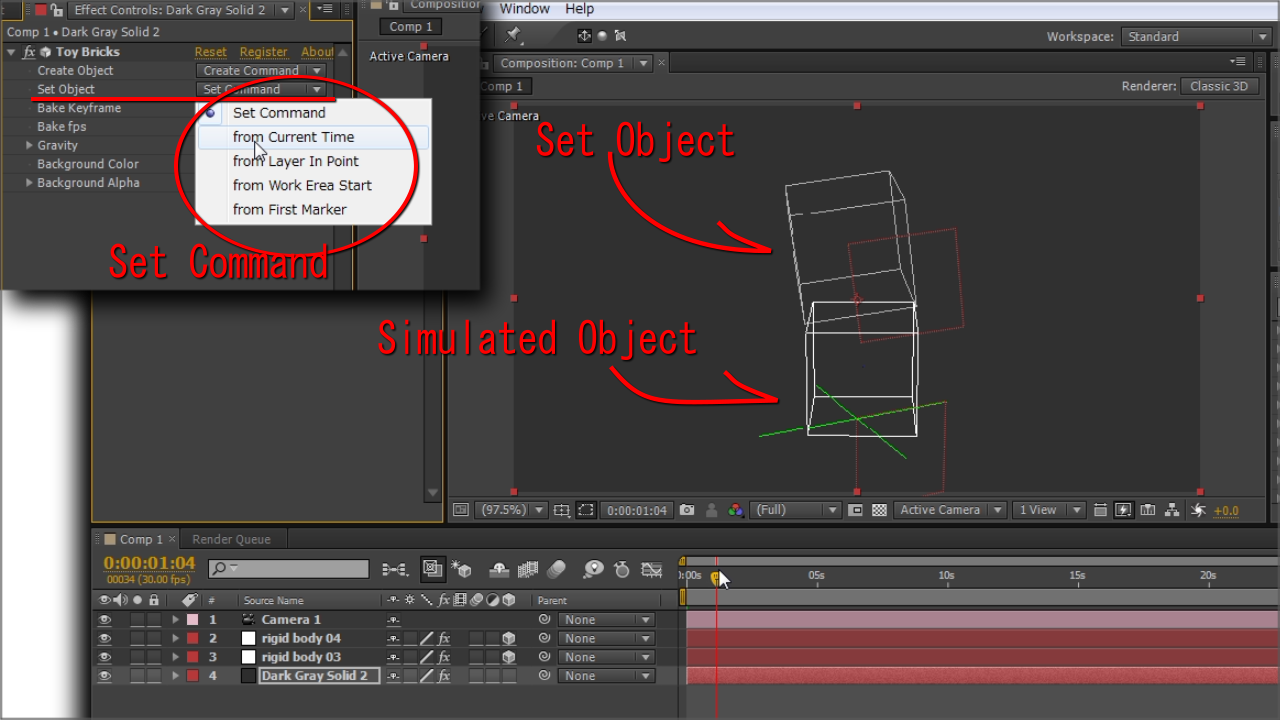 Sets the initial state of the object and defines when the physics simulation should start. You can check the simulated motion by scrubbing the timeline.
Bake
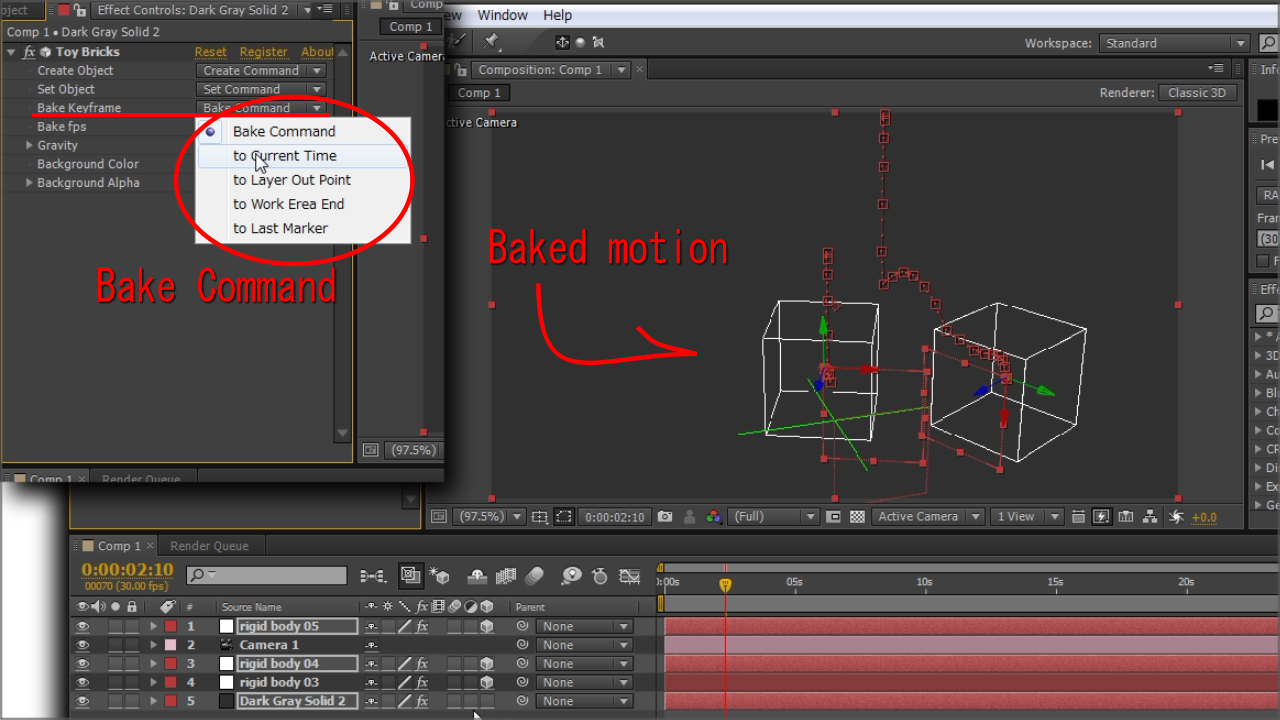 Bakes the simulation as position and orientation keyframes to null layers.
Once you "bake", you get the physical simulation motion as After Effects position and orientation keyframes.
| After Effects | CS6, CS5.5, CS5, CS4 |
|---|
1.10 (Current version) - Jun 1, 2013
- 1.01 - Respond to Ortho view - May 2013
- 1.00 - Initial release - May 2013
-

- Compatibility After Effects
Ebberts + Zucker Variety Pack
Add to CartThe E+Z Variety Pack is a premium assortment of delicious tools for After Effects at a really tasty discount. It includes: Rubberize It, NodeKit, Wind & Beatnik, and more!
-

- Compatibility After Effects
- Compatibility Premiere
Colorful Style Pack for Animation Composer
Add to CartThis product has been discontinued. You can now purchase all Mister Horse products through a single subscription plan. -

- Compatibility After Effects
AEMap
A dockable scripts panel that builds maps for you directly in AE.Add to Cart
Use the build in boundaries and jurisdictions or import your own. Colorize the shapes or masks based on data. Precompose by jurisdiction. Use different projection types like mercator, equirectangular, aitoff and more. It comes with the "AEMap Utilities" which contains tools for dealing with a bunch of layers and nested comps. -
- Compatibility After Effects
Stereo 3D Toolkit 3
Add to CartProfessional stereoscopic workflow tools enable you to create mind blowing stereoscopic compositions in After Effects. Easier than ever to use, works with all your favorite plug-ins.
-

- Compatibility After Effects
Plexus 3
Add to CartNow with Multi-Frame Rendering (MFR) Support! Rowbyte Plexus is a next-gen particle engine for After Effects that lets you create, manipulate and visualize data in a procedural manner. Not only you can render the particles, but also create all sorts of interesting relationships between them based on various parameters.
$249.99 As low as: $199.99 -

- Compatibility After Effects
Volume n' Tricks 2
Add to CartCraft Breathtaking Animations in Faux-3D, compatible with Lottie Files.
Isometric Extrusion on Multiple Layers at Once.
Isometric Projection., Grid and moves.
Parented Isometric Shadows.
Pivot/Rotation Feature.
And more!
-

- Compatibility After Effects
Power Hyperboloid
Draws a 3D Hyperboloid with power controls! Elliptic distortion, unfolding, rich shading, self shadowing, reflections, DOF and comp lights and camera.Add to Cart$0.00 -
- Compatibility After Effects
Pixel Bender Accelerator
Runs Pixel Bender filters natively using the GPU of your video card. Besides making them run very fast it also means you can run pixel bender files in CS6 and above!Add to Cart$49.99 -
- Compatibility After Effects
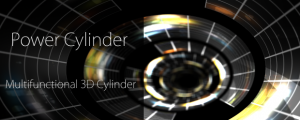
Power Cylinder
Add to CartA 3D Cylinder plugin with power controls! Elliptic distortion, unfolding, rich shading, self shadowing, reflections, DOF and comp lights and camera.
$39.99 -

- Compatibility After Effects
Crossphere Bokeh
Add to CartA Lens Blur plugin that allows full parametric control of Bokeh shape with beautiful tonal mapping and HDR highlights.
$59.99 -

- Compatibility After Effects
Power Droste
Add to CartA multi-functional spiral deformation, Droste effect plug-in. 3D rotation, unroll, individually controlled and textured multi-strands, and extra deformation.
$48.99 -

- Compatibility After Effects
Crossphere Bokeh Render Only
Add to CartCrossphere Bokeh Render Only License. This license can only be used on headless render machines using the command line renderer and you must own at least 1 full license of Crossphere Bokeh in order to purchase them. You can purchase a normal full Crossphere Bokeh license here.
$15.00