Crossphere Bokeh

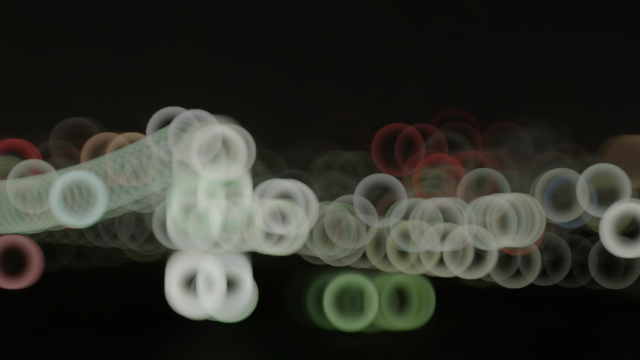
CROSSPHERE Bokeh is a powerful After Effects lens blur plugin designed for motion designers and VFX artists who need precise control over cinematic blur and bokeh rendering.

Unlike standard AE blur effects, CROSSPHERE Bokeh gives you full parametric control of bokeh shapes and allows you to use any layer as a custom bokeh shape. It also supports depth-map driven depth of field simulation with beautiful HDR highlight rendering.

Create realistic cinematic depth of field, stylized bokeh, and artistic blur effects directly inside After Effects.

Learn about license types
  • Free Trial
Description

CROSSPHERE Bokeh is a professional After Effects lens blur plugin that gives motion designers and VFX artists complete parametric control over every aspect of bokeh shape — from classic circular and hexagonal irises to fully custom bokeh shapes driven by any layer in your composition. Achieve cinematic blur, stunning depth-of-field effects, and beautiful HDR highlight rendering, all from a single, streamlined effect in Adobe After Effects.

Key Features

  • Full parametric bokeh control — adjust vertices, roundness, rotation, and more to dial in the exact iris shape you need.
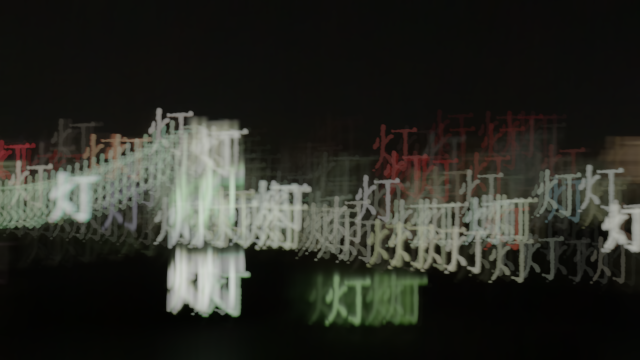
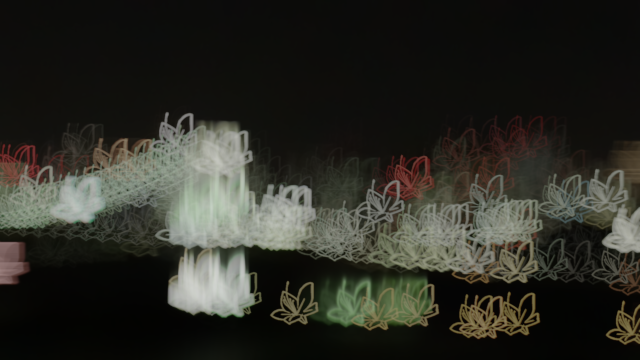
  • Custom bokeh shapes via layers — use any After Effects layer (text, logo, shape, footage) as the bokeh aperture for completely unique looks.
  • Depth-of-field simulation via depth maps — feed a luminance-based depth map to produce realistic, spatially-correct lens blur across your scene.
  • HDR highlight rendering — bright highlights bloom naturally with physically-inspired tonal mapping and HDR flares.
  • Edge behaviour controls — dedicated "Remove Edge Leak" and "Detect Edge Threshold" parameters keep subjects crisp at the boundary of the blur zone.
  • Composite mode support — apply as a standard effect or on an adjustment layer for flexible compositing workflows.
  • Multiple focus-point controls — set up to two focus points and interpolate between them for animated rack-focus moves.
  • Render-Only license available — scale up for studio render farms without buying additional full seats.

Perfect For

  • Music video editors — create dreamy, light-scatter bokeh backdrops and stylised in-camera looks.
  • Title designers — blur background elements or type with precisely shaped bokeh to bring foreground titles forward.
  • Commercial and broadcast VFX artists — simulate lens characteristics for product shots, beauty work, and brand films.
  • Motion graphics artists — add cinematic depth to flat 2D compositions without a camera or 3D renderer.
  • 3D compositors — combine with depth passes (e.g. from Element 3D, Cinema 4D, or Blender) for true depth-of-field in post.

The Choice of Professionals

Popular After Effects creator OutofOrder put five AE lens blur plugins head-to-head. The verdict:

"If you want the best bokeh lens blur, CROSSPHERE Bokeh is definitely the best one… it just does an outstanding job." — OutofOrder

Parametric Bokeh Shape Control

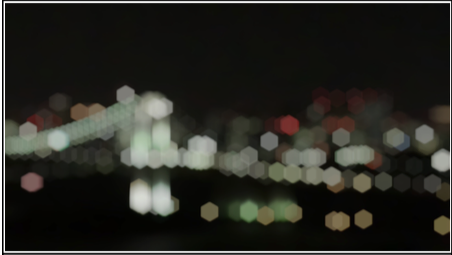
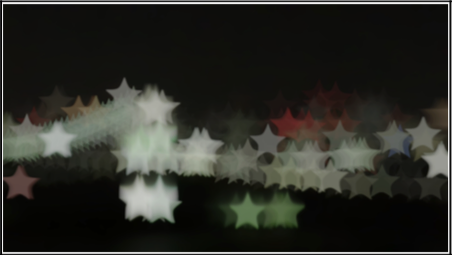
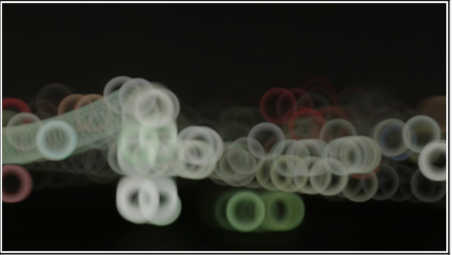
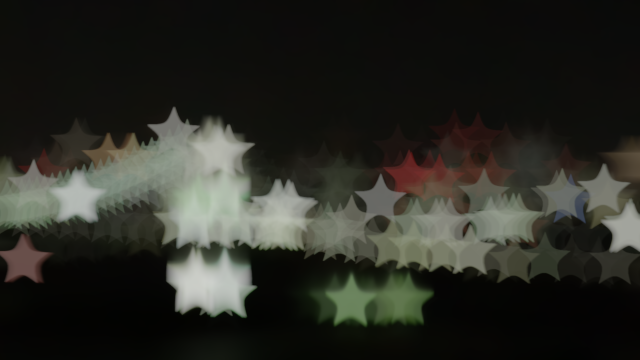
Unlike the built-in AE lens blur, CROSSPHERE Bokeh gives you direct numerical control over the bokeh aperture shape. Set the number of vertices, adjust roundness to push shapes from polygonal to star-like, and rotate the iris to match real-lens characteristics. The three panels below show a hexagonal iris, a star-shaped bokeh (negative roundness), and a circular soft-focus look — all achieved through parameters alone.

CROSSPHERE Bokeh parametric hexagonal bokeh shape in After Effects CROSSPHERE Bokeh star-shaped bokeh using negative roundness parameter in After Effects CROSSPHERE Bokeh circular soft bokeh shape in After Effects

Tip: set Vertices = 5 and Roundness to a negative value to produce the star shape shown in the centre image above.

Custom Bokeh Shapes Using Any Layer

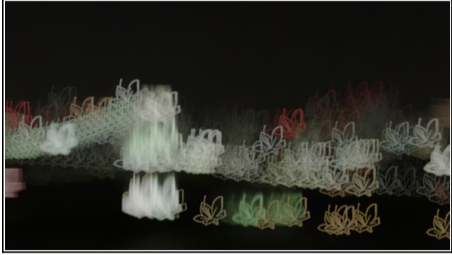
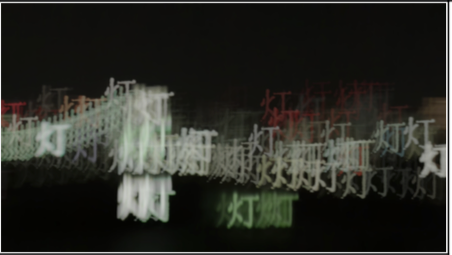
Take creative control beyond parametric shapes by assigning any After Effects layer as the custom bokeh aperture. Use a logo, a piece of text, a hand-drawn shape, or even video footage — CROSSPHERE Bokeh will scatter highlights in that exact silhouette. The images below show a custom-layer bokeh result alongside the driving layer used to create it.

Custom bokeh shape result using a layer in After Effects with CROSSPHERE Bokeh Custom bokeh shape result using a text layer in After Effects with CROSSPHERE Bokeh

Depth-of-Field Simulation via Depth Maps

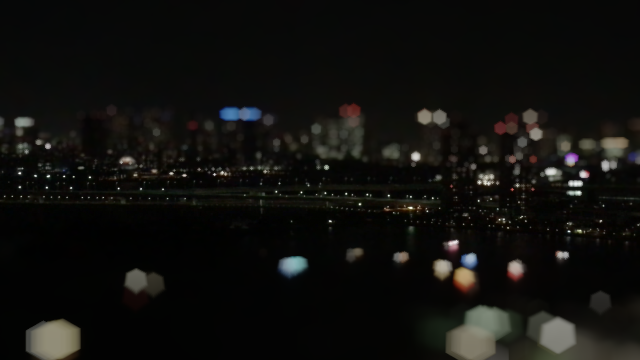
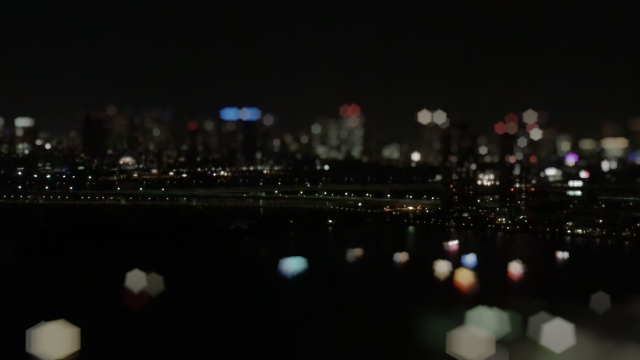
Simulate realistic depth of field by supplying a luminance-based depth map layer. CROSSPHERE Bokeh reads the grayscale values to vary blur radius across the frame — near objects stay sharp while distant elements receive progressively more cinematic blur. This workflow pairs naturally with depth passes from 3D renders (Cinema 4D, Blender, Element 3D) as well as hand-painted depth mattes.

CROSSPHERE Bokeh depth-of-field applied to a natural landscape with mountains and river in After Effects CROSSPHERE Bokeh depth-of-field applied to a night scene of an illuminated bridge in After Effects

Clean, Fully-Keyframeable Effect Controls

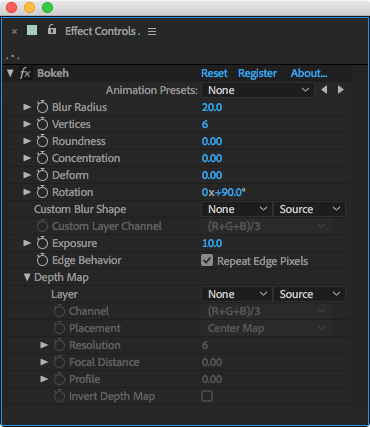
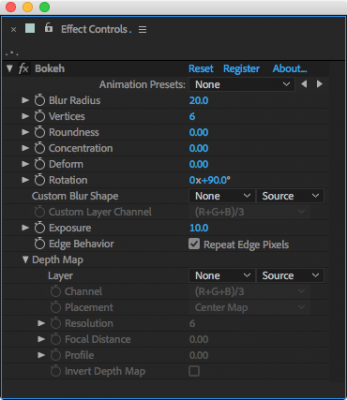
Every parameter lives in the standard After Effects Effect Controls panel — no external UI windows or panels to manage. Every value is keyframeable and expression-friendly, making animated rack-focus, pulsing bokeh transitions, and data-driven blur effects straightforward to build.

CROSSPHERE Bokeh After Effects effect controls panel showing all parameters

Customer Samples

BB8 render by Charles Yeager using Element 3D and CROSSPHERE Bokeh lens blur plugin in After Effects

Charles Yeager — Element 3D combined with CROSSPHERE Bokeh for a depth-of-field render test.

What Artists Are Saying

Frequently Asked Questions

Can I use CROSSPHERE Bokeh on a render farm?

Yes — a dedicated Render-Only license is available for purchase separately, so you can deploy to render nodes without using full interactive seats.

What bokeh shapes can I create?

Any shape achievable parametrically (circles, polygons, stars) or any silhouette you can define as an After Effects layer — logos, text, hand-drawn shapes, or footage.

Does it support HDR and high-bit-depth projects?

Yes. CROSSPHERE Bokeh features HDR highlight rendering with tonal mapping, so bright lights bloom and flare naturally in 32-bpc projects.

Which versions of After Effects are supported?

CROSSPHERE Bokeh is compatible with After Effects CC and later on both Windows and macOS (including Apple Silicon / M-series chips). Check the aescripts product page for the latest compatibility notes.

Render-Only License

Need to deploy CROSSPHERE Bokeh across a studio render farm? Render-Only licenses are available for purchase separately here.

Discussions

Want to talk about it?

Head over to r/aescripts to chat with fellow users about this product.

Need Support?

Please open a support ticket to be connected directly with the author of this product

Version History

1.4.1 -

Jul 25, 2025

License system update

1.4.0 -

Apr 20, 2023

Extended the range of parameter "Focal Distance" from -1 to 2.

Parameters "Focus Point 0", "Focus Point 1", "Focus Point 0-1 Interpolation" added.

1.3.6 -

May 6, 2022

Fixed for Apple M1 machine.

License system update.

1.3.5 -

Dec 8, 2021

Update for compatibility with AE 2022.

Compatibility with Apple M1 chip.

License system update.

1.3.4 -

Nov 13, 2019

Update for compatibility with macOS Catalina

(no update for windows)

1.3.3 -

Sep 6, 2019

- license system update for macOS 10.15

1.3.2 -

Sep 3, 2018

License system update

1.3.1 -

Jun 15, 2018

Bug fix

"Edge Behavior" on adjustment layer is fixed.

Bokeh shape is fixed.

1.3 -

Mar 29, 2018

Parameters "Remove Edge Leak", "Detect Edge Threshold" added.

Minor bug fixes

1.2 -

Mar 20, 2018

Parameters "Threshold", "Use Focus Point", "Focus Point" added.

1.1 -

Mar 8, 2018

Parameter "Composite Mode" added.

1.0 -

Oct 29, 2017

Initial release

Compatibility

After Effects

2026, 2025, 2024, 2023, 2022, 2021, 2020, CC 2019, CC 2018, CC 2017, CC 2015.3, CC 2015, CC 2014, CC, CS6

EULA

END USER LICENSE AGREEMENT

This software ("the Software Product") and accompanying documentation is licensed and not sold. This Software Product is protected by copyright laws and treaties, as well as laws and treaties related to other forms of intellectual property. The author owns intellectual property rights in the Software Product. The Licensee's ("you" or "your") license to download, use, copy, or change the Software Product is subject to these rights and to all the terms and conditions of this End User License Agreement ("Agreement").

Acceptance
YOU ACCEPT AND AGREE TO BE BOUND BY THE TERMS OF THIS AGREEMENT BY SELECTING THE "ACCEPT" OPTION AND DOWNLOADING THE SOFTWARE PRODUCT OR BY INSTALLING, USING, OR COPYING THE SOFTWARE PRODUCT. YOU MUST AGREE TO ALL OF THE TERMS OF THIS AGREEMENT BEFORE YOU WILL BE ALLOWED TO DOWNLOAD THE SOFTWARE PRODUCT. IF YOU DO NOT AGREE TO ALL OF THE TERMS OF THIS AGREEMENT, YOU MUST SELECT "DECLINE" AND YOU MUST NOT INSTALL, USE, OR COPY THE SOFTWARE PRODUCT.

License Grant
This Agreement entitles you to install and use one copy of the Software Product. In addition, you may make one archival copy of the Software Product. The archival copy must be on a storage medium other than a hard drive, and may only be used for the reinstallation of the Software Product. This Agreement does not permit the installation or use of multiple copies of the Software Product, or the installation of the Software Product on more than one computer at any given time, on a system that allows shared used of applications, on a multi-user network, or on any configuration or system of computers that allows multiple users. Multiple copy use or installation is only allowed if you obtain an appropriate licensing agreement for each user and each copy of the Software Product.

Restrictions on Transfer
Without first obtaining the express written consent of the author, you may not assign your rights and obligations under this Agreement, or redistribute, encumber, sell, rent, lease, sublicense, or otherwise transfer your rights to the Software Product.

Restrictions on Use
You may not use, copy, or install the Software Product on any system with more than one computer, or permit the use, copying, or installation of the Software Product by more than one user or on more than one computer. If you hold multiple, validly licensed copies, you may not use, copy, or install the Software Product on any system with more than the number of computers permitted by license, or permit the use, copying, or installation by more users, or on more computers than the number permitted by license.

You may not decompile, "reverse-engineer", disassemble, or otherwise attempt to derive the source code for the Software Product.

Restrictions on Alteration
You may not modify the Software Product or create any derivative work of the Software Product or its accompanying documentation. Derivative works include but are not limited to translations. You may not alter any files or libraries in any portion of the Software Product.

Restrictions on Copying
You may not copy any part of the Software Product except to the extent that licensed use inherently demands the creation of a temporary copy stored in computer memory and not permanently affixed on storage medium. You may make one archival copy which must be stored on a medium other than a computer hard drive.

Disclaimer of Warranties and Limitation of Liability
UNLESS OTHERWISE EXPLICITLY AGREED TO IN WRITING BY THE AUTHOR, THE AUTHOR MAKES NO OTHER WARRANTIES, EXPRESS OR IMPLIED, IN FACT OR IN LAW, INCLUDING, BUT NOT LIMITED TO, ANY IMPLIED WARRANTIES OF MERCHANTABILITY OR FITNESS FOR A PARTICULAR PURPOSE OTHER THAN AS SET FORTH IN THIS AGREEMENT OR IN THE LIMITED WARRANTY DOCUMENTS PROVIDED WITH THE SOFTWARE PRODUCT.

The author makes no warranty that the Software Product will meet your requirements or operate under your specific conditions of use. The author makes no warranty that operation of the Software Product will be secure, error free, or free from interruption. YOU MUST DETERMINE WHETHER THE SOFTWARE PRODUCT SUFFICIENTLY MEETS YOUR REQUIREMENTS FOR SECURITY AND UNINTERRUPTABILITY. YOU BEAR SOLE RESPONSIBILITY AND ALL LIABILITY FOR ANY LOSS INCURRED DUE TO FAILURE OF THE SOFTWARE PRODUCT TO MEET YOUR REQUIREMENTS. THE AUTHOR WILL NOT, UNDER ANY CIRCUMSTANCES, BE RESPONSIBLE OR LIABLE FOR THE LOSS OF DATA ON ANY COMPUTER OR INFORMATION STORAGE DEVICE.

UNDER NO CIRCUMSTANCES SHALL THE AUTHOR, ITS DIRECTORS, OFFICERS, EMPLOYEES OR AGENTS BE LIABLE TO YOU OR ANY OTHER PARTY FOR INDIRECT, CONSEQUENTIAL, SPECIAL, INCIDENTAL, PUNITIVE, OR EXEMPLARY DAMAGES OF ANY KIND INCLUDING LOST REVENUES OR PROFITS OR LOSS OF BUSINESS) RESULTING FROM THIS AGREEMENT, OR FROM THE FURNISHING, PERFORMANCE, INSTALLATION, OR USE OF THE SOFTWARE PRODUCT, WHETHER DUE TO A BREACH OF CONTRACT, BREACH OF WARRANTY, OR THE NEGLIGENCE OF THE AUTHOR OR ANY OTHER PARTY, EVEN IF THE AUTHOR IS ADVISED BEFOREHAND OF THE POSSIBILITY OF SUCH DAMAGES. TO THE EXTENT THAT THE APPLICABLE JURISDICTION LIMITS THE AUTHOR'S ABILITY TO DISCLAIM ANY IMPLIED WARRANTIES, THIS DISCLAIMER SHALL BE EFFECTIVE TO THE MAXIMUM EXTENT PERMITTED.

Limitation of Remedies and Damages
Any claim must be made within the applicable warranty period. All warranties cover only defects arising under normal use and do not include malfunctions or failure resulting from misuse, abuse, neglect, alteration, problems with electrical power, acts of nature, unusual temperatures or humidity, improper installation, or damage determined by the author to have been caused by you. All limited warranties on the Software Product are granted only to you and are non-transferable. You agree to indemnify and hold the author harmless from all claims, judgments, liabilities, expenses, or costs arising from your breach of this Agreement and/or acts or omissions.

Governing Law, Jurisdiction and Costs
This Agreement is governed by the laws of New York, without regard to New York's conflict or choice of law provisions.

Severability
If any provision of this Agreement shall be held to be invalid or unenforceable, the remainder of this Agreement shall remain in full force and effect. To the extent any express or implied restrictions are not permitted by applicable laws, these express or implied restrictions shall remain in force and effect to the maximum extent permitted by such applicable laws.

Updated: Oct 21, 2025 1:35 AM