
TypeMonkey
-
Compatibility After Effects Please check exact version compatibility under the "COMPATIBILITY" tab below
 Adding to cart...

"Nice work. Very easy to use, with instant results." -David Simons (After Effects Co-Creator) Adobe Principal Scientist / Dynamic Media Advanced Product Development
"Ridiculously easy kinetic type animations" - lesterbanks.com
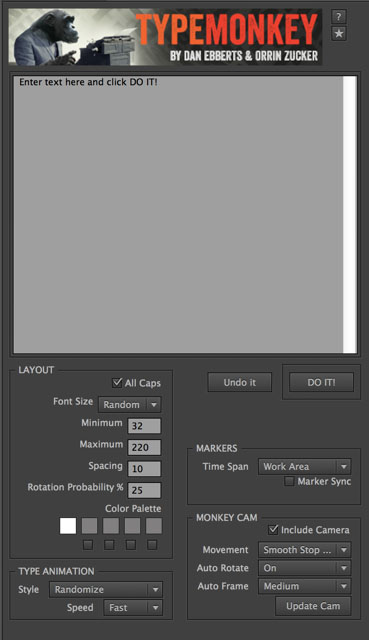
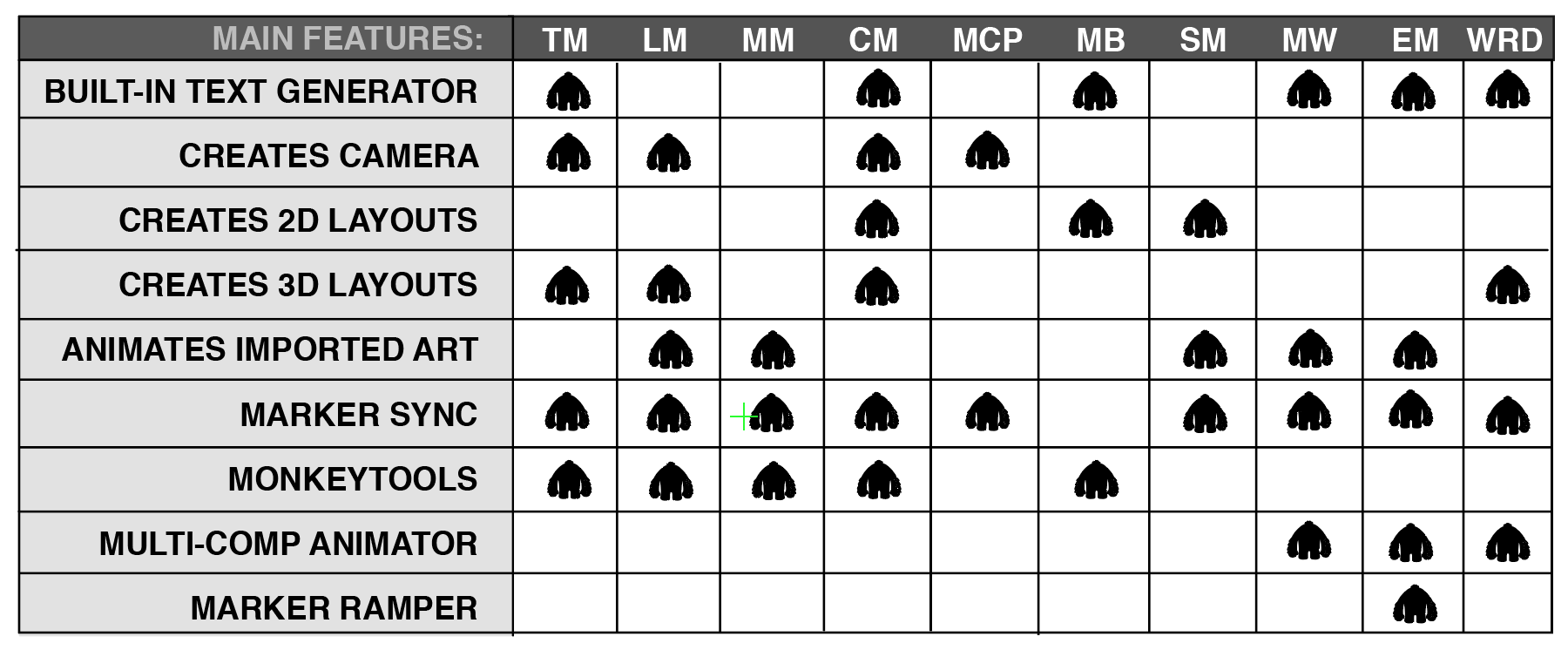
- Creates random kinetic type layouts based on parameters entered into the control panel.
- Keyframeless timeline makes changes to timing as simple as sliding a marker.
- Creates a parented camera that points to each successive word as it transitions on.
- Distributes words evenly over the length of the composition or work area.
- Manual adjustments are easily made to size, position, rotation, and opacity.
- Features a wide range of type transitions randomly selected by default, but can be specified as well.
- Marker Sync feature allows for push-button alignment with preexisting marker layers, making syncing to music a breeze.
- Allows for different interpolation for camera movement, auto-rotate, and auto frame.
- Automatically builds and cleans to facilitate easy experimentation.
- Now supports motion blur and preset load and save.
- Kuler color palettes are now easily imported.
- Support for 3rd party TextMods (sold separately), these can add support for Right to Left languages as well as other fun text modifications.
- Check out the available TextMods: Arabic Text and Hebrew Text.
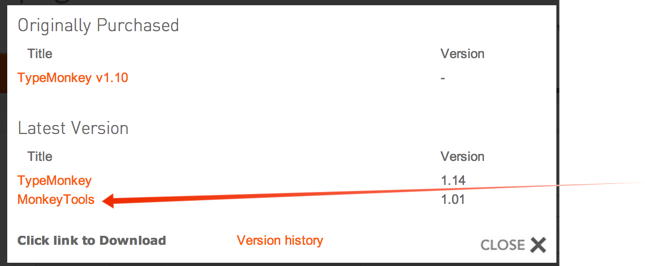
- Free: Includes MonkeyTools- an ongoing collection of utilities specifically written to enhance the functionality of the Monkey Suite. Includes: UnShy Selected Layers, UnShy Text/Image Layers, UnShy Control Layers, Reset View, Invert Locks, Unlock All, Lock All, Scene Maker, Remove Duplicate Markers (to clean up Premiere-generated marker layers, Lock Children & Lock, Parents.) You find MonkeyTools in the same place as your main Monkey download
*Note to users interested in syncing text to audio as demonstrated in several tuts, the Content Analyse feature is no longer supported by Premiere Pro. We recommend using Textsyncr, a great script here on aescript.com
Reference
TypeMonkey Frequently Asked Questions
About Monkey Scripts: Monkey Scripts are practical production tools designed with both the novice and professional in mind. They can save hours, or even days of work by helping automate the creation of motion graphics.
| After Effects | 2024, 2023, 2022, 2021, 2020, CC 2019, CC 2018, CC 2017, CC 2015.3, CC 2015 |
|---|
TypeMonkey
1.26 (Current version) - Aug 23, 2024
1.25 - Jan 30, 2024
1.24 - Oct 25, 2023
1.23 - Oct 21, 2022
1.22 - Aug 18, 2022
1.21 - Apr 22, 2022
1.20 - Jan 23, 2022
1.19 - Nov 1, 2019
1.18 - Aug 31, 2019
1.17 - Oct 15, 2018
Update expressions for AE's new JavaScript engine.
Update licensing framework.
1.16 - Mar 25, 2016
Fix randomization issue with newer versions of AE.
1.15 - Dec 5, 2014
1.14 - Apr 19, 2014
Eliminated potential crash scenarios.
MonkeyTools
1.02 (Current version) - Aug 14, 2014
1.01 - Apr 11, 2014
Renamed "Utility" tab "Pre-Build"
Added Lock Children function
Added Lock Parents function
-
- Compatibility After Effects
LayerMonkey
Add to CartCreates and animates unique layouts in seconds. Think TypeMonkey for layers!
-
- Compatibility After Effects
CircusMonkey
Add to CartCreate kinetic type with the greatest of ease. A new way of working with text in 3D space unleashes amazing possibilities
-
- Compatibility After Effects
MotionMonkey
Add to CartThe easiest way to animate your layered art. One layer or one hundred at a time. Great for all levels - from novice to expert.
-
- Compatibility After Effects
textsyncr
Automatic speech-to-markers engine, automatically creates layer markers from audio transcription - drive subtitles, the Monkey tools and more.Add to Cart -
- Compatibility After Effects
MonkeyCam Pro
Add to CartA wild procedural camera with 1-click set up & marker-based motion effects. Works with 3D layers or other Monkey Tools!
-
- Compatibility After Effects
MonkeyBars
Add to CartThe quickest, easiest way to create animated lower 1/3s. This Monkey is a workhorse.
-
- Compatibility After Effects
EZ Marker Align
A free utility that lines up markers on one layer with markers on another.Add to Cart$0.00 -
- Compatibility After Effects
LaunchBox
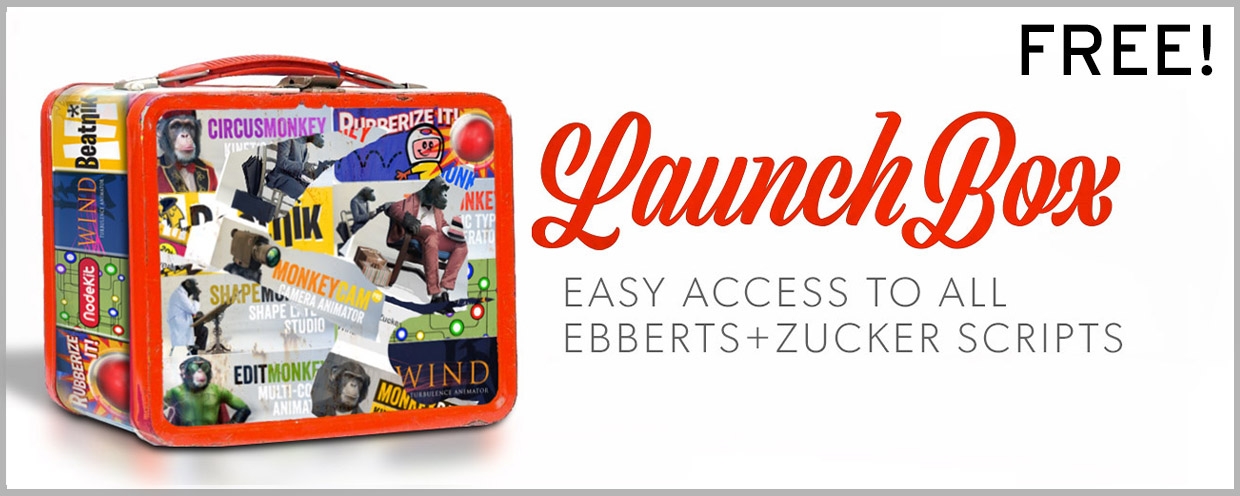
Add to CartLaunchBox is a free launcher that gives you easy access to all Ebberts+Zucker tools for After Effects.
$0.00 -
- Compatibility After Effects
ShapeMonkey
Add to CartGenerate an endless variety of procedural shape layer animations in seconds. Works with text & vectors too!
$89.99 -
- Compatibility After Effects
CircusMonkey
Add to CartCreate kinetic type with the greatest of ease. A new way of working with text in 3D space unleashes amazing possibilities
$89.99 -
- Compatibility After Effects
Wind
Add to CartHarness the power of wind in After Effects. Works with any type of layer - text, vectors, video & shape layers in native AE 3D space. Handles hundreds of layers with no set up, just click and apply.
$49.99 -
- Compatibility After Effects
TypeMonkey3D
Add to CartConvert TypeMonkey to stunning 3D in seconds. TypeMonkey & AE 2024 required.
$39.99