
MochaImport+ V6
-
Compatibility After Effects Please check exact version compatibility under the "COMPATIBILITY" tab below
 Adding to cart...
The Mocha tracker is an award-winning planar tracking software that comes bundled with After Effects. MochaImport+ helps you to get the most out of it - whether you use the Mocha Plugin that’s bundled with Ae, or any other full or plugin version of Mocha.
Key Features
Stabilized Precomps
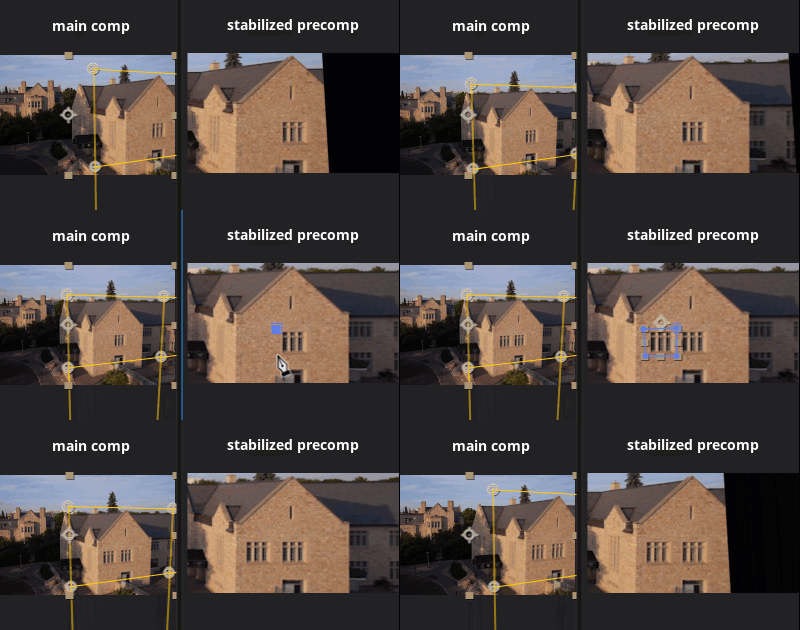
If you don't know about stabilized precomps, you'll be surprised at how powerful they are. A stabilized precomp is a composition in which the tracked region no longer moves. Inside this precomp, you can make any modification - as if it were a still image - and all your changes are also automatically applied to the original perspective.
Whether you just want to re-light parts of your clip, remove elements with the clone brush, insert an object, or do any other kind of retouching work - with stabilized precomps, it becomes much easier.
Expression-driven tracking data
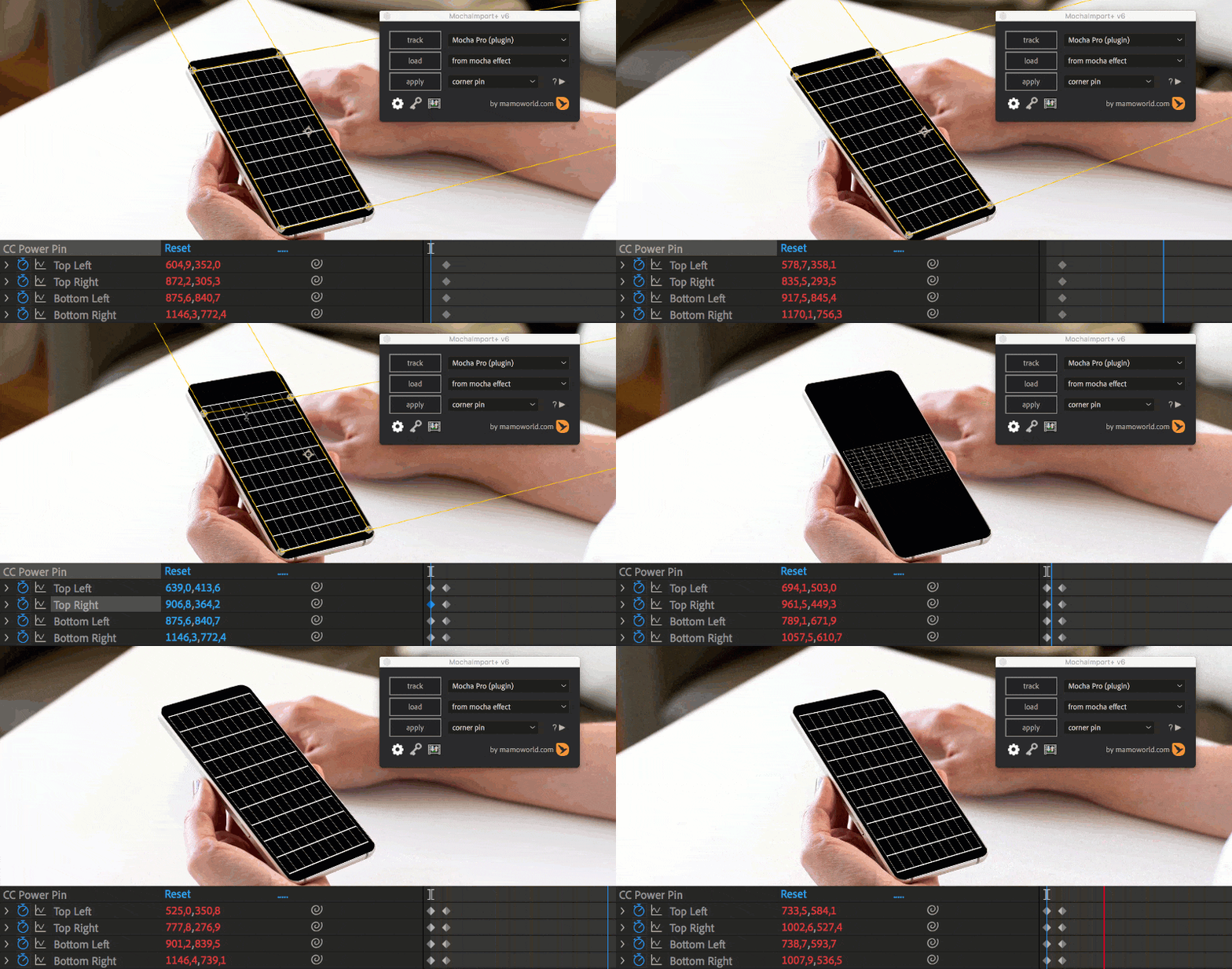
Have you ever placed a corner pin, then after a while noticed that one corner needs to be moved a few pixels to the side? Normally, this is very tedious: to change the tracking data, you either have to manually adjust hundreds of keyframes or go back into Mocha, export the tracking data again and start from scratch. But with expression-driven tracking data, you only have a single keyframe and all the movement is represented by an expression. Simply change this one keyframe, and the position of all the other frames changes automatically. If you want to add more keyframes, MochaImport+ will automatically tween between your keyframes. Fixing inaccurate tracks has never been so easy.
Move masks and 2d properties
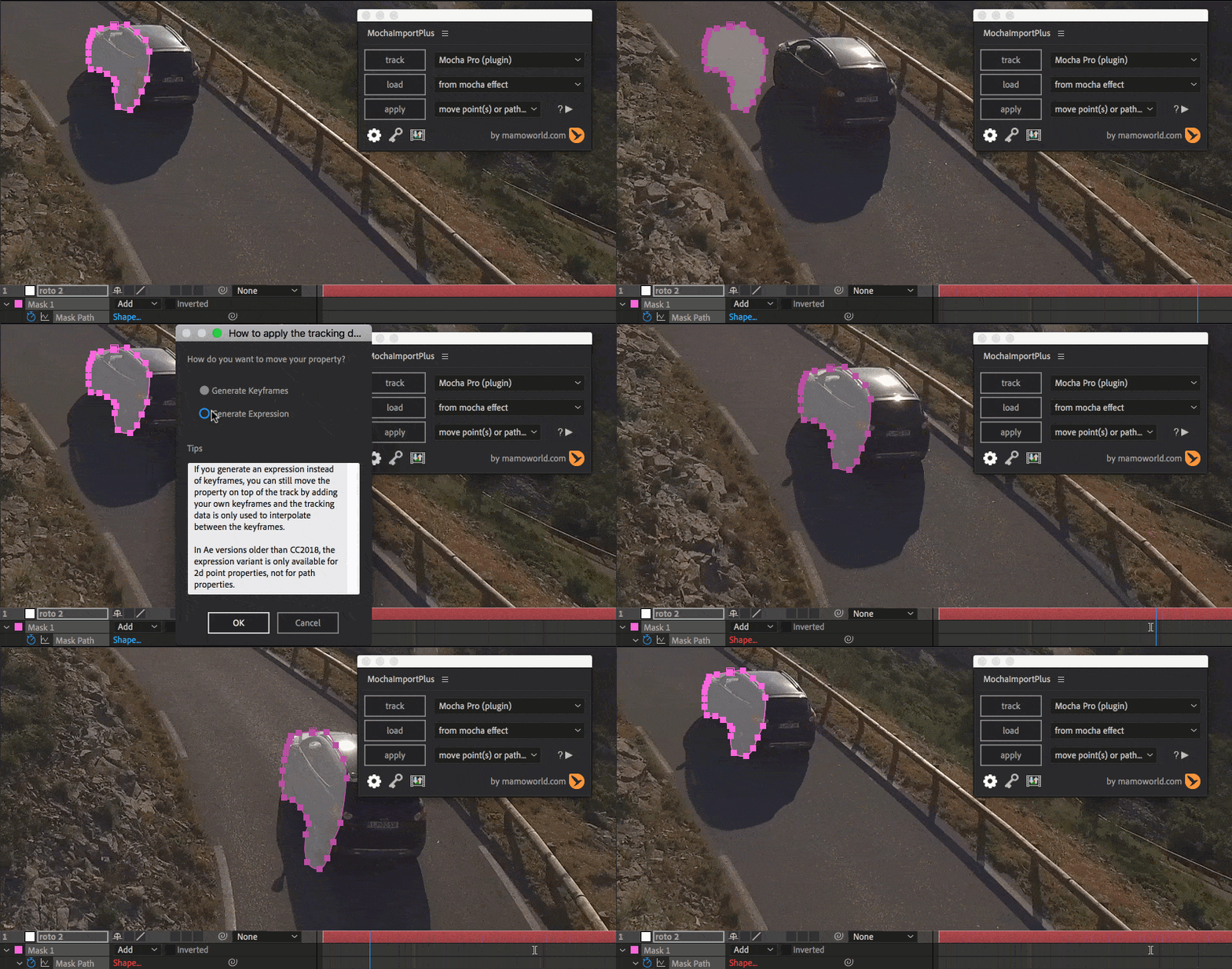
Move your After Effects masks and 2D point properties with a Mocha track. Since this function is based on corner pin data, it not only considers position, scale and rotation, but also shear and perspective movement, to achieve maximum accuracy.
Need your screen insert to cast some light on the surrounding background? Just add some color correction with masks around the right areas and move them with the track. Want a lens flare to move with your track? No problem!
Masks and properties also support expression-driven tracking data, so they can be keyframed on top of the track. So, if your track isn’t 100% accurate, you can easily refine your masks.
Stabilize Rig
MochaImport+ can stabilize your clip or smooth the motion with advanced controls - perfect for projects like hyperlapse videos, where you need full control over the stabilization process.
Support for all major 3rd party corner pin plugins
- Corner Pin (included in Ae)
- CC Power Pin (included in Ae)
- Bezier Warp (included in Ae)
- Card Dance (included in Ae)
- Red Giant Warp Corner Pin
- BCC Corner Pin
- RE:Map Planar
- Sapphire Warp Corner Pin
Bezier Warp Corner Pin
The Bezier Warp is a corner pin effect with bezier handles on all corners, which allows you to create corner pins on curved surfaces.

KBar Support
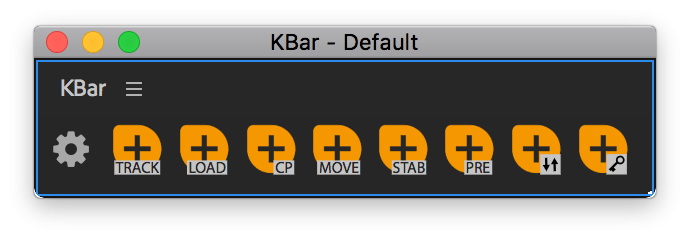
If you use KBar, you can execute any MochaImport+ function directly from a KBar button.
 learn more
Scripting Support
You can also execute MochaImport+ functions directly from your own Ae scripts. Use MochaImport+ in automated pipelines and your own custom workflow tools!
 var API = getMochaImportPlusV6();
 // loads tracking data from the Mocha effect
 API.loadFromEffect();
 // applies a corner pin to the selected layer
 API.applyCornerPin();
New Features in V6
Full CC2019 compatibility
Starting with CC2019, After Effects includes a plugin version of mocha that can no longer export tracking data to a file or the clipboard. Therefore, it is not compatible with the old MochaImport+ V5. However, MochaImport+ V6 can read tracking data directly from the Mocha Plugin effect so it’s fully compatible with CC2019 and the Mocha version bundled with it.
Keyframing Tracked Masks
MochaImport+ V6 can move masks with expressions instead of keyframes. This allows you to fix any inaccuracies by adding manual keyframes on top of the track. MochaImport+ will tween between your keyframes based on the tracking data for maximum accuracy.
Send Masks From/To Stabilized Precomp
Stabilized precomps are one of the most powerful features of MochaImport+. In V6 you can send masks or 2d properties (the position of layers or effect control points) from the main comp to a stabilized precomp, or vice versa.
This allows you to, for example, rotoscope inside the stabilized precomp and then send the final result to the main comp. You can also take a mask that you rotoscoped in Mocha and send it from the main comp into the precomp.
Performance Improvements
Usually, stabilized precomps have the same resolution as your main comp. But when you do beauty retouching, for example, and want to create a small stabilized precomp around each individual blemish, it makes sense to create stabilized precomps with a lower resolution. With MochaImport+ V6, you can now create these low-res stabilized precomps to maximize your render speeds!
Also, when reading tracking data, MochaImport+ V6 filters redundant keyframes to minimize the size of your Ae project and speed up the processing.
Compact UI, KBar and Scripting
MochaImport+ comes with a new, more compact UI to save your screen real estate. If you frequently use certain features in MochaImport+, you can now easily link them to KBar buttons. Using MochaImport+ in your own After Effects scripts has also never been easier.
Automatic Tracking Data Conversion
Mocha tracking data comes in many different flavors (corner pin/corner pin with motion blur/transform data). MochaImport+ can convert corner pin data to any of these other formats, so you can always export in the same format and MochaImport+ will convert it as needed.
If you work with a plugin version of Mocha, you don't even need to specify the kind of data anymore, since MochaImport+ reads all the data it needs directly from the plugin.
Supported Mocha versions
All the features of MochaImport+ for After Effects work with any version of Mocha (both plugin and standalone versions). Importantly, all features of MochaImport+ can be used with the version of Mocha included in After Effects.
|
Ae's built-in features
|
MochaImport+
|
|
|---|---|---|
|
send clips from Ae to Mocha
|
+
|
+
|
|
send masks from Ae to Mocha
|
-
|
+
|
|
expression-driven tracking data (keyframe on top of track)
|
-
|
+
|
|
stabilized precomps
|
-
|
+
|
|
send masks from/to stabilized precomps
|
-
|
+
|
|
send points from/to stabilized precomps
|
-
|
+
|
|
corner pin
|
+
|
+
|
|
"keep current frame" corner pin
|
-
|
+
|
|
corner pin for curved surfaces
|
-
|
+
|
|
card dance corner pin
|
-
|
+
|
|
support for 3rd party corner pin effects
|
-
|
+
|
|
move layers
|
+
|
+
|
|
move masks & properties
|
-
|
+
|
|
stabilize & smooth
|
-
|
+
|
|
intelligent import
|
-
|
+
|
|
KBar support
|
-
|
+
|
|
scripting API
|
-
|
+
|
Other Voices
Just finished VFX for a season of a new Comedy Central show, and Mocha Import+ from @aescripts and @mamoworld was an essential part of our workflow. Even with Mocha Pro 2019 it does stuff nothing else could do, like offset corner pins and bring masks into stabilized precomps
— Rad Scientist (@TeddyRockSteady) June 6, 2019
If you are at all into VFX and After Effects, this plug-in from @mamoworld is my absolutely most used one by far. I even begged to be part of the beta test of this latest version, which makes tracking and changing your footage even faster and easier. Must have for VFX people. https://t.co/BrSELynwNz
— Oren Kaplan (@smiteypieleg) November 19, 2018
Love @mamoworld & MochaImport+ !
— Mocha from Boris FX (@Mocha_BorisFX) June 6, 2019
Do you do a lot of tracking? Ever?
— Andrew Embury (@aembury) January 25, 2018
MochaImport+ is a MUST HAVE from @mamoworld
If you do any motion tracking with Mocha, this is such a valuable tool. MochaImport 6 Offers Compatibility With CC2019 https://t.co/13d8KZddP1
— Kevin Snyder (@freshmograph) November 21, 2018
8. @mamoworld Mocha Import+ v6. Despite Boris adding some of this functionality to built in Mocha, the workflow here 100% complements everything Mocha does. It can literally cut your time in half on mocha-heavy projects - the corner pin expression-based offset alone is worth it.
— Rad Scientist (@TeddyRockSteady) December 4, 2019
Should I use MochaImport+ or MaskTracker+?
MochaImport+ has a sister product, MaskTracker+, which can do similar things but is based on the mask tracker of After Effects CC instead of Mocha.
In our experience, working with MaskTracker+ is usually a bit quicker on simple tracks, since you can do all the work inside After Effects and so don't need to switch to a separate interface for tracking. On the other hand, the Mocha planar tracking technology often gives better results for challenging tracks that have motion blur or reflections, for example. Also, Mocha can easily handle foreground elements, do multiple tracks simultaneously, and supports X-Splines, making it the tool of choice for bigger tracking and roto jobs.
Our tip: your best choice is the Tracking Bundle, which contains both MaskTracker+ and MochaImport+. You can then do simple tracks quickly and easily with MaskTracker+; if the mask tracker gives you bad results, you can switch to Mocha instead of spending hours fixing your track.
Buy or Upgrade
MochaImport+ V6 is available for $49.99, and upgrading from a previous version* costs $29.99. If you purchased MochaImport+ in June 2018 or later, you'll get the upgrade for free. Just login with your customer account and the correct upgrade price will be automatically shown.
- MochaImport+ $49.99
- MochaImport+ upgrade $29.99
- MochaImport+ upgrade $0.00 if you also buy MaskTracker+ ($49.99)
If you enjoy working with MochaImport+, you should also have MaskTracker+ in your tool kit. So, we came up with another upgrade deal: if you buy the MochaImport+ upgrade together with a license for MaskTracker+, you only pay for MaskTracker+ ($49.99) and get the MochaImport+ Upgrade for free (does not apply to floating licenses).
If you do not own MochaImport+ nor MaskTracker+, you can also check out our Tracking Bundle.
* Upgrades are only possible from versions of the licensed product MochaImport+, not from the "Name Your Own Price" product MochaImport that existed before MochaImport+
| After Effects | 2024, 2023, 2022, 2021, 2020, CC 2019, CC 2018, CC 2017, CC 2015.3, CC 2015, CC 2014, CC, CS6, CS5.5, CS5, CS4 |
|---|
6.0.013 (Current version) - Aug 14, 2023
6.0.012 - Mar 28, 2023
6.0.011 - May 2, 2022
6.0.010 - Nov 13, 2019
6.0.009 - Dec 6, 2018
- added "Check for updates now" button to settings
6.0.008 - Nov 28, 2018
6.0.007 - Nov 19, 2018
- Full CC2019 compatibility including support for Mocha Pro 2019
- Keyframing Tracked Masks
- Send Masks From/To Stabilized Precomp
- Many Performance Improvements
- Compact UI, KBar integration and Scripting
- Automatic Tracking Data Conversion
-

- Compatibility After Effects
QuickDraw
A quick way to animate "write-on" reveal mattes in After Effects.Add to Cart -
- Compatibility After Effects
TinkerType
Break up animations, and have full control. All in just one text layer.Add to Cart -
- Compatibility After Effects
Templater Pro Subscription Upfront
Add to CartTemplater Pro extends Templater Rig by offering desktop automation, allowing you to render or replicate batches of versioned compositions using your data source. A recurring monthly or annual subscription plan is available as well.
-

- Compatibility After Effects
Templater Pro Subscription Recurring
Templater Pro extends Templater Rig by offering desktop automation, allowing you to render or replicate batches of versioned compositions using your data source. Yearly Recurring as well as 1, 3, 6, or 12 month licenses are also available.Add to Cart$225.00 As low as: $135.00 -

- Compatibility After Effects
Templater Bot Subscription Upfront
Add to CartTemplater Bot extends Templater Rig by offering full server automation, allowing you to build applications that version, render, and distribute custom video on demand. A recurring monthly or annual subscription plan is available as well.
-
- Compatibility After Effects
CompsFromSpreadsheet 5
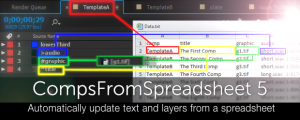
Create versions of your After Effects comps using a spreadsheetAdd to Cart
-

- Compatibility After Effects
CopyMask2Layer 2
When you copy a mask from one layer to another, it often changes its position. With CopyMask2Layer, you can copy masks while keeping their position perfectly – even if the layers are moving and the mask path is keyframed.Add to Cart$9.99 As low as: $7.98 -

- Compatibility After Effects
Skin Retouch
Easy beauty retouching - smooth the skin but preserve the fine details of the skin texture.Add to Cart$0.00 -
- Compatibility After Effects
- Compatibility Premiere
Automation Blocks Bundle
Buy Automation Blocks for both Premiere Pro and After Effects and save 20%!Add to Cart$99.99 -
- Compatibility Premiere
Automation Blocks for Premiere Pro
Add to CartAutomation Blocks is an infinite collection of premade, one-click tools for any task. With Automation Blocks, you can fully customize all the tools, and even create your own!
$59.99 -

- Compatibility After Effects
Orient World
After camera tracking set the ground plane of your scene and orient everything accordingly.Add to Cart$19.99 -

- Compatibility After Effects
Glitch Bundle for Squash & Stretch Pro
Add to CartThis bundle includes 18 behaviors with 69 variants and more than 50 sound effects to create glitch effects with Squash & Stretch Pro.
$0.00