
RepositionAnchorPoint
-
Compatibility After Effects Please check exact version compatibility under the "COMPATIBILITY" tab below
 Adding to cart...
 Allows you to reposition the anchor point of the selected layers around the layer edges while keeping the layers at the same position in the comp window.
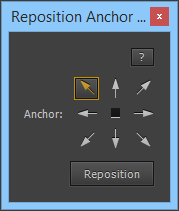
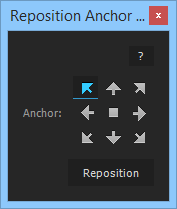

| After Effects | 2024, 2023, 2022, 2021, 2020, CC 2019, CC 2018, CC 2017, CC 2015.3, CC 2015, CC 2014, CC, CS6 |
|---|
3.9 (Current version) - Jan 11, 2017
. added support for separated position dimensions
. removed "Anchor:" text from the UI
. CC 2017 compatibility
. removed "Anchor:" text from the UI
. CC 2017 compatibility
3.8 - Jul 26, 2015
new icon set for cc 2014 and later
3.7 - Jul 14, 2015
Removed external resources folder dependency
- 3.6 - Fixed bug for text layers with a mask, CC compatibility - Mar 2014
- 3.5 - Added CS6 Compatibility - Dec 2012
- 3.3 - Fixed foreign language compatibility with CS5.5 - Nov 2011
- 3.2 - Resources folder has been put in parentheses, CS5 compatibility 08/2010
- 3.1 - 02/2010
- support any type of layers, including text layers, layers with masks and shape layers (multiple masks or shapes on the same layer is also supported)
- support any type of transformations (rotation, scale, parenting, 2d/3d, etc)
- 3.0 - 01/2010
- user interface redesigned
- handles any prior transformation to layers (scale, rotation, 2d/3d, etc), and every pixel aspect ratio
- supports every alignment in case of text layers
- CS4 only, Mac & PC
- 2.5 Initial release on aescripts.com (CS3 compatible) - 08/2009
-

- Compatibility After Effects
Move Anchor Point 4
Add to CartInstantly and precisely move anchor points anywhere without moving the layer
-
- Compatibility After Effects
LayerMonkey
Add to CartCreates and animates unique layouts in seconds. Think TypeMonkey for layers!
-
- Compatibility After Effects
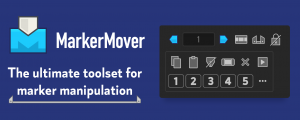
MarkerMover
Add to CartThe ultimate toolset for marker manipulation – move, copy, cut, paste and delete markers, save and apply work area settings, and use markers to trigger animation on keyframed properties
-
- Compatibility After Effects
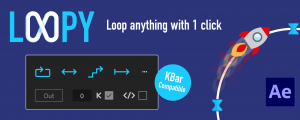
Loopy
Add to CartThe handy panel for looping keyframes, paths, pre-comps and footage.
-
- Compatibility After Effects
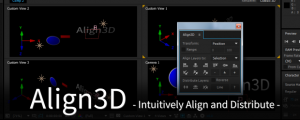
Align3D
"Align3D" is the simple 3D space align and distribute script that can be used intuitively. In addition to "Align", Z-Axis & Other Transform, Range Option.Add to Cart -

- Compatibility After Effects
Move To
Add to CartThe Move To tool is an After Effects tool that allows you to move layers, easily and quickly, in the timeline..
-

- Compatibility After Effects
TrackerViz
Provides a tool box for visualizing positional data. Indispensable if you do any kind of serious tracking in After EffectsAdd to Cart$29.99 -

- Compatibility After Effects
MaskVertexExpression
Allows you to animate a mask shape using expressions.Add to Cart$14.99 -
- Compatibility After Effects
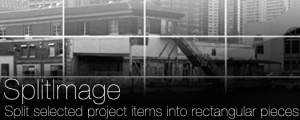
SplitImage
Allows you to split the selected project item into rectangular pieces.Add to Cart$19.99 -

-
- Compatibility After Effects
AlignLayers
Aligns the selected layers along the x, y or z axis.Add to Cart$14.99 -

- Compatibility After Effects
CreateProxies
Creates a proxy for each selected project item (footage or comp)Add to Cart$19.99
View all nab products