
Color Grade Prompter
-
Compatibility After Effects Please check exact version compatibility under the "COMPATIBILITY" tab below
-
Compatibility Premiere Please check exact version compatibility under the "COMPATIBILITY" tab below
 Adding to cart...
AI-powered color grading has arrived!
Use texts input to grade your footage
Create look by blending between reference layers
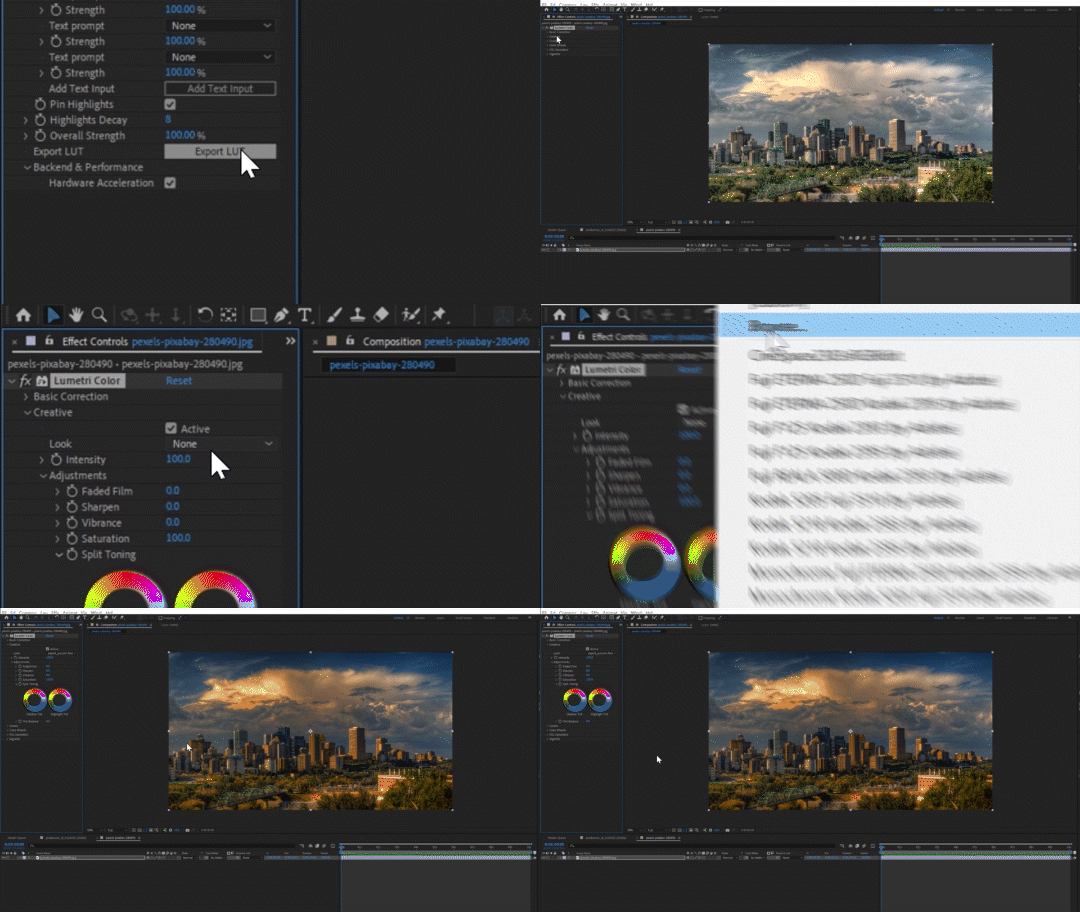
Export grading result to a LUT and reuse in other applications where the plugin is not present
Features
Multiple inputs
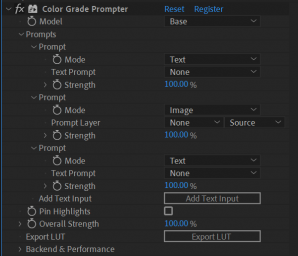

Easy grading experience
LUT export
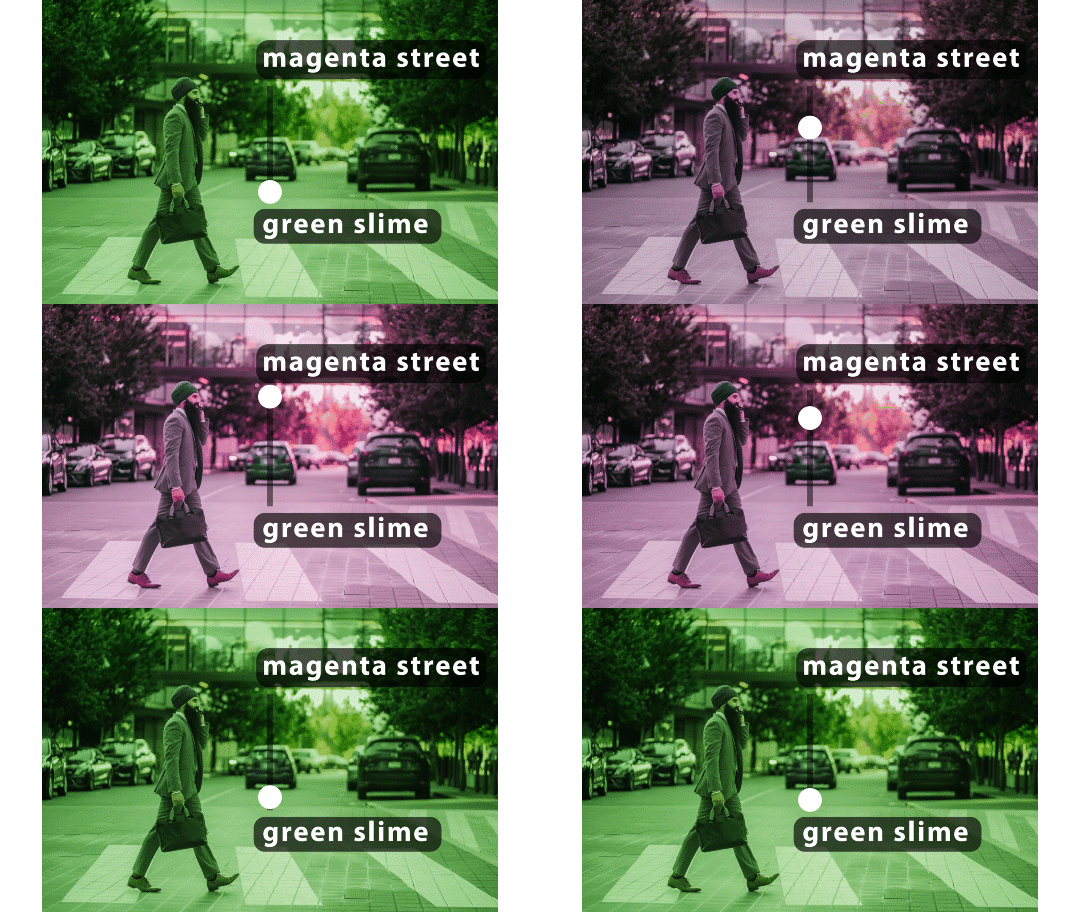
Interpolation
Super fast performance!
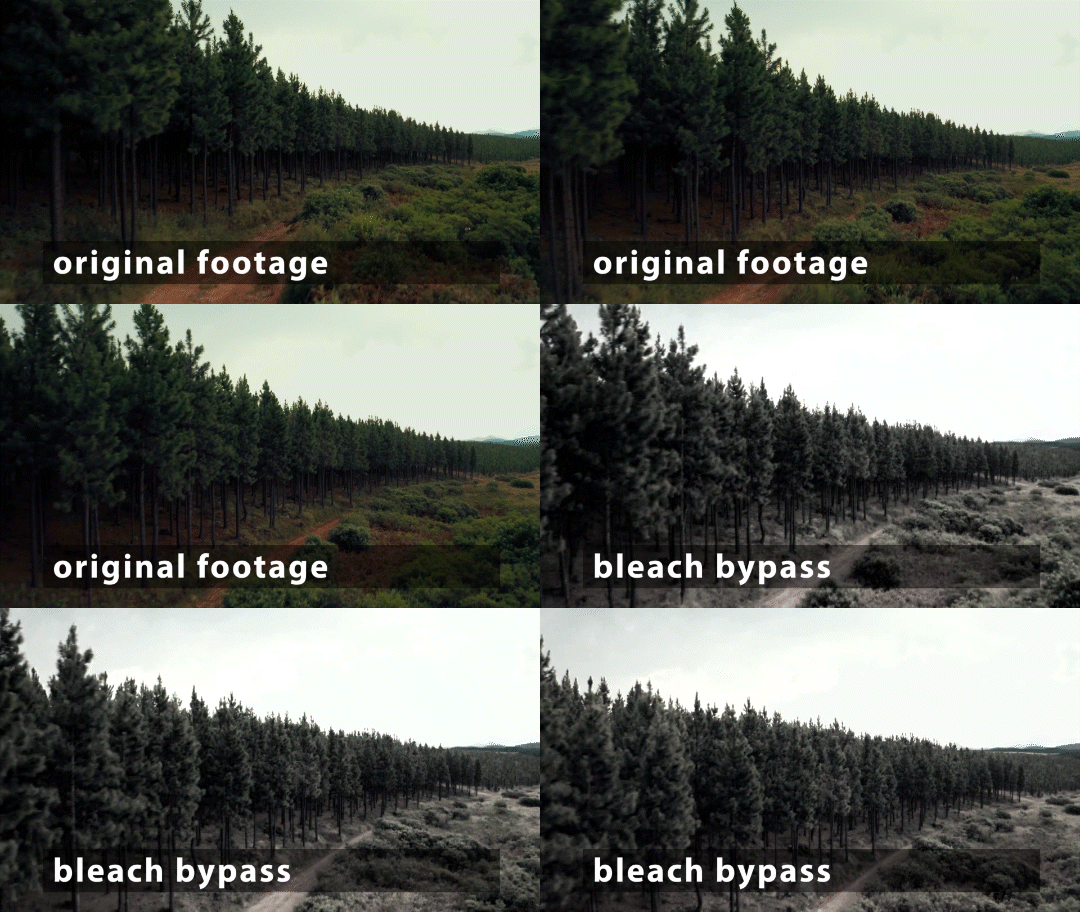
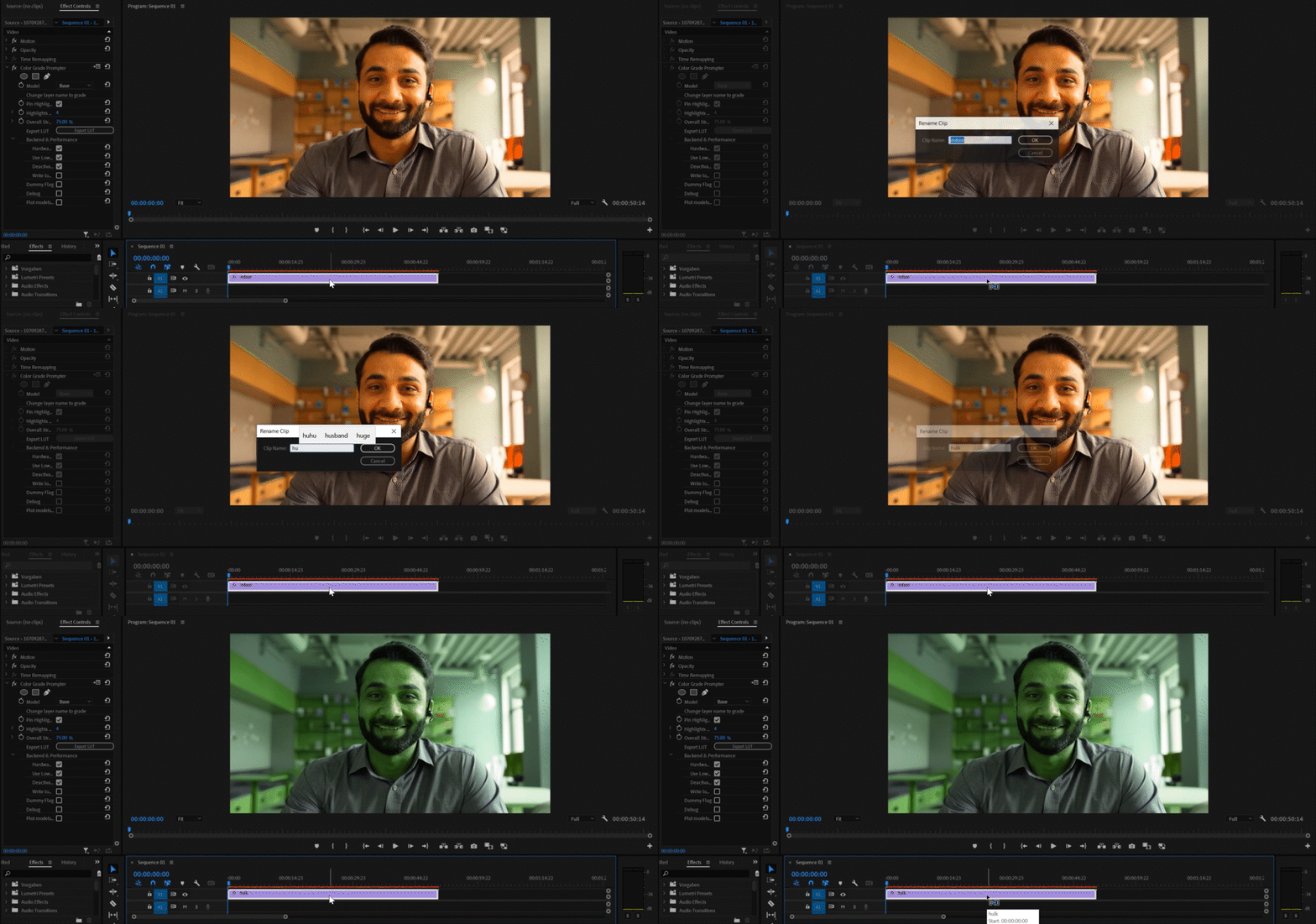
Premiere Pro support
Hardware support
| cpu mode | hardware acceleration | |
| Windows with NVIDIA GPU | ✅ | ✅ |
| Windows with other GPU | ✅ | ❌ | MacOS ≥ 12.3 (M1/M2 or Intel with AMD GPU) | ✅ | ✅ | MacOS ≥ 11.5 | ✅ | ❌ |
Hardware acceleration will run orders of magnitude faster than the cpu mode.
Tutorials & Documentation
Documentation
Additional Infos
Compatibility
It runs on AE 2022 and above. Please test your configuration using the free trial before purchasing.
Trial version
The trial can be tested for 50 frames during one session and you can try one LUT export.
Social Media

| After Effects | 2024, 2023, 2022 |
|---|---|
| Premiere | 2024, 2023 |
Color Grade Prompter for macOS
1.3.6 (Current version) - Jul 1, 2024
- ensure proper error logging if startup fails
1.3.6 - Jul 1, 2024
- ensure proper error logging if startup fails
1.3.6 - Jul 1, 2024
- ensure proper error logging if startup fails
1.3.3 - Apr 29, 2024
- fixed model loading bug
1.2.25 - Mar 12, 2024
1.2.21 - Feb 29, 2024
1.2.19 - Feb 27, 2024
1.2.18 - Feb 16, 2024
1.2.17 - Feb 9, 2024
- better error logging
1.2.15 - Feb 7, 2024
1.2.14 - Feb 7, 2024
1.2.13 - Nov 22, 2023
1.2.3 - Nov 16, 2023
1.2.0 - Nov 7, 2023
1.1.0 - Nov 2, 2023
1.0.5 - Oct 30, 2023
Color Grade Prompter for Windows
1.3.6 (Current version) - Jul 1, 2024
- ensure proper error logging if startup fails
1.3.6 - Jul 1, 2024
- ensure proper error logging if startup fails
1.3.6 - Jul 1, 2024
- ensure proper error logging if startup fails
1.3.3 - Apr 29, 2024
- fixed model loading bug
1.2.25 - Mar 12, 2024
1.2.24 - Mar 11, 2024
1.2.21 - Feb 29, 2024
1.2.19 - Feb 27, 2024
1.2.18 - Feb 16, 2024
1.2.17 - Feb 9, 2024
- better error logging
1.2.14 - Feb 7, 2024
1.2.13 - Nov 22, 2023
1.2.3 - Nov 16, 2023
1.2.0 - Nov 7, 2023
1.1.0 - Nov 2, 2023
1.0.5 - Oct 30, 2023
-

- Compatibility After Effects
Klutz GPT
Add to CartChat GPT for After Effects. The most unreliable way to write scripts and expressions for After Effects.
-
- Compatibility Premiere
Brevidy
Add to CartYour AI copilot for social creation in Premiere. Animated captions, Quick stock media, AI-powered.
See monthly Captioner and Producer subscription options below.
-

- Compatibility After Effects
- Compatibility Premiere
ft-Color and Channel Bundle
Add to CartA suite of tools to manipulate colors and channels for several tasks: ft-Brightness Check, ft-Clamp, ft-Color Gray and ft-CombineRGA
-

- Compatibility After Effects
- Compatibility Photoshop
- Compatibility Premiere
- Compatibility Final Cut Pro
Color Cone
Add to CartColor Cone is an entirely new concept for color correction as well as the creation of looks.
-
- Compatibility After Effects
EFX Keying-Alpha Plugin Suite
Add to CartA full suite of plugins aimed to help you get better keys and alpha mattes.
-

- Compatibility After Effects
Coco Color CoWorker
Add to CartYour Handy Color Coworker in After Effects.
-

- Compatibility After Effects
I Ate Mushrooms
Add to CartNow with Text-to-Image mode! Available for macOS (>11.5) and Windows! ! A neural network based image and noise generator.
$49.99 -
- Compatibility After Effects
Bullet Time
AI-based frame interpolation with large motion for extra smooth slow-motionAdd to Cart$49.99 -

- Compatibility After Effects
- Compatibility Premiere
Neural Enhancement Suite
Add to CartNow available for macOS (>11.5) and Windows! Neural Enhancement Suite is an A.I. powered toolset for AI-based video enhancement to achieve results not previously possible in After Effects.
https://blaceplugins.com/product/neural-enhancement-suite/
$79.99 -

- Compatibility After Effects
- Compatibility Premiere
Blace - AI Face Detection & Blurring
Add to CartArtificial Intelligence-based plugin for face detection and blurring.
Please check full compatibility details below.
$59.99 -

- Compatibility After Effects
Depth Scanner
Add to CartNow includes Depth Anything v2. Artificial Intelligence-based plugin for automatic depth estimation. Available for macOS (>11.5) and Windows!
$99.99 -

- Compatibility After Effects
Depth Scanner Lite
Add to CartNow with Depth Anything v2! Artificial Intelligence-based plugin for automatic easy depth estimation. Depth Scanner Lite is a slim variant of our Depth Scanner. It creates depth maps easily.
$49.99