
Rename and Change Toolkit for Premiere Pro
-
Compatibility Premiere Please check exact version compatibility under the "COMPATIBILITY" tab below
 Adding to cart...
 THIS PRODUCT HAS BEEN DISCONTINUED. It has been replaced by Rename It! and Change It! for Premiere Pro.
Batch rename and change settings of sequences in Adobe Premiere Pro!
THIS EXTENSION WILL NOT WORK IN PREMIERE 2021-2022!
If you need powerful batch rename and sort - we've made a cool new "Rename It" extension that works in Premiere 2020 and up. If you turned off the "New World" and used Rename and Change Toolkit - you need to turn it back on in Premiere 2020.
https://aescripts.com/rename-it/
By the way, you can get a special price if you bought Rename and Change Toolkit, see page for details.
Please note!
Update 24.02.2020 - Some features may not work in the Premiere 14.0.2 and higher update.
Instruction for Premiere 2020:
This is due to the inclusion of the "New World" system. You can temporarily turn off this system in the console:
Display the Console using <ctrl>-<f12> (Win) or <cmd>-<f12> (MacOS X), Use the 'hamburger' menu to set the view to Debug Database.
Set 'ScriptLayerPPro.EnableNewWorld' to false and restart Premiere. Now everything works fine!
We are working on adaptation.
If you need to enable "New World" - you need to set the "ScriptLayerPPro.EnableNewWorld" checkbox to "true"
The tool is divided into two sections: Renamer and Changer
"Renamer"
Batch rename items
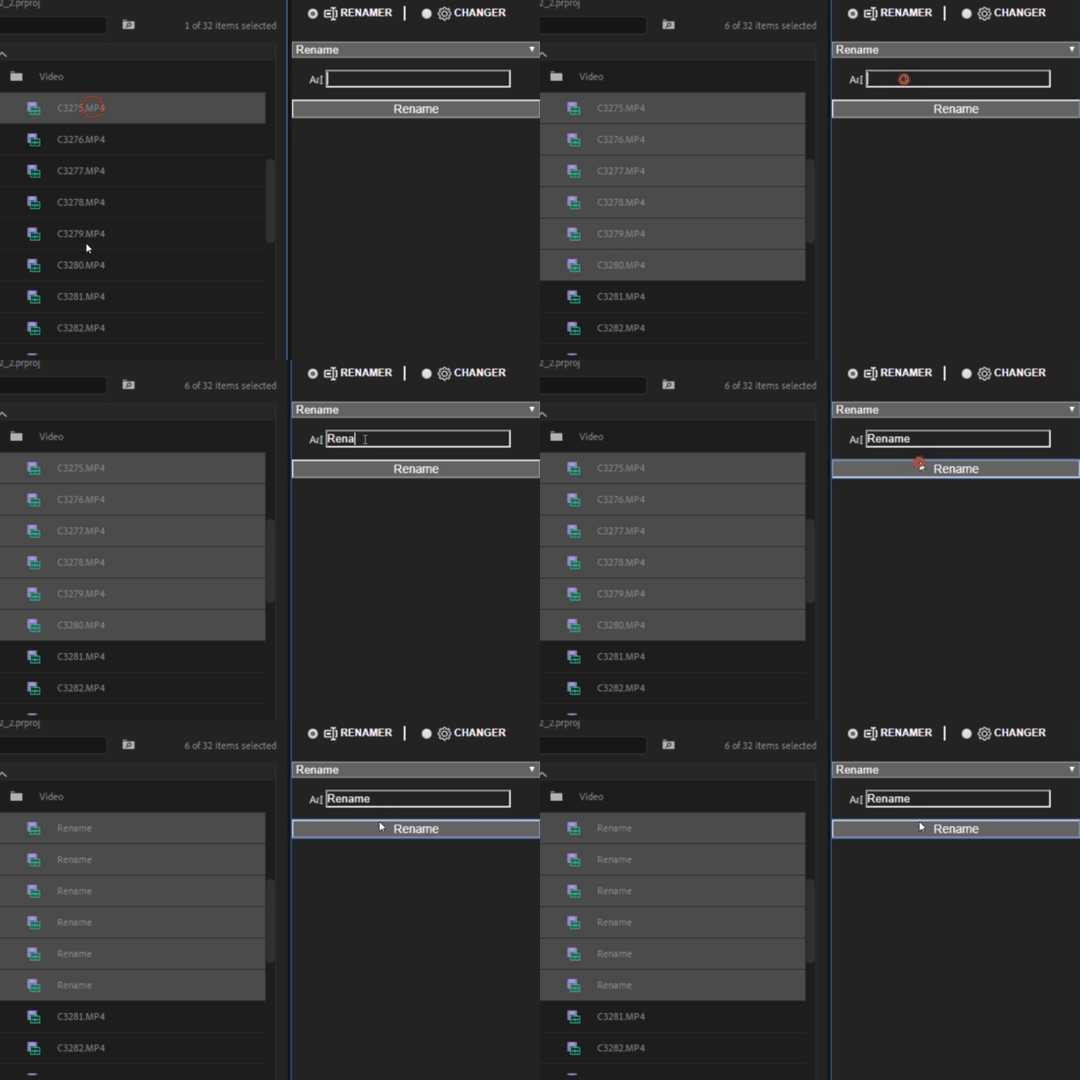
Rename
- Renames selected items
- If nothing is selected it will rename all items in the project
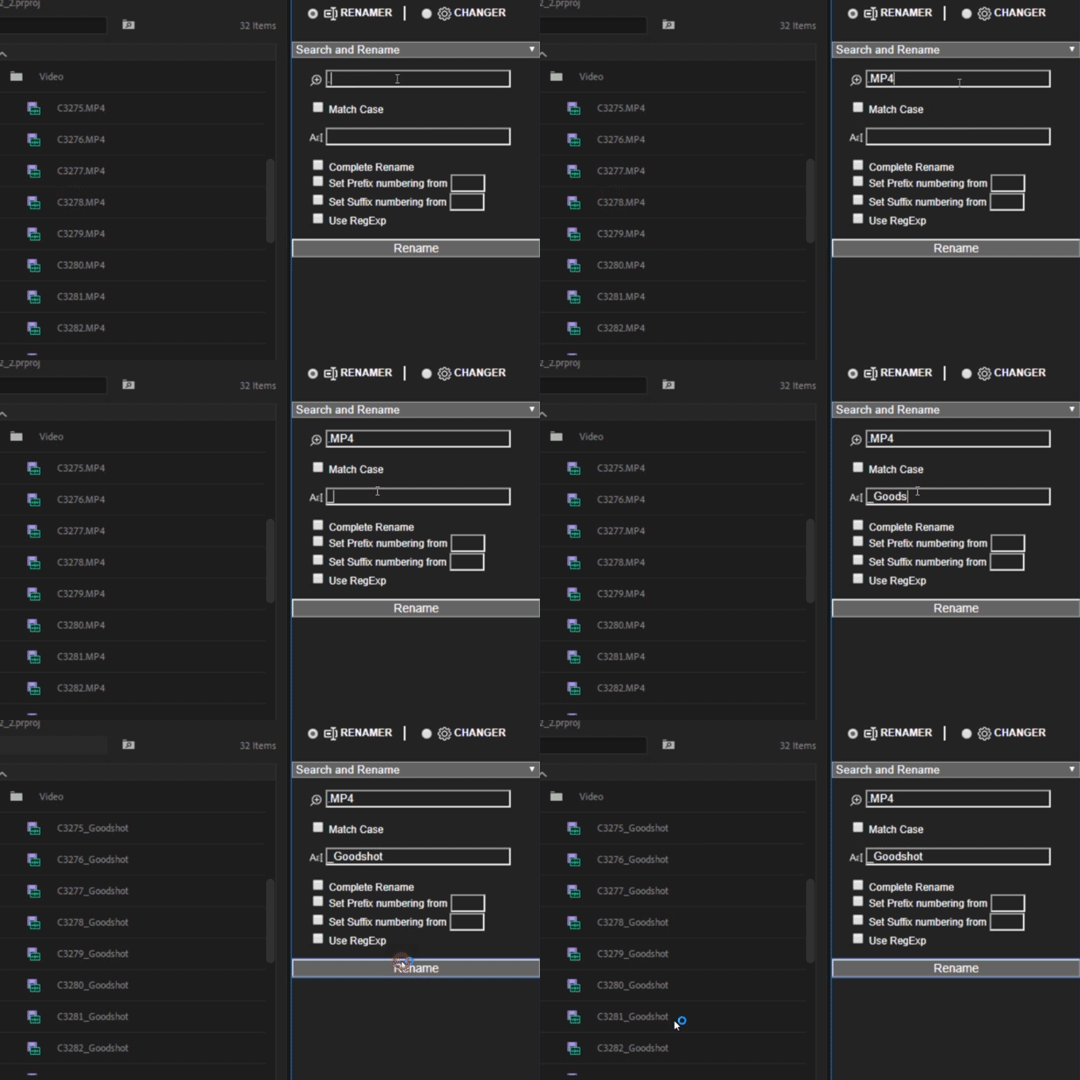
Search and Rename
- Searches and replaces the text string in selected items
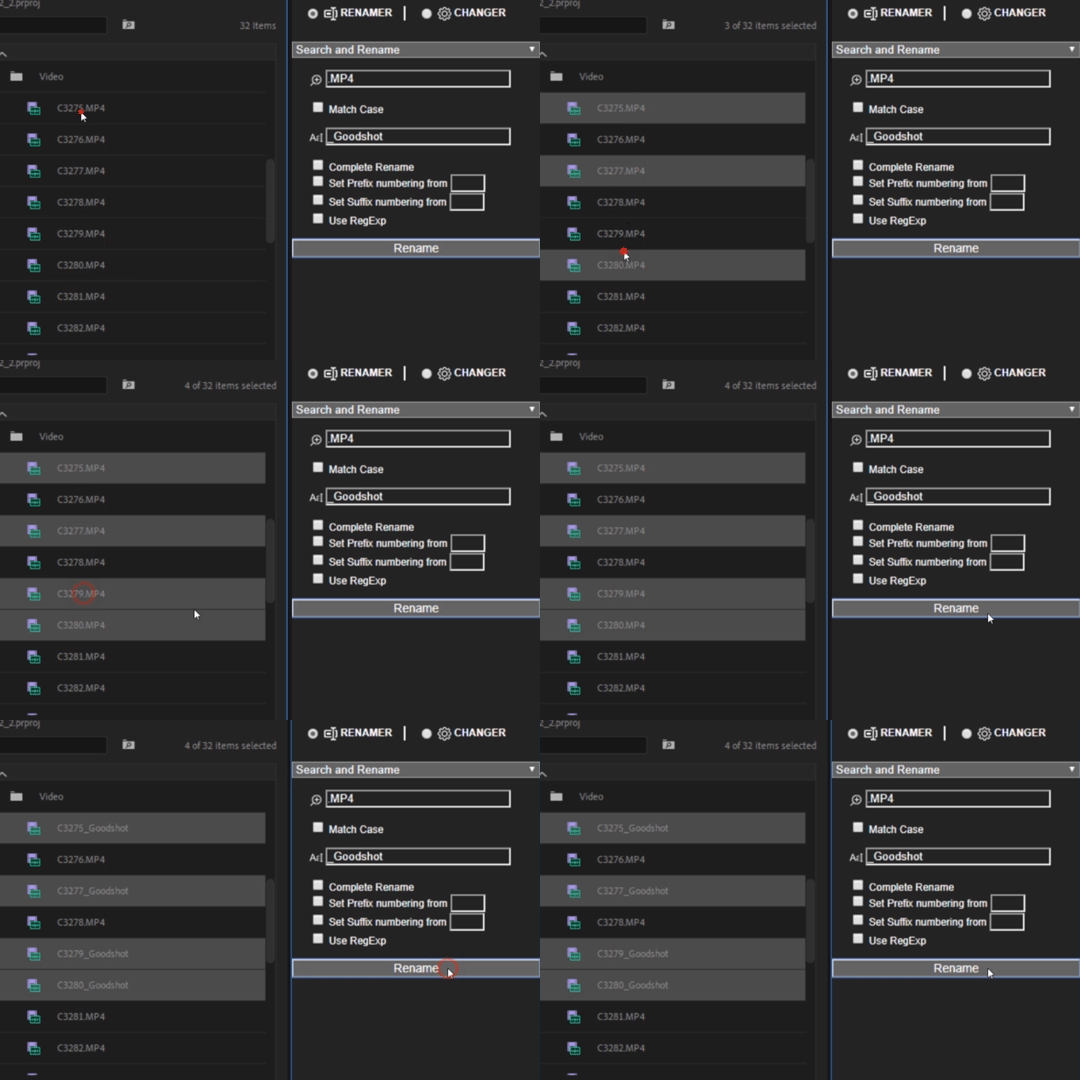
- If nothing is selected it will search and rename all items in the project
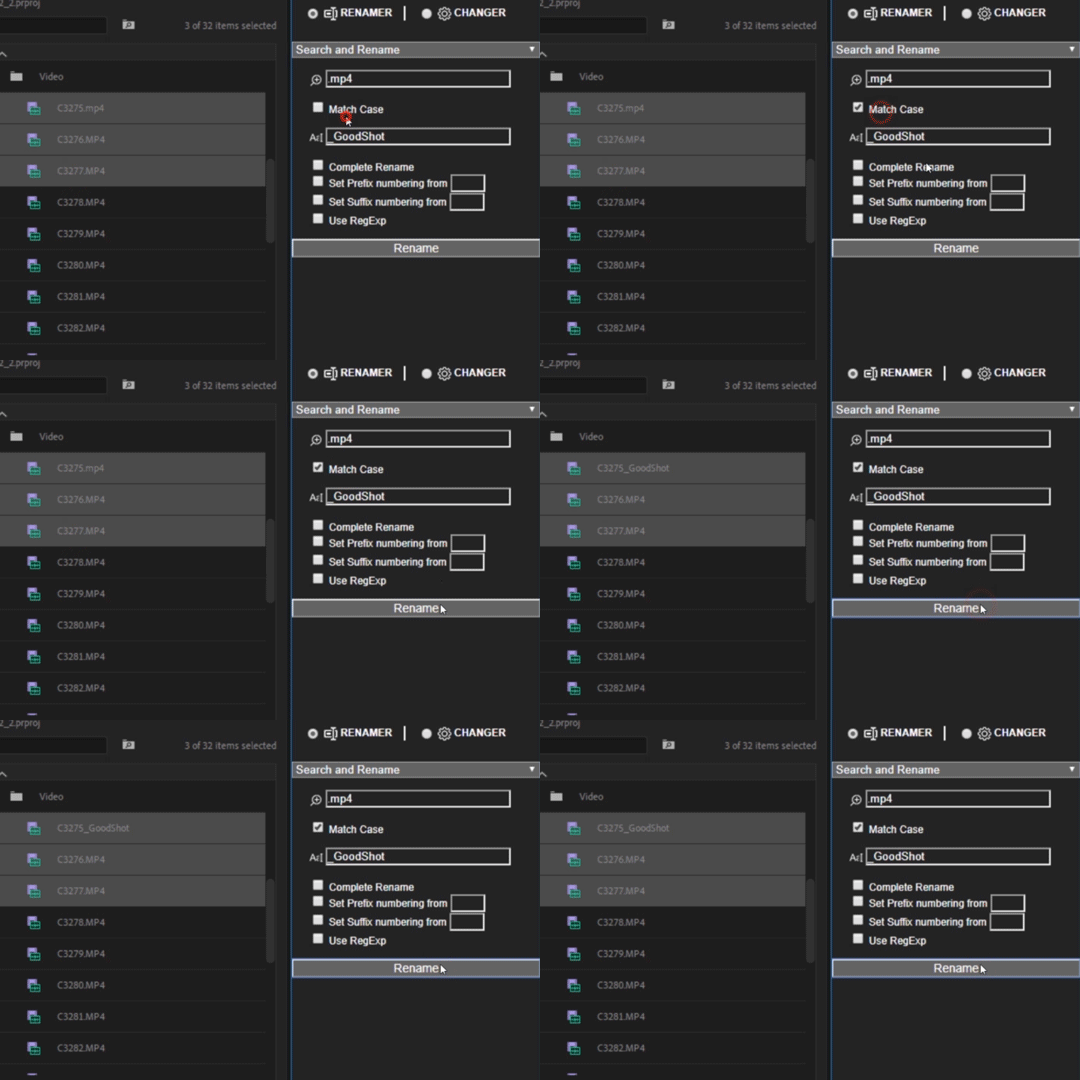
- Options to match case, complete rename, add suffix and prefix, and use RegEx
- Update in 1.0.3: Added the ability to add the current date and time to the project name.
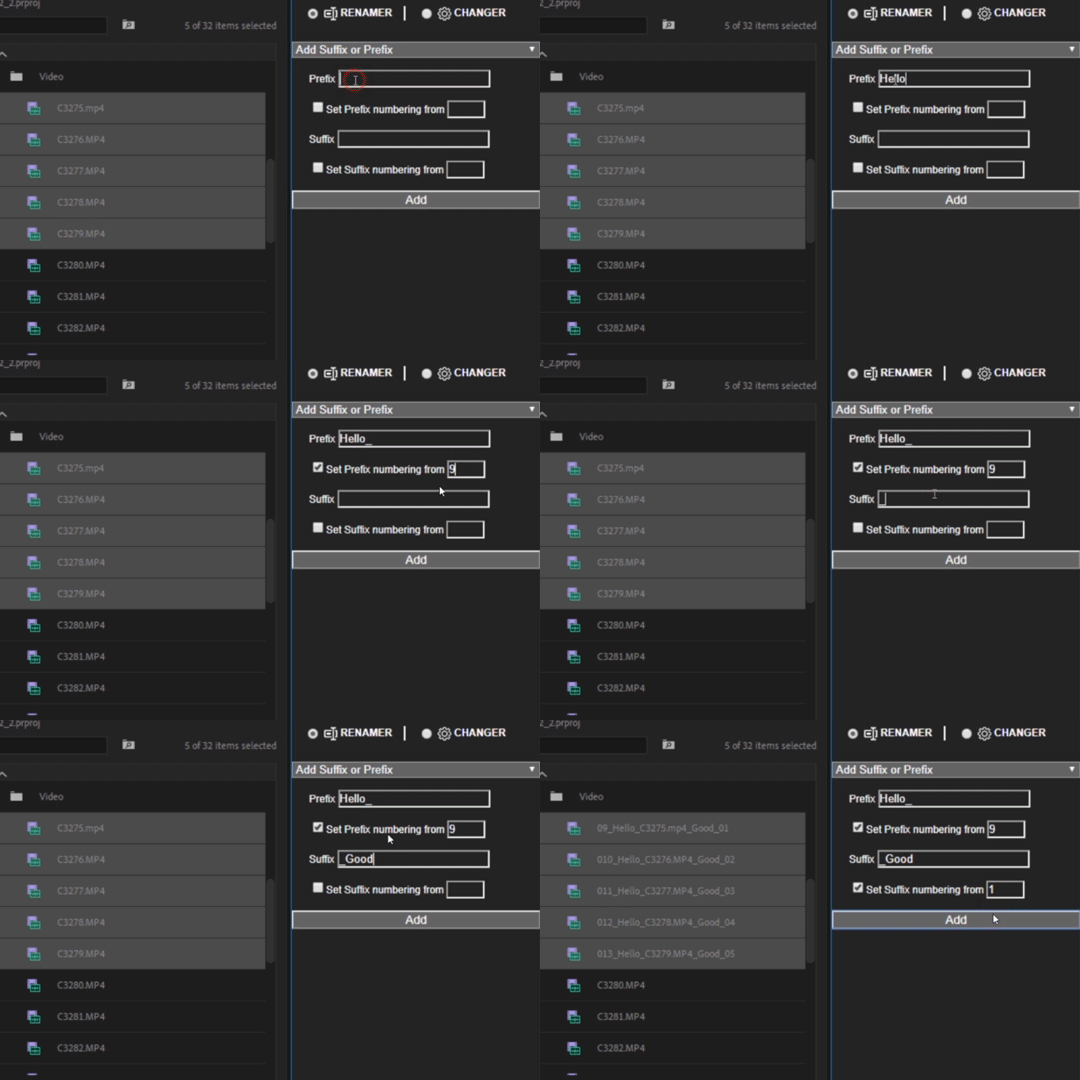
Add Suffix or Prefix
- Add to selected files your suffix or prefix and numbering.
- Update in 1.0.3: Added the ability to add the current date and time to the project name.
"Changer"
Batch change sequences settings.
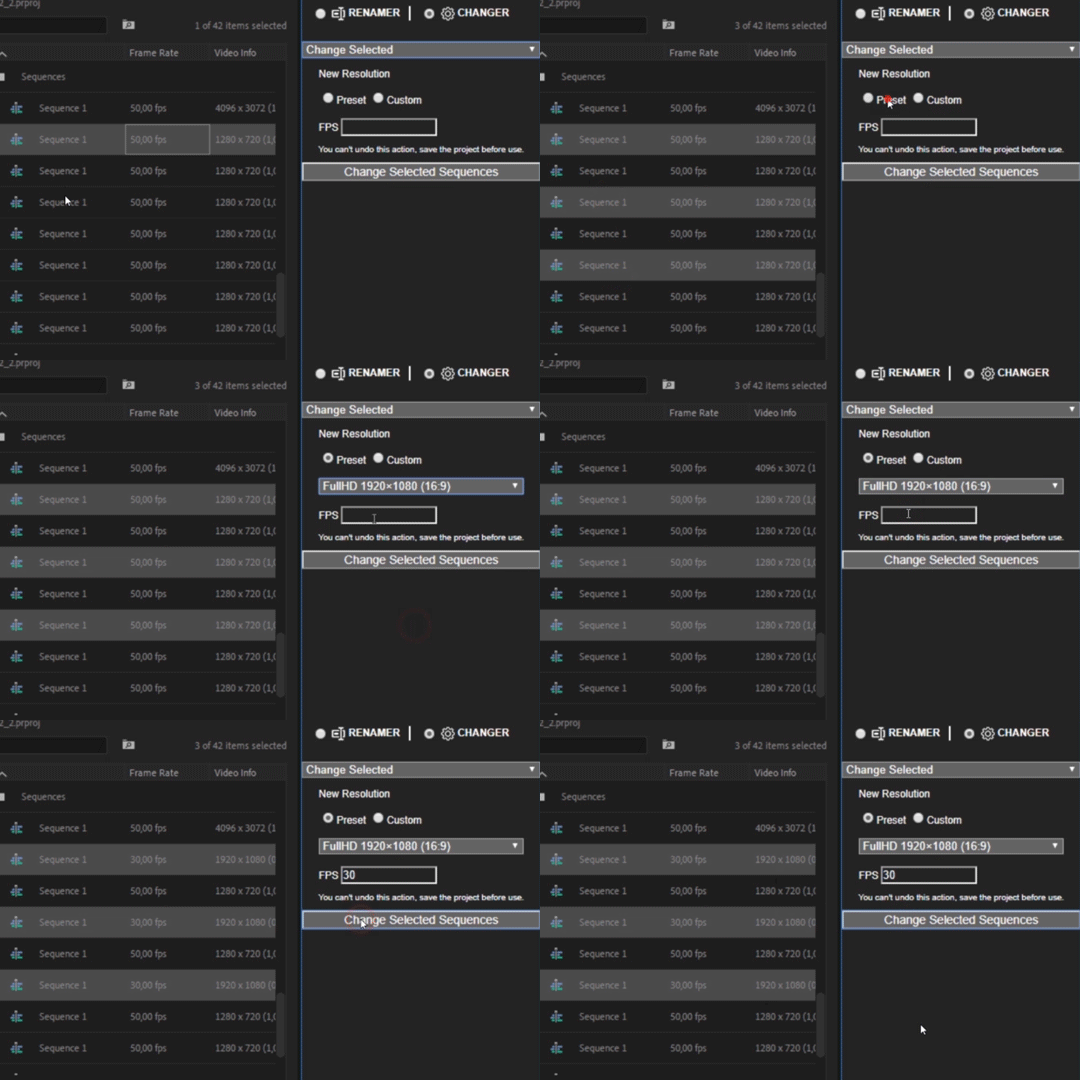
Change Selected
- Change resolution and FPS of the selected sequences
Find and Change
- Searches sequences by resolution and/or FPS and updates them with the new settings
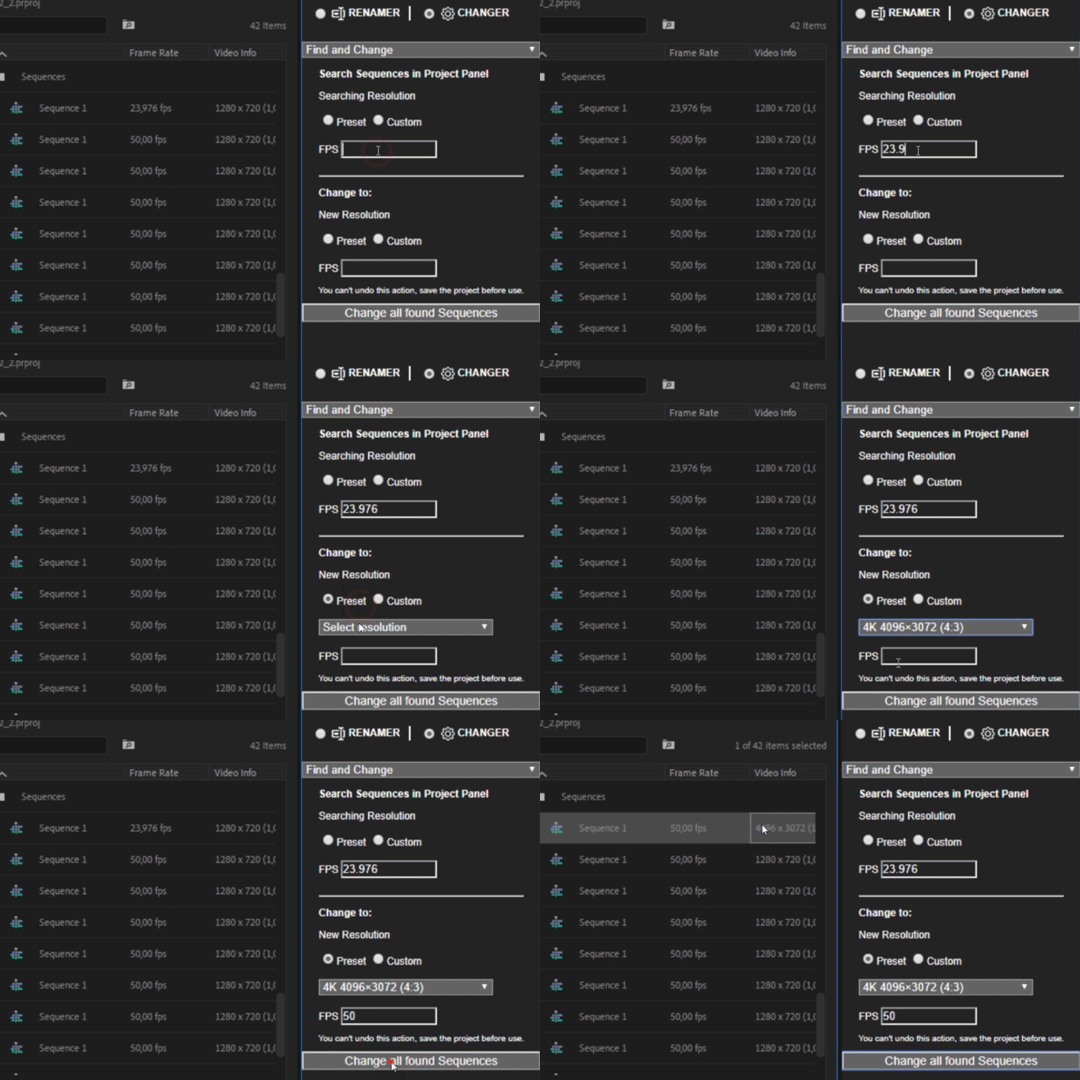
VERY IMPORTANT! You can't undo actions in "Changer" tab, please be sure to save the project before use. We are working on it, but this is a limitation from Adobe.
Please note - Requires Adobe Premiere CC2019 and higher.
FAQ:
1. I cannot rename / change anything
Tutorial
Update in 1.0.2: Added setting of numbering in the suffix and prefix
Update in 1.0.3: Added the ability to add the current date and time to the items name.
| Premiere | CC 2019 |
|---|
1.0.4 (Current version) - Oct 28, 2019
- Numbering corrected - now 0 before the number is put only from 1 to 9.
- Added 2 presets to the "Changer" - 3200х1800 and 1080x1380
1.0.3 - Jul 18, 2019
- Fixed "Matrix cannot be inverted" error message.
1.0.2 - Jun 22, 2019
- Fixed reset to display time on the frames after changing the resolution.
- Corrected icons.
1.0.1 - Apr 11, 2019
- Fixed "Trial Alert" bug in the "Search and Rename" for licensed version.
1.0 - Apr 3, 2019
-

- Compatibility After Effects
Character Swing Rigging
Add to CartCreate quick and easy advanced secondary character animations for, hair, clothes, fur, ears, tongues, + many more
-

- Compatibility After Effects
DecomposeText
Breaks up text by character, word or line into separate layers.Add to Cart -

- Compatibility After Effects
Auto Transition Builder
Add to CartAdd different transitions to a large number of layers in a very short period of time. Automate and speed up your video editing process!
-

- Compatibility After Effects
COB_SSD-Sequence Section Destroyer
Allows you to quickly and easily delete a section of a image file sequence in the finder for those times when you need to re-render only a section.Add to Cart -

- Compatibility After Effects
pt_ShiftLayers
Quickly shift or stagger selected layers in time.Add to Cart$9.99 -

- Compatibility After Effects
OCD Renamer
Add to CartAutomatically rename layers based on effects, mattes, parents or children.
-

- Compatibility Premiere
Rename It!
Add to CartBatch renaming and sorting tool for Adobe Premiere Pro.
$23.99 -

- Compatibility After Effects
Ustav — Text layouts editor
Add to CartNEW: Simple selection tool. Quickly create and edit text layouts.
Headers text • Paragraph text • Numbered text list • Bulleted text list • To-Do text list • Quote text • Divider • Callout text$29.00 -

- Compatibility Premiere
Backup It!
Add to CartCreate and import sequences backups in Premiere Pro.
$24.90 -

- Compatibility Premiere
Duplicate It!
Add to CartExtension for true duplication of sequences in Adobe Premiere Pro
$24.99 -

- Compatibility Premiere
Change it! for Premiere Pro
Add to CartChange sequence settings and organize your Project in Premiere Pro
$23.99