Block Swap
-
Compatibility After Effects Please check exact version compatibility under the "COMPATIBILITY" tab below
-
Compatibility Premiere Please check exact version compatibility under the "COMPATIBILITY" tab below
 Adding to cart...
How it works
Blocks of the source image are simply swapped between each other. Their size, spread, count and other parameters can be controlled and animated.
Section Time Shift allows you to change blocks in time instead of just on the screen space.
If swapping of blocks occurs can be controlled in the Mask Filter section with few possible conditions to select - helpful to animate the in/out of the effect or have precise control over the placement.
Default values are backward compatible with the previous version 1.0.
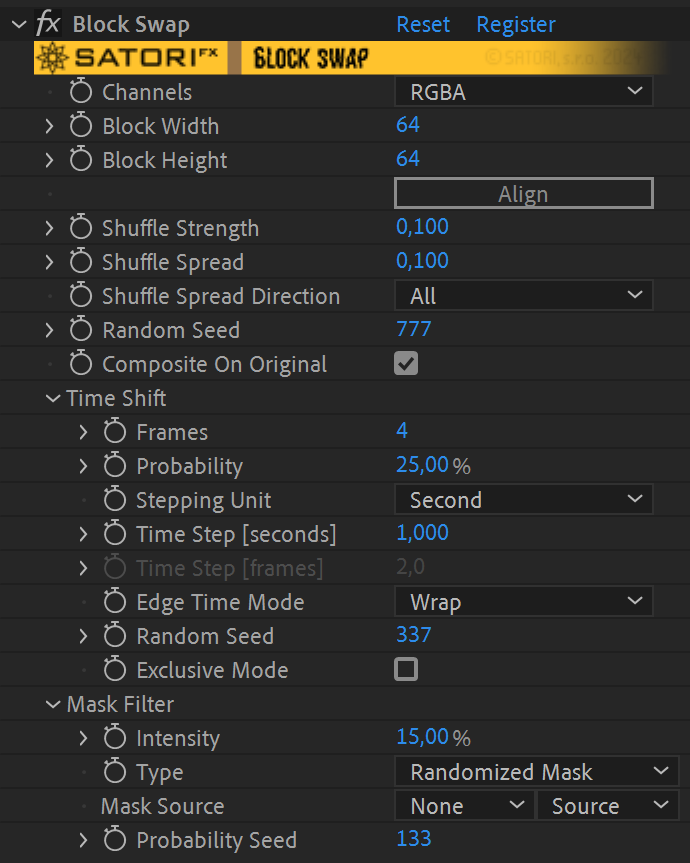
Available parameters rundown
-
Channels - allow you to specify which color channels should the effect be applied to:
- RGBA - the effect is applied to all channels equally
- red, green, blue and alpha - the effect is applied only to the selected channel
- Block Width - specifies the width of the blocks that should be swapped - the values go from 1 (this produces noise-like effect) up to 4096 (large tiles)
- Block Height - specifies the height of the blocks
- Align - use this button to find the nearest values of the current Block Width and Block Height parameters to create (if possible) blocks of the same size throughout the image. Suppose the width or height of the image is a prime number. In that case, no ideal block dimension exists to swap all the blocks between them (meaning blocks of the last column or last row can't be distributed to other locations because it's possible to swap only blocks of the exact dimensions).
- Shuffle Strength - the percentage of blocks that should be swapped. 0 - all the blocks remain in their original place; 1 - all the blocks are swapped.
- Shuffle Spread - how far apart should the swapping occur. 0 - swaps only the neighbouring blocks; 1 - swaps blocks that are the furthest apart.
-
Shuffle Spread Direction - determines the axis where swapping occurs:
- All - blocks are swapped anywhere in the image
- Horizontal - blocks are moved only in their rows
- Vertical - blocks are moved only in their columns
- Random Seed - sets the order that's used for swapping. Animate this to move blocks around randomly.
- Composite on Original - controls whether to display the entire image or only changed parts. Useful to uncheck when you want to apply other effects only to areas where block swap was applied.
▽ Time Shift
- Frame Count - sets the number of frames on the timeline you wish to use in the Time Shift feature, with the ability to use up to 16 frames from a different time. If the value is set to 0, this feature is disabled.
- Probability - defines the frequency of time shifting occurrence. Value 0% disables thefeature completely and 100% means all the blocks are randomly time shifted.
- Stepping Unit - the options Second and Frame specify which Time Step parameter is in use. Sometimes the precise stepping by number of frames is preferred, while control by time step in seconds guarantees stable stepping even when the FPS of the composition is changed.
- Time Step [seconds] - specifies the time step per each frame in seconds from negative (backwards) to positive (forwards) values.
- Time Step [frames] - specifies time step per each frame in number of frames and ranges from negative to positive values. Please keep in mind it's in relation to your actual composition's FPS.
- Edge Time Mode - defines a strategy for handling access of frames outside the applied layer content boundaries. Repeat Last picks the first or the last frame. The Wrap option behaves as if the layer was extended before and after it by new copies of itself, which is ideal for looped footage. Setting Mirror acts as if the layer is extra copied before and after in the reversed direction.
- Exclusive Mode - when checked, time shift is only applied to blocks and swapping in the screen space is omitted.
- Random Seed - sets the order that's used for randomization in the Time Shift section.
▽ Mask Filter
Provides better control over swapping occurrences. Source image is used as a mask by default, but any other layer can be selected. Intensity controls how much the filter is applied. By default it’s set to 0% (no filtering) for ackwards compatibility.
- Intensity - controls how strongly block filtering is applied. With the default value of 0%, the filter is not applied.
-
Type - offers three conditions to filter out swapping:
- Threshold - gradually filters out according to luminosity intensity of Mask Source in the same areas where swapping should occur. Areas with minimum luminosity filters out first and areas with maximum luminosity stay even with 100% intensity.
- Randomized Threshold - applies randomization of Intensity parameter between 0 and maximum value and then threshold is applied. This allows more natural disappearance of blocks when using gradients as a mask.
- Randomized Mask - mask’s luminosity is randomized between 0 and maximum value for each area and then filter is applied by comparing with selected Intensity. Again it allows the other kind of natural filtering. Intensity value of 100% wil filter all blocks for any mask given.
- Mask Source - is a layer used for filtering (the default is a source layer for the effect).
- Random Seed - sets the order that's used for randomization used in the Mask Filter section.
| PLATFORMS | |
| Microsoft Windows | ✓ |
| macOS Intel | ✓ |
| macOS Apple Silicon | ✓ |
| APPLICATIONS | VERSIONS | |
| After Effects | ✓ | CS6 - 2024 |
| Premiere Pro | ✓ | CS6 - 2024 |
| FEATURES | |
| Max. Rendering Resolution* | no limit |
| Multi-Frame Rendering | ✓ |
| Utilizing GPU | ✗ |
| After Effects | 2024, 2023, 2022, 2021, 2020, CC 2019, CC 2018, CC 2017, CC 2015.3, CC 2015, CC 2014, CC, CS6 |
|---|---|
| Premiere | 2024, 2023, 2022, 2021, 2020, CC 2019, CC 2018, CC 2017, CC 2015.3, CC 2015, CC 2014, CC, CS6 |
1.5.1 (Current version) - Jul 23, 2024
• Fix of crash for unregistered version with a composition height over 4096 pixels (watermark bug)
• Fix of Exclusive Mode in Time Shift feature - now with no effect when the feature is disabled
• Fix for scaling affected by a difference between the resolution of the adjustment layer and the frame
• After Effects SDK May 2023
• Stapled macOS build (in addition to being signed and notarized)
1.5.0 - Feb 16, 2023
• Mask Filter (new section) - controls occurrence of swap operation only in certain areas
• Composite on Original - allows outputting only changed areas of the image
• Block width and height size limit extended to 4096
• Universal macOS binary (Apple silicon support) for Premiere Pro and After Effects (beta)
• Multi-frame rendering support
• Code signed Windows binary and SatoriFX branding
• Aescripts framework v4.0.7 - improved stability of license checks
1.0 - May 14, 2020
-

- Compatibility Photoshop
Glitch Vandalizer Photoshop Plugin
Add to CartGlitch Vandalizer Plugin gives you infinite possibilities for creating awesome compressed glitches, digital distortion and data mosh effects for your shots.
-
- Compatibility After Effects
Fractal Noise 3D
Create Fractal Noise in three dimensions! Very useful for integrating noise in 3D composites. It reacts to After Effects comp cameras and lights.Add to Cart -

-
- Compatibility Nuke
Pixel Sorter for Nuke
Add to CartPixel Sorter was the first tool to bring the pixel sorting glitch effect available for motion designers and video editors within After Effects and Premiere Pro. Experimenting with Pixel Sorting just became so much easier! Since its launch, AEPS had a huge success in Broadcast TV, Live performances, VJs, Music Videos, Video Games, Photography and even Apparel! Version 3 brings a lot of new useful features.


 Pixel Sorter is also available for After Effects & Premiere Pro and Resolve as a separate license.
-

- Compatibility After Effects
- Compatibility Premiere
Glitch Bundle
Add to CartSave 25% on Data Glitch 2, Pixel Sorter 3, Datamosh 2, Glitch Control and now also memleak!
-

- Compatibility After Effects
Data Damage Animated Typeface
Digital noised, grained, glitched, error-ed, pixelated and damaged. 55 unique font characters including all uppercase letters, numbers, and 19 common symbols.Add to Cart
-

- Compatibility After Effects
- Compatibility Premiere
Pixel Melt
Add to CartPixel Melt simulates independent stretching and displacement of pixels. Applicable for various image distortions, including melting simulation or scanlines separation with modulation ability.
$41.99 -
- Compatibility After Effects
- Compatibility Premiere
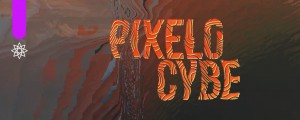
Pixelocybe
Add to CartNew v1.3 A healthy dose of trippy visuals for your pixels. Pixelocybe is a hybrid mosaic/displacement filter with a flexible two input pipeline.
$31.99 -
- Compatibility After Effects
- Compatibility Premiere
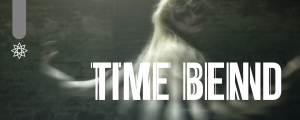
Time Bend
Add to CartTime Bend aims as a better replacement for the Time Displacement effect in After Effects. The main difference is more versatile control over the frame sequence, blending with editable transition, loops support, or animating time mapping via curve phase.
Attention: Due to the complexity of this plugin, we advise you first to download and test the free "TRY " version before the purchase.$37.99 -
- Compatibility After Effects
- Compatibility Premiere
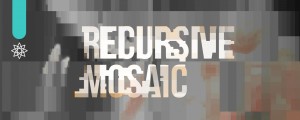
Recursive Mosaic
Add to CartRecursive mosaic subdivides the grid further to preserve or discard as much image detail as you like. Useful for novel pixelization effects or jpeg artifacts simulation.
$27.99 -
- Compatibility After Effects
- Compatibility Premiere
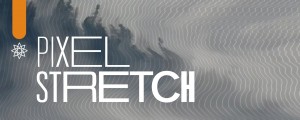
Pixel Stretch
Add to CartOrganic nonlinear pixel stretching with subpixel accuracy by luminance curve or input layer in orthogonal directions.
$39.99 -

- Compatibility After Effects
- Compatibility Premiere
Curve Tracer
Add to CartFrom pencil drawings to abstract sketching - trace your footage with contours and bring the organic feel of hand drawn style to your creations.
$43.99