
Faux Parent
-
Compatibility After Effects Please check exact version compatibility under the "COMPATIBILITY" tab below
 Adding to cart...
 With Faux Parent, your child can be parented with one or more transform properties (Position, Scale, Rotation, Opacity) with settings that break the traditional parenting relationships.
 |
Faux Parent - Position & Scale XY, X Only, Y Only, XY Inverted, X Only Inverted, Y Only Inverted, X Inverted + Y Standard, X Standard + Y Inverted Faux Parent - Rotation & Opacity Standard, Inverted, Target (rotation only) |
 |
Introduced in Faux Parent 1.1 The user can assign any of the parenting modes to all selected layers while applying Faux Parent. |
 |
Introduced in Faux Parent 1.2 Batch Delay. With the batch delay, use one of the two modes to apply a delay to several children at once. Random Mode: Enter a min and max value to apply a random value within the designated range. Sequence Mode: Enter a min and max value and divide the difference equally among the selected layers. |
 |
Introduced in Faux Parent 1.2 Batch Influence. With the batch influence, use one of the two modes to apply different amounts of influence to several children at once. Random Mode: Enter a min and max value to apply a random value within the designated range. Sequence Mode: Enter a min and max value and divide the difference equally among the selected layers. |
 |
Introduced in Faux Parent 1.4 The sync engine has been completely rewritten. The process is significantly faster and makes Faux Parent compatible when running After Effects in other languages. Note: Clean has been removed from the UI as it is obsolete due to no keyframes created.
|
 |
Faux Parent doesn't break with shared project files. After Effects project files that utilize Faux Parent can easily be shared as Faux Parent works without the script and even allows for adjustments.
|
Faux Parent 1.2 makes it easy to create a parallax effect using the sequential influence option.

Create complex animation by adding delay (frames) or influence amount (0%-1000%) to any Faux Parent mode.

| ⇾ Parent (Planet with Ring) - Keyframed position, scale, and rotation | ⇾ Child 03 - XY Invert, Influence 20%, Delay 6 Frames |
| ⇾ Child 01 - XY, Influence 60%, Delay 2 Frames | ⇾ Child 04 - XY Invert, Influence 50%, Delay 8 Frames |
| ⇾ Child 02 - XY, Influence 20%, Delay 4 Frames | ⇾ Child 05 - XY Invert, Influence 100%, Delay 10 Frames |
Faux Parent allows you to use a different parent for each property (position, scale, rotation, and opacity). Therefore, the user can have up to four parents per child layer.
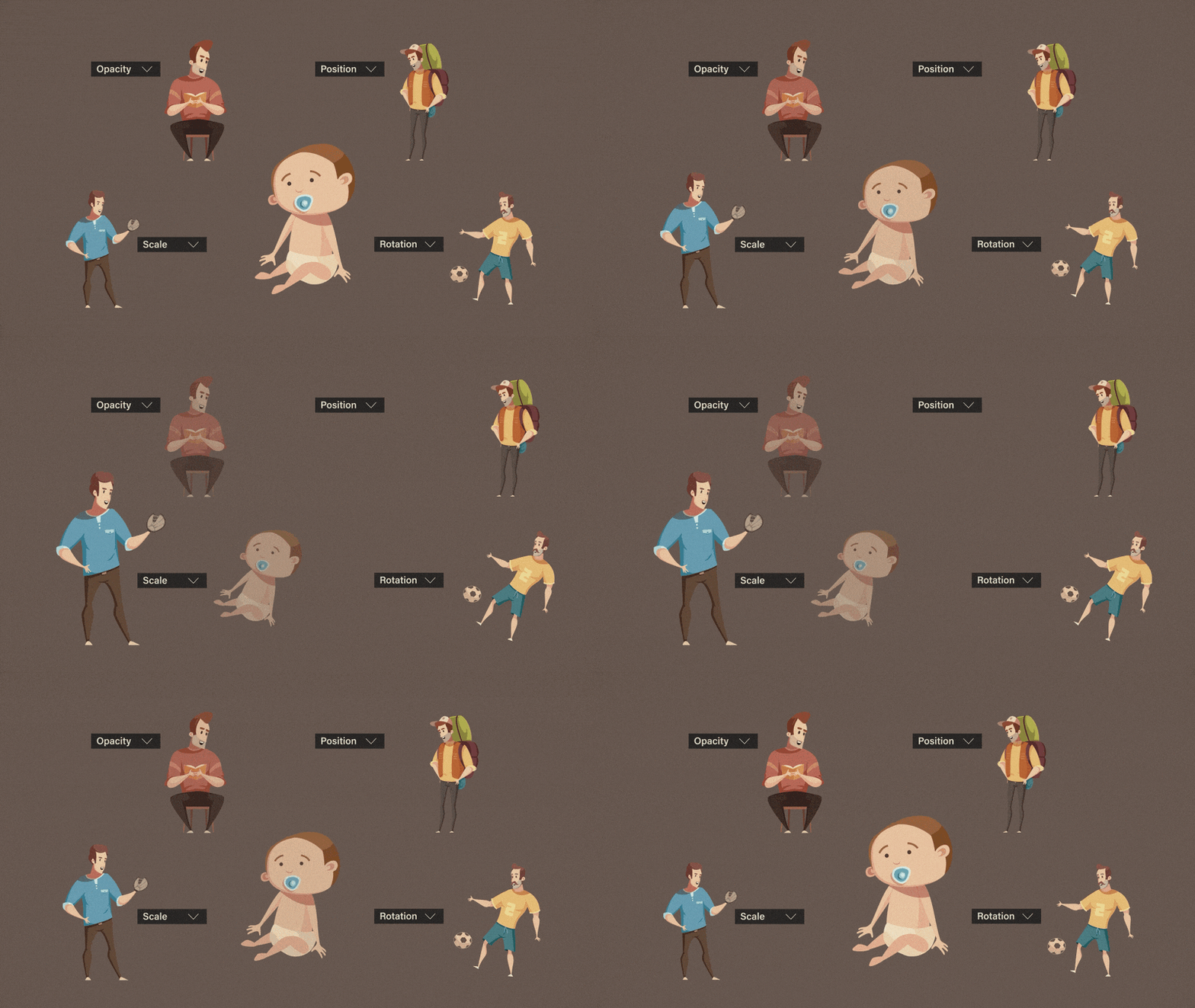
Set the anchor point of the child independent of the parent. You can rotate and scale your child from any Anchor Point. You aren't limited to the parent's anchor point.

All gears are driven by keyframes on the yellow gear using a variety of influence amounts and inversed directions. The belts and claw are driven by the keyframes on the gear using Drive.
| 0:00 Applying Faux Parent | 6:40 Rotation - Target Mode |
| 1:10 Syncing | 8:40 Influence and Delay |
| 2:28 Removing Faux Parent | 9:40 Batch Delay |
| 2:43 Batch Parenting & Auto Sync | 12:57 Batch Influence |
| 4:05 Clean (Obsolete) |
Learn how to use Faux Parent to create a faux 3d parallax effect using only 2d layers.
Current limitations:
• Faux Parent works with 2d and 3d layers. When layers are 3d, only 2d properties are respected.
| After Effects | 2024, 2023, 2022, 2021, 2020, CC 2019 |
|---|
1.4.5 (Current version) - Jul 6, 2024
1.4.4 - Jun 16, 2024
1.4.3 - Mar 1, 2024
1.4.2 - Feb 27, 2024
- Updated license framework
1.4.1 - May 25, 2023
1.4 - May 14, 2023
- Removed the "Clean" checkbox from UI (Obsolete)
- Compatible with versions of AE running in other languages
1.2 - Jan 4, 2023
- Added Batch Influence (Random and Sequential)
- Added "Clean" option to remove syncing keyframes
- Fixed Rotation Offset controller
1.1 - Dec 8, 2022
1.01 - Nov 17, 2022
1.0 - Nov 16, 2022
-

- Compatibility After Effects
Set Parent To Structure
Auto parent-child linking of layers to character skeletonAdd to Cart -
- Compatibility After Effects
BAO Layer Sculptor
Add to CartPrecise layer warping and sculpting plugin for After Effects. Draw a mask exactly where you need it and warp it with perfect precision.
-
- Compatibility After Effects
Slice it Up 2
Procedural and non-destructive way to slice your footage in After Effects. Buy it with the AI or C4D version for a 10% discount or all 3 for a 20% discount.Add to Cart -

- Compatibility After Effects
Gridder 2
Add to CartGridder arranges layers into a customizable grid in many ways - rectangle, 3d, circular or spiral.
-

- Compatibility After Effects
The LoopMaker
Loops any layers, footage or comps with one click™Add to Cart -

- Compatibility Premiere
Change it! for Premiere Pro
Add to CartChange sequence settings and organize your Project in Premiere Pro
-

- Compatibility After Effects
Relativity
Arrange layers horizontally and vertically in rows, columns, grids, and circles, based on their relationship to other layers and the composition.Add to Cart$24.99 -

- Compatibility After Effects
Arc
Add to CartEase your keyframes in Adobe After Effects quickly with a compact UI that packs a powerful punch despite its adorable appearance.
$11.99 -

- Compatibility After Effects
Drive
Add to CartDrive allows the user to control one property with another. For example, you can rotate a layer based on the x position of another layer. Change a particle emitter rate based on the scale of a layer. Change the hue of a layer based on the opacity of another layer. Okay, you get the idea.
$5.99 -

- Compatibility After Effects
Groups and Toggles
Add to CartPre-composing layers in After Effects is unavoidable at times, but now you can access pre-composed layers to create mattes, rearrange layer order, embed mattes in MOGRTs, or add multiple MOGRT versions in one file all while keeping your project procedural.
$19.99 -

- Compatibility After Effects
Fresh Trim
Add to CartNEW: Five new trim modes. Fresh Trim is designed to help keep your timeline organized by trimming layers quickly according to a variety of attributes.
$14.99 -

- Compatibility After Effects
Essential Namer 2
Add to CartAdd your most common layer properties to the Essential Graphics Panel without having to navigate to your active comp and add custom property naming in the process.
$11.99