
SpeedX
-
Compatibility After Effects Please check exact version compatibility under the "COMPATIBILITY" tab below
-
Compatibility Premiere Please check exact version compatibility under the "COMPATIBILITY" tab below
 Adding to cart...
SpeedX is an advanced time remapping plugin with AI technology, it is designed to speed up, slow down videos by interpolating additional images between frames intelligently.
The plugin adopts the sophisticated AI-based optical flow method to calculate the object motions in the video sequence. Moreover, thanks to the intelligent AI technology, SpeedX can perceive the occlusion around the motion boundaries. And then it adaptively fuses the image pixels under the guidance of accurate pixel-based optical flow and occlusion information, therefore, generates high quality and more realistic intermediate frames.
SpeedX is a professional and affordable tool for time remapping, always with visually stunning results. It is ideal for video frame rate conversion, super slow motion, speed change, variable reverse playback and more creative video effects.
Moreover, SpeedX plugin is GPU accelerated for Adobe After Effects and Adobe Premiere Pro, and available for Mac and Windows.
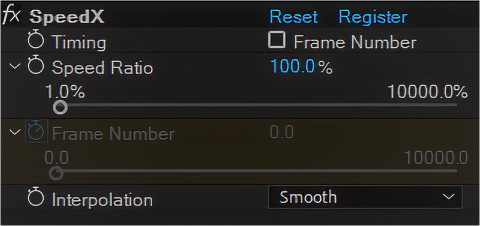
Simple and user friendly controls.
Two retiming modes: Speed Ratio and Frame Number.
Four interpolation modes: Smooth, Sharp, Nearest, and Blend. Smooth and Sharp modes are with AI technology.
Frame interpolation with visually stunning results, ideally for time remapping applications.

Accurate motion vector for each pixel is obtained using occlusion-aware optical flow method. With the accurate motion vectors, SpeedX adaptively fuses the image pixels to generate high quality and realistic intermediate frames.
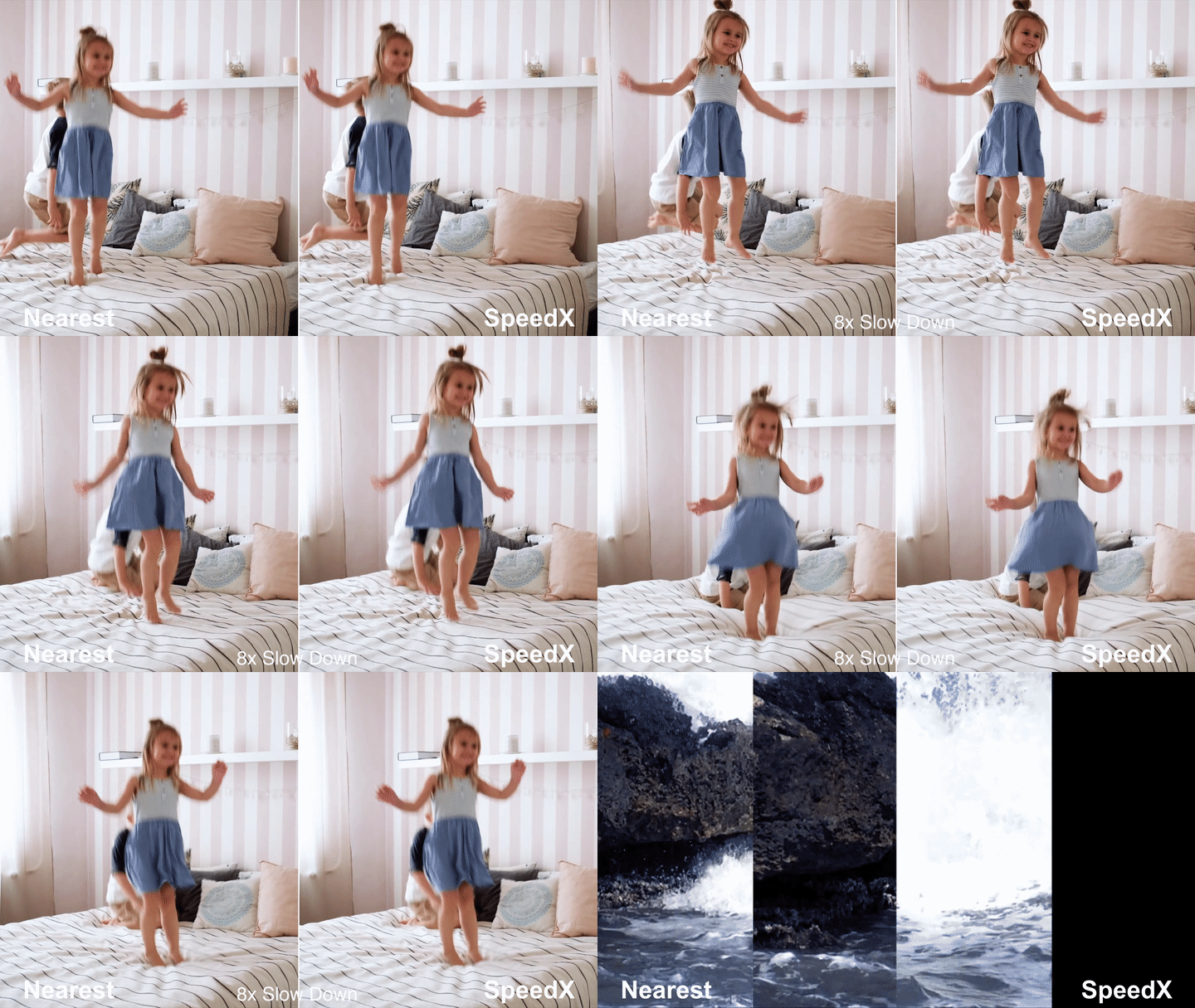
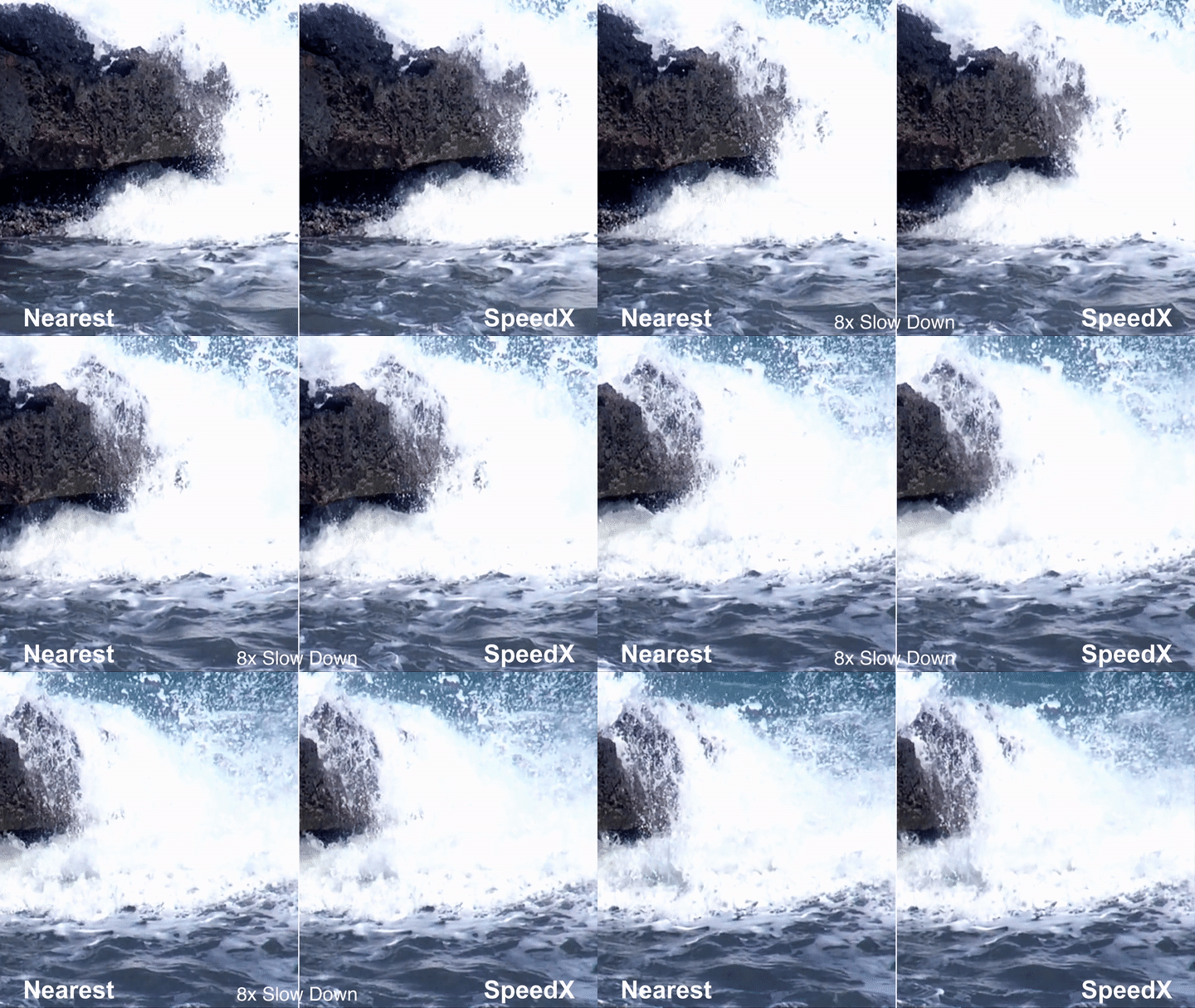
Intelligent AI technology analyzes the pixels of large amount of clips and preceives the occlusion around the motion boundaries. SpeedX can handle large motion and occlusion better than the traditional technology, therefore it improves the interpolated image quality.
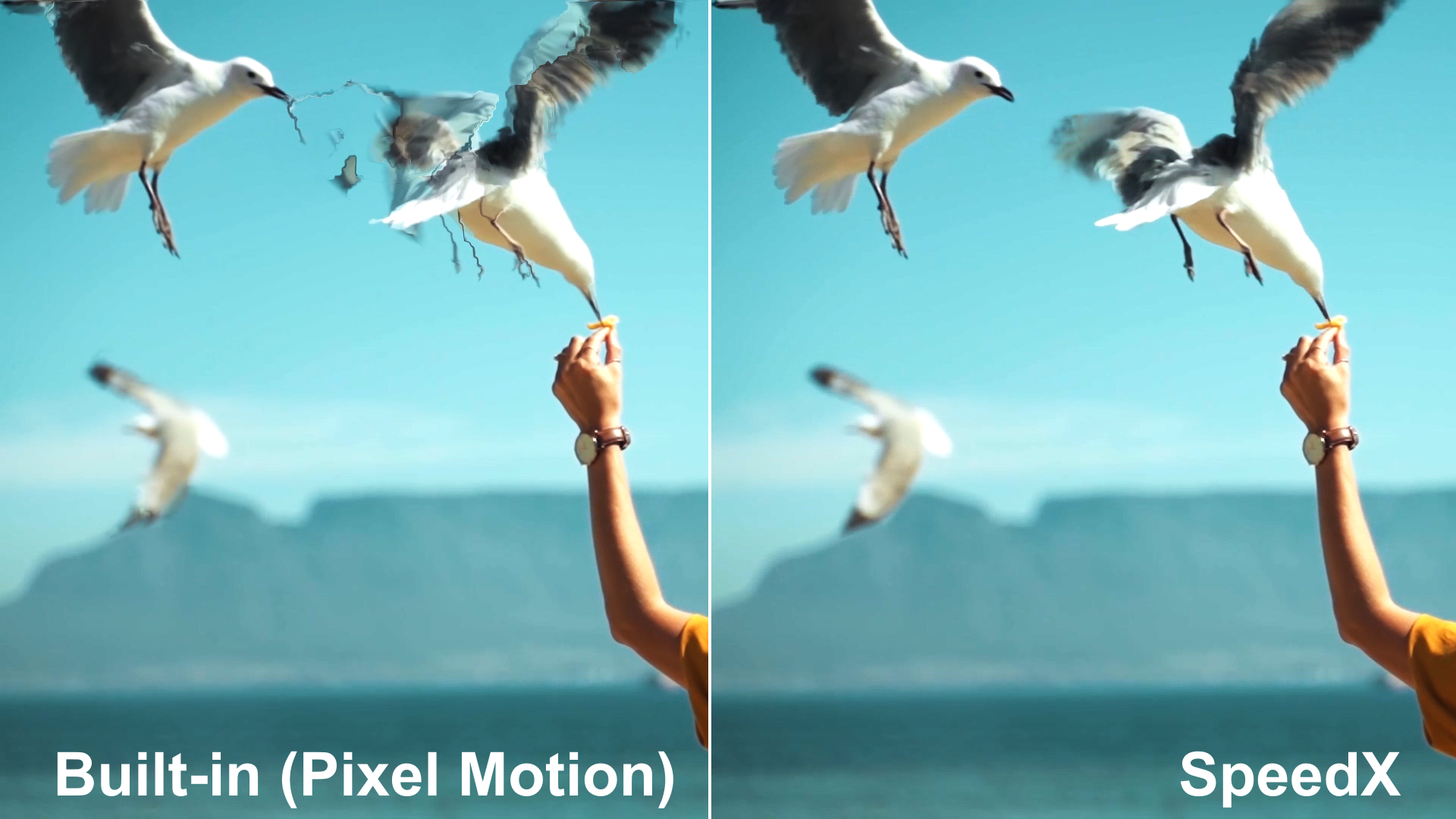

Usage for slow motion and frame rate conversion.
Slow motion with the ratio mode, it slows down the video by 4 times.
Convert frame rate from 24fps to 120fps.


| After Effects | 2024, 2023, 2022, 2021, 2020 |
|---|---|
| Premiere | 2024, 2023, 2022, 2021, 2020 |
1.1.5 (Current version) - Jul 29, 2023
1.1.4 - May 15, 2023
- Fix memory leak issue
- Improve stability
1.1.3 - Jun 25, 2022
1.1.2 - Jan 21, 2022
-Update license framework
1.1.1 - Dec 10, 2021
1.1.0 - Nov 26, 2021
1.0 - Sep 3, 2021
-

- Compatibility After Effects
- Compatibility Premiere
Color Grade Prompter
Add to CartA.I. based plugin for easy and fast color grading based on (multiple) textual inputs or image layers with support for LUT export.
-

- Compatibility After Effects
- Compatibility Premiere
Neural Enhancement Suite
Add to CartNow available for macOS (>11.5) and Windows! Neural Enhancement Suite is an A.I. powered toolset for AI-based video enhancement to achieve results not previously possible in After Effects.
https://blaceplugins.com/product/neural-enhancement-suite/
-

- Compatibility After Effects
- Compatibility Premiere
AI Color Match
Add to CartProfessional color correction and grading is now accessible for all. Easily color match different shots in Premiere and After Effects.
-
- Compatibility After Effects
AudioAmpToVideoSpeed
Allows you to speed up or slow down a video according to an Audio Amplitude layer.Add to Cart -
- Compatibility After Effects
Depth Mosh Bundle
Add to CartGet Datamosh 2 and Depth Scanner! This bundle brings a knockout combo when using Depth Scanner's depth maps with Datamosh 2's new Mosh Map feature. Your shot at 3d Datamoshing.
Regular Price: $150.00
Special Price: $112.50
-
- Compatibility After Effects
Depth Scanner Lite
Add to CartNow with Depth Anything v2! Artificial Intelligence-based plugin for automatic easy depth estimation. Depth Scanner Lite is a slim variant of our Depth Scanner. It creates depth maps easily.
-

- Compatibility After Effects
- Compatibility Premiere
ContrastUp
Add to CartEnhance image contrast and adjust the shadows, midtones and highlights parts.
$14.99 -

- Compatibility After Effects
- Compatibility Premiere
DeepClear
Add to CartAI powered video enhancement tool for Premiere Pro and After Effects. Enhances image details, reduces noise and improves contrast.
The performance is highly dependent on GPU, and some old GPU cards (before 2012) are not supported. Please TRY it before purchase.
$59.99 -

- Compatibility After Effects
- Compatibility Premiere
StyleX
Add to CartVideo stylization tool with AI. Convert videos into cartoon, drawing, painting, halftone and many other styles.
The performance is highly dependent on GPU, and some old GPU cards (before 2012) are not supported. Please TRY it before purchase.
$79.99 -

- Compatibility After Effects
- Compatibility Premiere
ClearPlus
Add to CartEnhance video quality easily for hazy, underwater and low light footages.
$24.99 -

- Compatibility After Effects
- Compatibility Premiere
ScaleUp
Add to CartEnlarge footage up to 10 times for better quality with A.I. technology.
$59.99